How to Grow Your LinkedIn Following to 10K Without Paid Ads
Growing to 10,000 LinkedIn followers doesn't require an advertising budget. This guide shares proven organic strategies for 2026, including profile optimization, high-performing content, consistent posting, and meaningful engagement to build a loyal professional audience and increase your reach.
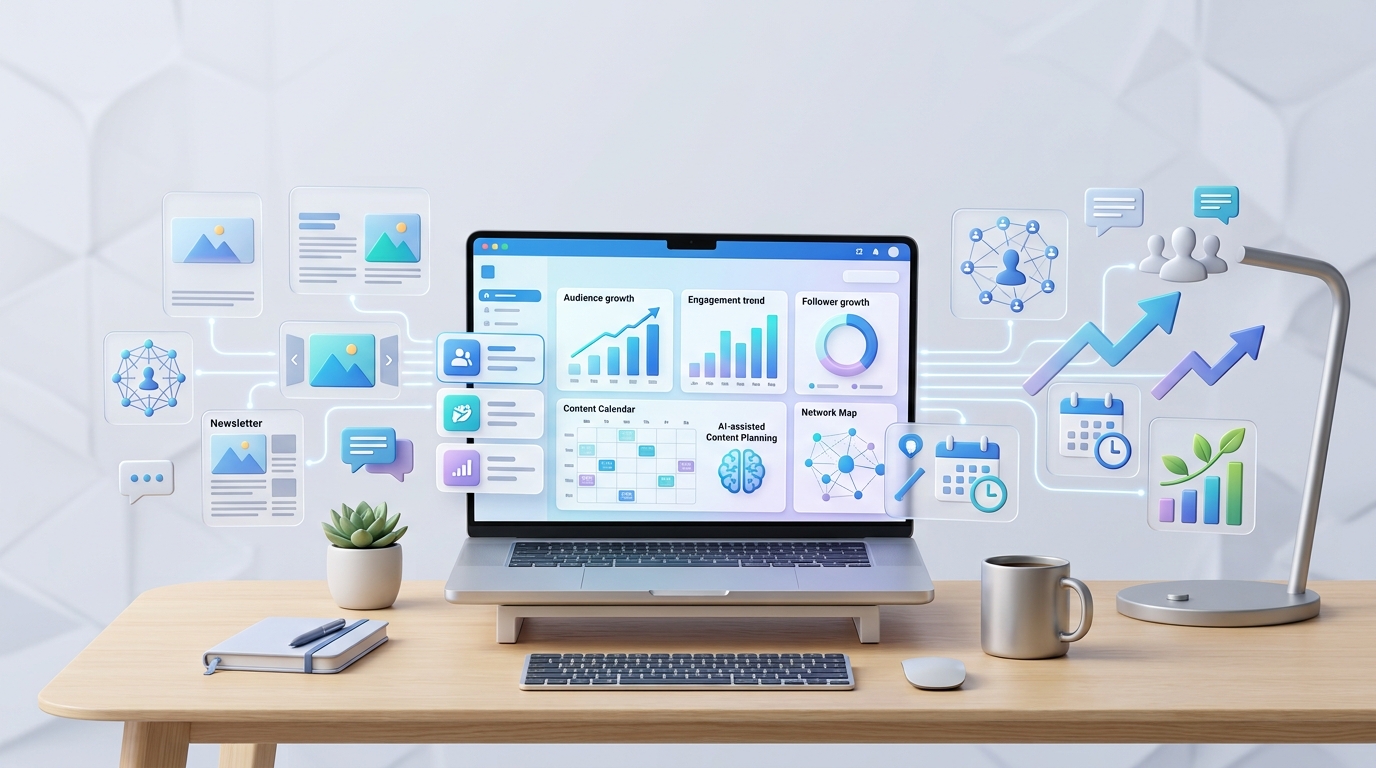
LinkedIn has crossed 1.3 billion members in 2026, and here's the part most people miss: the vast majority of them are lurking, not posting. That gap between how many people are on the platform and how few are actually creating is the entire reason organic growth is still realistic without spending a cent on ads. Personal profiles on LinkedIn currently see roughly 70% more organic reach than company pages, and unlike Instagram or Facebook, LinkedIn hasn't systematically throttled organic distribution to force everyone into paid promotion. If you understand how the algorithm actually distributes content in 2026, 10,000 real, engaged followers is a genuinely achievable target not overnight, but faster than most people expect once the fundamentals are in place.
walks through exactly what's changed about LinkedIn's algorithm this year, the content formats currently getting rewarded, and the AI tools that make consistent posting sustainable for one person without a content team behind them
.
Why Organic Growth Still Works on LinkedIn in 2026
The tactics that drove reach in 2023 and 2024 "comment your email and I'll DM you the guide," pure text posts padded with line breaks, engagement-pod participation have largely been penalized or neutralized. LinkedIn's algorithm has shifted from rewarding raw engagement volume to rewarding depth: how long someone actually reads your post, whether they save or send it, and whether the comments underneath are substantive rather than a string of "Great post!" replies.
That shift is good news for anyone building a following the honest way. Depth is harder to fake than a like count, which means genuinely useful content has a real structural advantage over shortcuts. The rest of this guide is built around that shift rather than around tactics that already stopped working.
Step 1: Fix Your Profile Before You Post Anything
Your profile is the first thing a new visitor sees after a post of yours gets any traction, and a weak one bleeds followers you already earned through good content. A few non-negotiables:
Switch on Creator Mode. It replaces the "Connect" button with "Follow," which removes friction for people who want to see your content without sending a connection request and profiles using it see meaningfully faster follower growth as a direct result.
Write a headline that states who you help, not just your job title. "Marketing Director at X" tells a visitor nothing about why they should follow you. "I help B2B SaaS founders fix their onboarding funnels" does.
Treat your About section as a pitch, not a résumé. Lead with the outcome you deliver, back it with a specific example, and close with a clear reason to follow.
Use the Featured section as a highlight reel. Pin your best-performing posts, a case study, or a lead magnet so a new visitor doesn't have to scroll your entire history to understand what you're about.
Get verified if you're eligible. LinkedIn increasingly uses verification as a trust signal to filter genuine creators from the growing wave of low-effort, AI-generated ghost accounts, and verified profiles are seeing a measurable lift in organic reach as a result.
Step 2: Understand What the 2026 Algorithm Actually Rewards
LinkedIn's distribution system runs in stages, and understanding the stages changes how you write every post from here forward.
The Golden Hour matters more than ever. When you publish, LinkedIn shows your post to a small sample of your network first typically 5–10%. The algorithm watches that sample closely for the next 60 to 90 minutes. If people ignore it, reach dies quietly. If they click "see more" and bounce, the post gets tagged with a low depth score. If they engage in real conversation, it advances to a wider audience. This is why replying to early comments fast, not just posting and walking away, has become one of the highest-leverage things you can do in the first hour after publishing.
Comments outweigh likes by a wide margin, and short, low-effort comments are increasingly filtered out of that calculation a one-word "Great post!" no longer counts for much, while multi-sentence replies that add to the discussion trigger a real reach multiplier.
Dwell time has effectively dethroned the like as the primary distribution signal. LinkedIn now measures how long someone actually spends reading your post, not just whether they clicked or tapped. This is nearly impossible to fake the way engagement pods used to fake likes, which is exactly why the algorithm leans on it so heavily now.
Saves and sends carry outsized weight. A save is treated as a strong vote of confidence that your content is worth referencing later, and a send via DM signals something a public like never could that someone found it valuable enough to hand directly to another person.
Interest-based distribution has replaced pure network distribution. Your posts aren't just shown to your existing followers by default anymore. LinkedIn identifies the "topic DNA" of a post and pushes it toward users who've historically engaged with that specific niche, even outside your first-degree network which is exactly why staying tightly focused on one topic area compounds over time instead of resetting with every off-topic post.
External links get penalized if they're not earned. The old "link in the comments" workaround has largely been patched. LinkedIn's 2026 algorithm identifies that bridge behavior and suppresses posts that try to route traffic off-platform before delivering substantial value natively first. If you're promoting something, deliver the value in the post itself and treat the link as a bonus, not the whole point.
Step 3: Pick Your Content Pillars and Post Consistently
LinkedIn rewards topical consistency because it helps the algorithm categorize who should see your content in the first place. Scattering posts across five unrelated topics confuses that categorization and slows growth even if each individual post is well written.
Pick two to three content pillars specific enough that a stranger scrolling your profile immediately understands what you're about. "Marketing tips" is too broad. "How B2B SaaS founders should think about onboarding" is a pillar. Everything you post should fit clearly under one of your chosen pillars.
On frequency, the data across 2026 benchmarks converges on roughly the same range regardless of source: 3 to 5 high-quality posts a week produces the strongest sustained growth. More than that risks diminishing returns and burnout; less than that sends inconsistent signals that slow the algorithm's ability to learn your niche.
Step 4: Carousels Are LinkedIn's Highest-ROI Format Right Now
If there's one format worth prioritizing above everything else in this guide, it's the LinkedIn carousel technically a multi-slide document post, since LinkedIn retired its old native carousel format. You upload a PDF (or PPTX/DOCX, which LinkedIn converts), and the platform renders each page as its own swipeable card. A well-built carousel on a tactical topic a how-to, a framework, a case study broken into steps can realistically pull 5 to 10 times the reach of a plain text post from the same account, because every swipe adds to dwell time and every completed swipe-through is a strong quality signal.
If you've mainly built carousels for Instagram before, the underlying skill transfers directly, even though the mechanics differ slightly. How to make a carousel post on Instagram and building a LinkedIn document post share the same core discipline: one clear idea per slide, a strong hook on slide one, and a payoff or call-to-action on the last card. The difference is just the export format Instagram takes a set of individual images uploaded through the app, while LinkedIn wants a single multi-page PDF.
A dedicated ai carousel post maker removes most of the manual formatting work either way feed it a topic, a blog post, or a rough outline, and it structures the slide-by-slide copy and layout automatically, exporting in the right dimensions for whichever platform you're targeting. If you're testing a few tools before committing to one, look for a free ai carousel generator without watermark option specifically plenty of free tiers technically let you build and export carousels for nothing, but stamp a visible watermark across every slide unless you upgrade, which undercuts the polished look a LinkedIn document post needs to perform well.
For creators managing both platforms, the same repurposing habit that applies to how to make carousel post on Instagram applies here in reverse: build the LinkedIn version first, since it demands the most structural discipline, then adapt the slide copy down into an Instagram-sized version rather than starting from scratch twice. Once you've got the workflow down, how to make carousel posts on Instagram for your secondary or personal account becomes a five-minute resize job instead of a new project.
Step 5: Native Video, Done Right
Video is having a real moment on LinkedIn in 2026 as the platform pushes harder to compete with TikTok and Reels for professional attention, and short talking-head clips 30 to 90 seconds, one specific insight or a genuinely debatable take are consistently outperforming longer, more polished video. Two details matter more than production quality here: deliver the value within the first three seconds, since that's the window the algorithm uses to judge whether to keep distributing, and always add captions, since more than 70% of LinkedIn video is watched with the sound off.
Step 6: Build a Real Engagement Habit, Not a Broadcasting Habit
Growth on LinkedIn compounds through relationships more than through any single viral post. A few habits that consistently move the needle:
Comment-to-connect. Leave genuinely useful comments not "Great post!" on high-visibility posts in your niche. This puts you in front of an audience that's already interested in your topic before they've ever seen your own content.
Reply to every comment on your own posts, especially in the first hour. This isn't just good etiquette replying measurably boosts engagement and directly feeds the dwell-time and depth signals the algorithm is watching during the Golden Hour window.
Curate your own feed. Following people and companies in your niche keeps your feed focused, which makes it easier to spot conversations worth jumping into and get noticed by exactly the audience you're trying to reach.
Collaborate instead of building in total isolation. Partnering with another creator on a joint carousel, a co-hosted LinkedIn Live, or a simple shoutout exchange gives both of you access to an already-engaged audience a genuine shortcut compared to growing entirely from zero.
Step 7: Use LinkedIn's Native Features on Purpose
LinkedIn's algorithm consistently favors content built with the platform's own native tools over content that just gets dropped in from elsewhere. A few features worth working into your rotation:
Polls spark quick engagement and give you direct insight into what your audience actually cares about, which doubles as content research for your next carousel or post.
Newsletters build a direct-subscriber relationship that survives algorithm changes, since subscribers get notified regardless of feed distribution.
LinkedIn Live and Audio Events create real-time interaction that's harder to fake than written engagement, and they position you as an accessible expert rather than just a broadcaster.
Collaborative Articles let you contribute expert responses to AI-seeded discussion threads, with a real shot at earning a Top Voice badge a visible trust signal on your profile that compounds your credibility over time.
Building an AI Content Stack That Keeps You Consistent
Postunreel The single biggest reason creators fall off their posting schedule isn't a lack of ideas it's the time cost of turning an idea into a finished post. A lean AI toolkit removes most of that friction without making your content sound generic, as long as you still edit the output before it goes live.
An ai social media post generator handles the daily grind of caption drafting feed it a topic and tone, and it returns a few structured options with a hook and a closing line rather than a blank page staring back at you. Because LinkedIn's tone differs meaningfully from other platforms, it's worth using a tool that understands that distinction rather than a single generic generator for everything: an ai instagram post generator leans toward punchy, visual-first captions, while a genuinely useful ai facebook post generator or ai discussion post generator is built specifically to draft the kind of open-ended, comment-inviting prompts that work in group and community formats. If you're cross-posting a LinkedIn insight into a Facebook group for extra reach, that platform-specific tone difference is exactly why a one-size-fits-all caption tends to underperform.
Plenty of these tools now offer a genuinely usable ai social media post generator free tier enough daily generations to cover a solo creator's full posting schedule without hitting a paywall, though most cap advanced brand-voice training or remove watermarks only on paid plans.
For visuals beyond carousels event graphics, personal branding banners, or promotional posters for a webinar or launch an ai poster generator free tool covers the gap without opening a full design program. It's a narrow use case, but worth knowing exists: some of these same generation engines extend into niche formats like an ai movie poster generator for creators covering film or entertainment content, applying the same prompt-to-image approach to a more stylized layout.
None of these tools replace judgment. They remove the blank-page problem, not the thinking every AI draft still needs a real edit pass that adds a specific detail from your own experience before it goes live, both because generic AI output performs worse on LinkedIn's depth-focused algorithm and because it reads as exactly the kind of low-effort content the platform is actively working to suppress.
What Not to Do
A few shortcuts that reliably backfire in 2026, worth ruling out explicitly:
Buying followers or engagement. Purchased followers are inactive accounts that never interact, and low engagement relative to follower count actively signals to the algorithm that your content isn't worth distributing it hurts reach rather than helping it.
Engagement pods. LinkedIn's "Connection Relevance" signal now flags coordinated activity from accounts with no genuine topical overlap, throttling reach rather than boosting it.
The "link in comments" workaround. This used to dodge LinkedIn's external-link penalty; the algorithm now recognizes the pattern directly and suppresses posts that use it.
Posting sporadically and hoping one post goes viral. A single viral post without a consistent posting history behind it rarely converts into durable follower growth, because a new visitor who lands on a thin profile has no reason to hit follow.
A Realistic Timeline to 10K
Growth on LinkedIn compounds rather than climbs in a straight line, and the first thousand followers are consistently the hardest you're building a back catalogue and a recognizable point of view with very little momentum behind you yet. A reasonable expectation for consistent posting at 3–5 times a week:
Months 1–2: Profile optimization, content pillar definition, and calibration posts to see what resonates.
Months 3–4: Clear identification of your best-performing formats and topics, with posting frequency and carousel usage increasing around what's working.
Months 5–6: Enough data to predict performance reasonably well and start refining hooks and formats with real A/B testing rather than guesswork.
Most creators who stick with this rhythm see real momentum inside the first 90 days, with growth accelerating noticeably once a back catalogue and a consistent point of view are established. Reaching 10K organically from zero realistically takes anywhere from six months to two years depending on niche size and posting consistency but unlike paid growth, every follower gained this way is someone who chose to follow you because your content earned it, which is exactly why organic followers convert into real business opportunities at a far higher rate than any purchased alternative ever could.
A Note on AI-Assisted Content and Google's June 2026 Spam Update
If any of your LinkedIn content gets repurposed into blog posts on your own site which is a smart practice, since a carousel can easily become a full article it's worth knowing that Google rolled out a global spam update in June 2026, enforcing its existing spam policies more aggressively around scaled content abuse: large volumes of thin, AI-generated pages published with little genuine editorial judgment behind them. The same principle that makes a LinkedIn post perform well under the 2026 algorithm genuine depth, a specific point of view, real examples is exactly what keeps AI-assisted blog content on the right side of that update. Use AI tools to draft faster, but always add the specific detail, the real opinion, and the structure that serves a reader before anything goes live, whether it's a LinkedIn carousel or a full article on your own domain.
Final Thoughts
Ten thousand real LinkedIn followers without spending on ads isn't a hack it's the compounding result of a genuinely optimized profile, content built around formats the algorithm currently rewards (carousels and native video above all), and a real engagement habit sustained long enough for the back catalogue to start working in your favor. Use AI tools to remove the friction that causes most creators to fall off their posting schedule, but never skip the edit pass that makes a post sound like you rather than like every other AI-drafted caption in the feed. The creators hitting 10K organically in 2026 aren't doing anything mysterious they're just doing the fundamentals consistently, for longer than most people are willing to.
Frequently Asked Questions
How long does it realistically take to reach 10K followers organically on LinkedIn?
Most creators see meaningful momentum within 90 days of consistent posting, with the full journey to 10K typically taking six months to two years depending on niche size, posting consistency, and how quickly you find your best-performing content format.
Is Creator Mode worth turning on?
Yes. It replaces the Connect button with Follow, removing friction for people who want your content without a personal connection request, and it's associated with meaningfully faster follower growth.
Should I focus on carousels or native video first?
Carousels currently offer the strongest reach multiplier for most creators, particularly for tactical, how-to style content. Native video is a strong complement, especially for building a more personal connection with your audience, but it demands more consistent production effort.
Can AI tools hurt my LinkedIn reach if my content sounds generic?
Yes, indirectly. The algorithm rewards depth and dwell time, and generic, unedited AI output tends to underperform on both. Use AI tools to remove the blank-page problem, then edit every draft to add something only you could say.
Is it still possible to grow without paid promotion in 2026?
Yes. Personal profiles still see substantially higher organic reach than company pages, and LinkedIn hasn't compressed organic distribution the way some other platforms have the opportunity is real for anyone willing to post consistently and engage genuinely.
About the Author

Daniel Pearce
Daniel Pearce is a LinkedIn growth strategist and personal branding writer at Postunreel, where he helps professionals, founders, and creators build a stronger presence on LinkedIn through smart content strategies and carousel-driven storytelling. With six years of experience in B2B content marketing, Daniel understands exactly what makes a LinkedIn post stop the scroll and drive real engagement. He actively studies algorithm shifts, tests content formats across industries, and translates those findings into practical advice that Postunreel readers can apply to their own profiles immediately.
🔥 Limited Time Deal
NewGet lifetime access to Postunreel with a one-time payment. Never pay again!
Your Go-To Solution for Stunning Carousels using AI!
Postunreel is a free AI carousel generator tool that helps you design captivating carousel posts for LinkedIn, Instagram, and other platforms. It makes it easier to increase social media engagement and grow your audience.
Create Free Carousel Now 🚀Related Blogs
Internet Options by Address: How to Find the Best Provider at Your Door
Find internet options by address in 3 simple steps. Check fiber, cable and 5G providers, spot map errors, and pick the right plan for your home today.
How to Clear Cache in Chrome: Step by Step Guide
Learn how to clear cache in Chrome on desktop, Android and iPhone. Follow our simple steps, try a hard reload, and fix stale pages in under a minute.
URL Encoder and Decoder SpellMistake: Fix Broken Links and Encoding Errors (2026 Guide)
Learn how a URL encoder and decoder fixes broken links, %20 errors and double encoding. Follow the step by step guide, then try SpellMistake today.