How to Create LinkedIn Carousels That Get 10x Engagement
Learn how to create LinkedIn carousels that boost engagement 10x. Step-by-step guide with AI tools, examples & best practices for 2025.
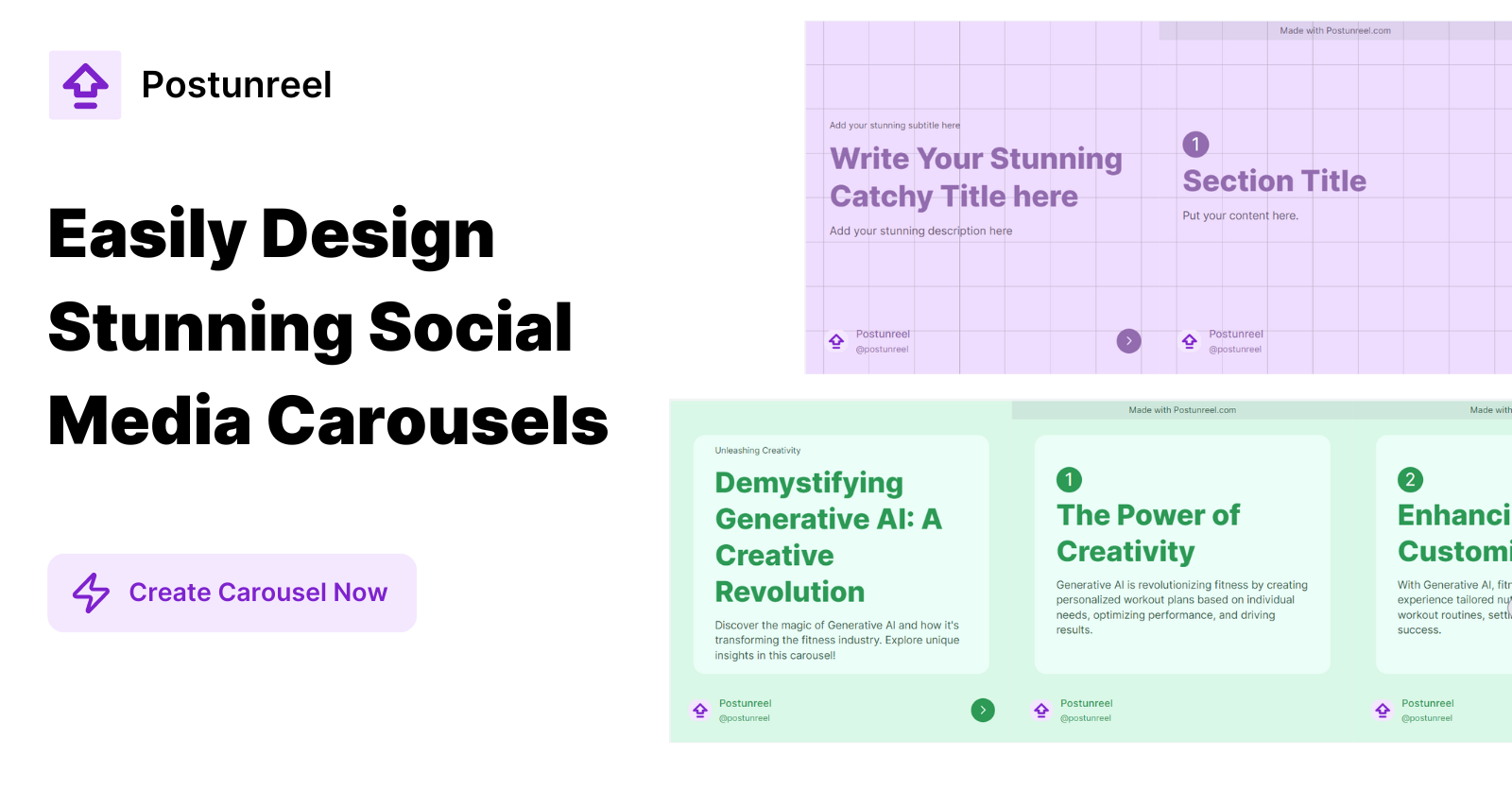
LinkedIn carousels have revolutionized professional social media content, delivering engagement rates that far exceed traditional single-image posts. These multi-slide presentations capture attention, tell compelling stories, and drive meaningful interactions with your professional network. Understanding how to create LinkedIn carousels that resonate with your audience can transform your social media strategy and establish you as a thought leader in your industry.
Professional content creators report engagement increases of 300-1000% when switching from standard posts to well-crafted carousel content. The format allows you to share detailed insights, step-by-step processes, and comprehensive information while maintaining visual appeal and user engagement throughout multiple slides.
What Are LinkedIn Carousel Posts and Why They Work
LinkedIn carousel posts are multi-slide content pieces that users can swipe through to consume information sequentially. These posts appear as document uploads in PDF format and automatically convert into swipeable presentations within the LinkedIn feed.
The psychology behind carousel success lies in the curiosity gap and progressive disclosure principles. Users feel compelled to see what comes next, creating natural engagement momentum that keeps them invested in your content longer than traditional posts.
Key benefits of LinkedIn carousels include:
Higher engagement rates compared to single-image posts
Extended time spent viewing your content
Increased shareability and viral potential
Better storytelling capabilities through sequential information
Enhanced professional credibility through comprehensive content delivery
Research shows carousel posts generate 2-5 times more engagement than standard LinkedIn posts, making them essential for professionals seeking maximum reach and impact.
LinkedIn Carousel Size and Format Requirements
LinkedIn carousel size specifications are crucial for optimal display and user experience. Each slide must be designed as a 1080x1080 pixel square format to ensure proper rendering across desktop and mobile devices.
The platform accepts PDF documents up to 300 slides, though optimal performance occurs with 5-15 slides for maximum engagement retention. File size should remain under 100MB for smooth uploading and loading experiences.
Technical requirements include:
Dimensions: 1080x1080 pixels per slide
File format: PDF document upload
Maximum slides: 300 (recommended 5-15)
File size limit: 100MB maximum
Color space: RGB color mode
Resolution: 72-150 DPI for web optimization
Proper formatting ensures your carousel displays correctly across all devices and maintains visual quality while loading quickly for users browsing on various connection speeds.
How to Create LinkedIn Carousel Post in Canva
Creating a LinkedIn carousel post in Canva involves utilizing their specialized templates and design tools optimized for professional social media content. Canva offers numerous LinkedIn-specific templates that meet platform requirements automatically, and you can refine the final file with a PDF editor if needed.
Start by selecting a LinkedIn carousel template from Canva's extensive library. These templates are pre-configured with proper dimensions and professional styling that aligns with LinkedIn's business-focused aesthetic.
Step-by-step Canva process:
Open Canva and search for "LinkedIn Carousel" templates
Select a template that matches your content theme and brand
Customize each slide with your specific content and messaging
Ensure consistent branding across all slides with logos and colors
Add compelling headlines and clear call-to-action statements
Download your completed design as a PDF file
Upload the PDF directly to LinkedIn as a document post
Canva's collaboration features allow team members to review and edit carousel content before publication, ensuring quality control and brand consistency.
Create LinkedIn Carousel Free Using AI Tools
Create LinkedIn carousel free options have expanded significantly with AI-powered design platforms that automate much of the creative process. These tools generate professional-quality carousels from simple text inputs or topic suggestions.
Postunreel represents the cutting edge of free AI carousel generation, transforming topics, URLs, or text content into visually stunning LinkedIn carousels within minutes. The platform eliminates design barriers while maintaining professional quality standards.
Free AI carousel creation benefits:
No design experience required for professional results
Automated content generation from topics or existing text
Brand customization options for consistent visual identity
Multiple export formats including PDF for LinkedIn upload
Time savings compared to manual design processes
Access to professional templates and design elements
AI tools democratize high-quality content creation, enabling professionals without design backgrounds to produce engaging carousel content that competes with professionally designed materials.
LinkedIn Carousel Examples That Drive Engagement
LinkedIn carousel examples from successful professionals demonstrate key patterns and strategies that consistently generate high engagement. Analyzing top-performing carousels reveals common elements and approaches that resonate with professional audiences.
Educational content performs exceptionally well, particularly carousels that break down complex topics into digestible steps. Industry insights, trend analyses, and practical tips consistently achieve viral reach when presented in carousel format.
High-performing carousel categories include:
Step-by-step tutorials and how-to guides
Industry statistics and trend reports
Personal success stories and case studies
Tips and best practices compilations
Behind-the-scenes business processes
Tool recommendations and comparisons
Myth-busting and misconception corrections
Successful carousels typically include compelling opening slides that hook viewers, maintain consistent visual branding throughout, and conclude with clear calls-to-action that encourage engagement and sharing.
LinkedIn Carousel Generator Tools and Platforms
LinkedIn carousel generator tools streamline the creation process by providing templates, automation, and design assistance specifically optimized for the platform. These tools range from simple template libraries to sophisticated AI-powered creation systems.
Professional marketers increasingly rely on specialized carousel generators to maintain consistent content output while ensuring quality and engagement optimization. The right tool selection depends on design experience, time availability, and specific feature requirements.
Top carousel generator categories include:
AI-powered content creation platforms
Template-based design tools
Professional graphic design software
Social media management platforms with carousel features
Browser-based creation tools requiring no software installation
Postunreel stands out by combining AI content generation with professional design templates, enabling users to create compelling carousels from simple topic inputs without requiring design expertise or time-intensive manual creation.
LinkedIn Carousel Best Practices for Maximum Impact
LinkedIn carousel best practices focus on content structure, visual design, and engagement optimization strategies that consistently deliver superior performance. Professional content creators follow proven frameworks that maximize reach and interaction rates.
Content planning begins with identifying your audience's primary challenges and information needs. Successful carousels solve problems, provide valuable insights, or offer actionable advice that professionals can immediately implement in their work.
Essential best practices include:
Hook readers with compelling opening slides that promise value
Maintain consistent visual branding across all carousel slides
Use clear, readable fonts sized appropriately for mobile viewing
Include one main point per slide to avoid overwhelming viewers
Create logical flow between slides that builds toward conclusion
End with strong call-to-action encouraging engagement
Add slide numbers to help users track progress
Use high-contrast colors for optimal readability
Visual consistency strengthens brand recognition while clear information hierarchy guides viewers through your content systematically.
How to Create LinkedIn Carousel Post Using AI
How to create LinkedIn carousel post using AI involves leveraging artificial intelligence to generate both content and design elements automatically. AI tools analyze successful carousel patterns and apply proven strategies to your specific topics and objectives.
Modern AI carousel creators can generate compelling content from minimal inputs like keywords, URLs, or brief descriptions. The technology handles design layout, color schemes, typography, and visual hierarchy while maintaining professional standards.
AI carousel creation workflow:
Input your topic, URL, or existing content into the AI platform
Select brand preferences including colors, fonts, and style
Review AI-generated content and design suggestions
Customize specific slides or elements as needed
Add personal branding elements like logo designs or contact information
Export the completed carousel as PDF format
Upload directly to LinkedIn with engaging caption text
AI tools like Postunreel combine content intelligence with design automation, producing carousels that maintain human creativity while leveraging machine efficiency for rapid creation.
LinkedIn Carousel PDF Creation and Upload Process
LinkedIn carousel PDF creation requires understanding the platform's document upload system and optimizing files for best performance. The PDF format ensures compatibility across devices while maintaining visual quality and professional appearance.
PDF optimization involves balancing file size with image quality to ensure fast loading while preserving visual appeal. Compressed PDFs load faster and provide better user experiences, particularly on mobile devices with limited bandwidth.
PDF creation best practices:
Use PDF/A format for long-term compatibility
Compress images to balance quality and file size
Embed fonts to ensure consistent display across devices
Set appropriate color profiles for accurate rendering
Include metadata for better organization and searchability
Test PDF display across different devices and browsers
Maintain backup copies in editable formats for future updates
The upload process involves starting a new LinkedIn post, selecting the document option, uploading your PDF file, adding a descriptive title, and crafting an engaging caption that encourages carousel interaction.
LinkedIn Carousel 2025 Trends and Future Developments
LinkedIn carousel 2025 trends indicate increasing sophistication in both content strategy and visual design as the format matures and user expectations evolve. Professional marketers are adapting to changing algorithm preferences and audience behaviors.
Emerging trends include interactive elements, data visualization integration, and personalized content that speaks directly to specific professional segments. Video integration and animated elements within static carousels are becoming more prevalent.
Key 2025 trends include:
Micro-learning focused carousels with bite-sized educational content
Data-driven storytelling with integrated charts and infographics
Personal branding carousels showcasing professional journeys
Industry-specific content tailored to niche professional audiences
Collaborative carousels featuring multiple expert perspectives
Interactive elements encouraging direct audience participation
Mobile-first design optimization for smartphone users
Future developments will likely include native LinkedIn carousel creation tools, enhanced analytics for performance tracking, and deeper integration with LinkedIn's professional networking features.
How to Make LinkedIn Carousel in Figma
How to make LinkedIn carousel in Figma appeals to design professionals who prefer sophisticated design control and custom visual elements. Figma's collaborative features and precise design tools enable detailed carousel customization.
Figma excels for carousel creation when brand guidelines require strict adherence or when complex visual elements need professional design treatment. The platform's component systems enable efficient template creation for consistent carousel production.
Figma carousel workflow:
Create new Figma file with LinkedIn carousel frame dimensions
Set up artboards at 1080x1080 pixels for each slide
Establish consistent grid systems and spacing guidelines
Design master template with brand elements and typography
Create individual slides using component instances
Apply consistent color schemes and visual hierarchy
Export frames as high-quality PDF for LinkedIn upload
Figma's version control and commenting features facilitate team collaboration on carousel projects while maintaining design quality and brand consistency.
Common LinkedIn Carousel Mistakes to Avoid
Common LinkedIn carousel mistakes can significantly impact engagement and professional credibility. Understanding these pitfalls helps creators develop more effective content strategies and avoid amateur presentation errors.
Technical mistakes often involve incorrect sizing, poor image quality, or difficult-to-read text formatting. Content mistakes typically relate to information overload, unclear messaging, or lack of compelling calls-to-action.
Critical mistakes to avoid:
Using inconsistent fonts or colors across slides
Cramming too much information onto individual slides
Neglecting mobile optimization for smartphone users
Creating carousels without clear value propositions
Skipping compelling opening hooks that capture attention
Ending without strong calls-to-action encouraging engagement
Forgetting to include contact information or next steps
Using low-quality images that appear pixelated
Ignoring LinkedIn's professional content standards
Quality control involves reviewing carousel content from the audience's perspective and ensuring every slide contributes meaningfully to the overall message and engagement goals.
Measuring LinkedIn Carousel Performance and Analytics
Measuring LinkedIn carousel performance requires understanding platform analytics and implementing tracking strategies that reveal engagement patterns and optimization opportunities. LinkedIn provides built-in analytics for document posts including carousel content.
Key performance indicators include reach, impressions, engagement rate, shares, and comments. Advanced tracking involves monitoring which slides generate the most interaction and identifying content patterns that resonate with your audience.
Important metrics to track:
Total impressions and reach across professional networks
Engagement rate including likes, comments, and shares
Click-through rates for calls-to-action and links
Download rates for carousel PDFs
Follower growth attributed to carousel content
Lead generation and conversion tracking
Share velocity and viral coefficient measurements
AI lead generation performance to assess automated lead capturing and nurturing effectiveness
Performance analysis informs future carousel creation strategies and helps optimize content for maximum professional impact and audience growth.
Advanced LinkedIn Carousel Strategies for Professionals
Advanced LinkedIn carousel strategies involve sophisticated content planning, audience segmentation, and multi-carousel campaign coordination. Professional marketers implement systematic approaches that build authority and drive business results.
Strategic carousel planning includes content calendars, thematic series, and cross-promotion with other content formats. Advanced practitioners coordinate carousels with email marketing, website content, and other professional development initiatives.
Advanced strategy elements:
Developing carousel series that build upon previous content
Segmenting content for different professional audience segments
Integrating carousels with broader content marketing campaigns
Using carousels for thought leadership and industry positioning
Creating educational sequences that establish expertise
Leveraging user-generated content within carousel formats
Implementing A/B testing for carousel elements and strategies
Professional success with carousels requires treating them as components of comprehensive personal branding and business development strategies rather than isolated social media posts.
Tools and Resources for LinkedIn Carousel Creation
Tools and resources for LinkedIn carousel creation range from simple template platforms to sophisticated design software and AI-powered creation systems. Selecting appropriate tools depends on design experience, time availability, and quality requirements.
Free tools provide basic functionality for occasional carousel creation while premium platforms offer advanced features, automation, and professional templates. The tool landscape continues expanding as carousel popularity increases among professional users.
Recommended tool categories:
AI-powered carousel generators for automated creation
Professional design software for custom visual elements
Template libraries with LinkedIn-optimized layouts
Collaboration platforms for team-based carousel development
Analytics tools for performance tracking and optimization
Stock photo and graphics libraries for visual enhancement
Font and color palette resources for brand consistency
Postunreel combines multiple tool capabilities into a single platform, offering AI content generation, professional templates, brand customization, and direct export functionality for streamlined carousel creation.
Conclusion: Maximizing Your LinkedIn Carousel Success
LinkedIn carousels represent powerful opportunities for professional content creators to amplify their message, establish thought leadership, and drive meaningful engagement with their network. Success requires understanding platform requirements, audience preferences, and proven content strategies.
The most effective approach combines strategic content planning with proper technical execution and consistent performance optimization. Whether using manual design tools or AI-powered platforms like Postunreel, the key lies in delivering genuine value to your professional audience.
Remember that carousel creation is just the beginning. Ongoing engagement with comments, strategic promotion, and performance analysis ensure your carousel content achieves maximum impact and contributes to your professional objectives.
Start implementing these strategies today and watch your LinkedIn engagement multiply as you master the art of compelling carousel content creation. Your professional network will appreciate the value you provide, and your industry influence will grow accordingly.
Frequently Asked Questions
How do I create a LinkedIn carousel post?
Create a LinkedIn carousel by designing slides in tools like Canva, PowerPoint, or AI platforms like Postunreel. Export as PDF and upload to LinkedIn as a document post with engaging captions.
What size should LinkedIn carousel posts be?
LinkedIn carousel posts should be 1080x1080 pixels per slide in square format. This ensures optimal display across desktop and mobile devices with proper visual quality.
Do LinkedIn carousels still work in 2025?
Yes, LinkedIn carousels continue showing strong performance in 2025, often generating 2-5x more engagement than single-image posts when created with proper strategy and design.
How many slides should a LinkedIn carousel have?
Optimal LinkedIn carousels contain 5-15 slides. This length maintains audience attention while providing sufficient content depth. Shorter carousels may lack substance while longer ones risk losing viewer interest.
Can I create LinkedIn carousels for free?
Yes, you can create LinkedIn carousels free using tools like Canva's free templates or AI platforms like Postunreel that offer comprehensive free carousel generation capabilities.
What content works best for LinkedIn carousels?
Educational content, industry insights, step-by-step tutorials, and professional tips consistently perform best for LinkedIn carousels. Focus on providing genuine value to your professional network.
How do I upload a carousel to LinkedIn?
Upload carousels to LinkedIn by starting a new post, clicking the document icon, selecting your PDF file, adding a title, and writing an engaging caption before publishing to your network.
About the Author

Rachel Hammond
Rachel Hammond is an AI tools writer and content automation specialist at Postunreel, where she covers everything from AI carousel generators to social media scheduling workflows. She has spent five years helping digital creators and marketing teams understand how to use AI tools practically — not just theoretically. Rachel personally tests every tool she writes about, documents real results, and breaks down complicated AI features into simple, step-by-step guides that anyone can follow regardless of their technical background. Her work focuses on saving creators time while helping them produce content that genuinely performs.
🔥 Limited Time Deal
NewGet lifetime access to Postunreel with a one-time payment. Never pay again!
Your Go-To Solution for Stunning Carousels using AI!
Postunreel is a free AI carousel generator tool that helps you design captivating carousel posts for LinkedIn, Instagram, and other platforms. It makes it easier to increase social media engagement and grow your audience.
Create Free Carousel Now 🚀Related Blogs
Windows 10 Media Creation Tool: How to Download, Install, and Fix It in 2026
Step by step: download the free Windows 10 Media Creation Tool, build a bootable USB, fix error 0x80042405, and stay secure after support ended in 2026.
How to Use Google Lens: Guide for Android, iPhone, and Desktop (2026)
Learn how to use Google Lens on Android, iPhone, and desktop. Follow simple steps to translate text, shop, and search with your camera in just minutes.
Report a Problem Apple: How to Request a Refund (2026 Guide)
Use Report a Problem Apple to request a refund in minutes. Follow the simple steps, track your status, and avoid fake support scams. Updated 2026.