Paylocity HR & Payroll Review (2026): Is It Worth It for Your Team?
Paylocity HR & Payroll Review. Is Paylocity worth it? Compare 2026 pricing estimates, payroll and HR features, pros, cons, and ADP vs Paycom.

Paylocity is a cloud human capital management (HCM) platform that combines payroll, core HR, benefits, and time tracking for mid sized US companies. Pricing is quote based, and third party estimates run roughly $20 to $40 per employee per month. It fits teams of about 50 to 1,000 employees, and it is a poor fit if you need international payroll.
Most growing teams hit the same wall. Spreadsheets, sticky notes, and three separate logins, all just to pay people on time. It's exhausting.
So let me save you the pain. I'll show you what Paylocity HR and payroll does well, where it falls short, and exactly how to start.
What Is Paylocity, and Why Should You Care?
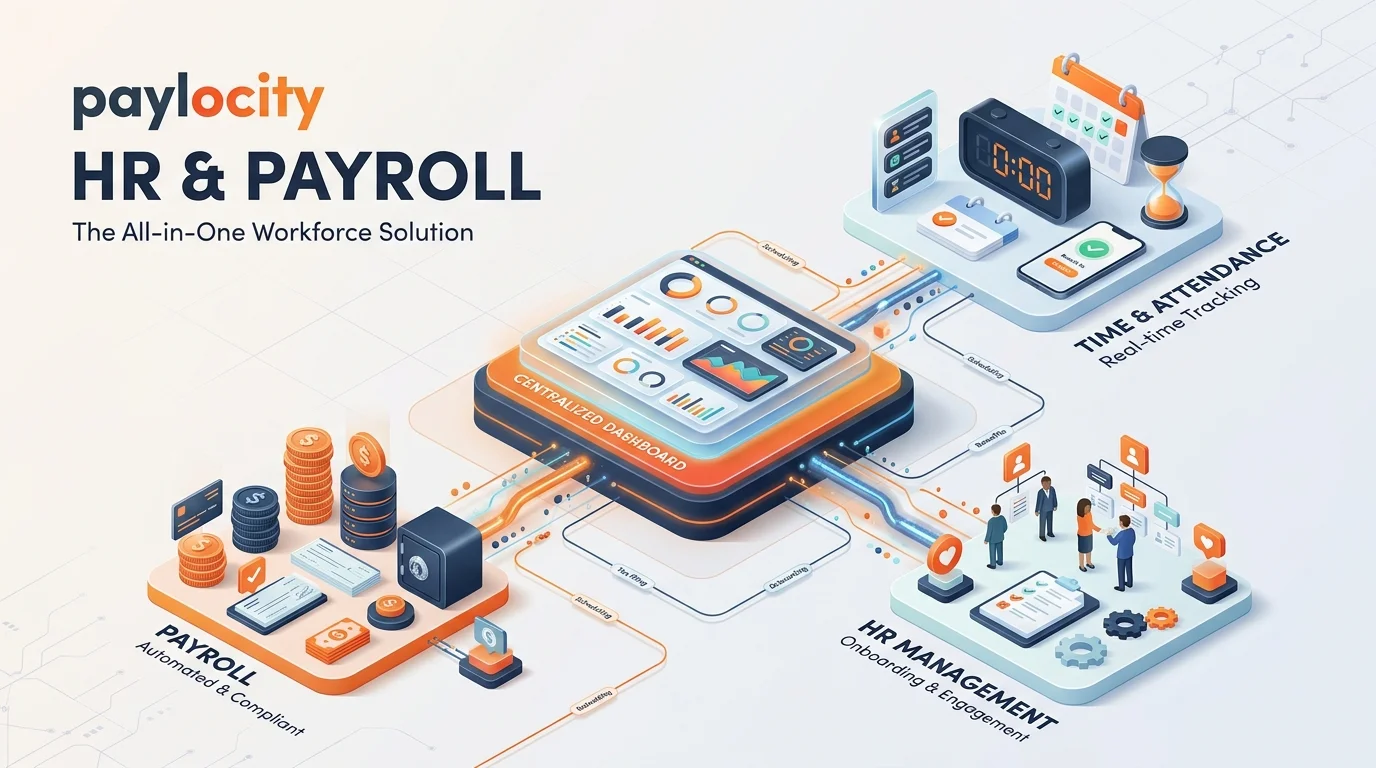
Before you spend a dime on HR software, you need to know what you're actually buying. Paylocity is more than a payroll processor now. It pulls payroll processing, employee records, benefits administration, talent management, and workforce management into one system. In other words, you hire someone once, and the data flows everywhere it needs to go. Let's look at the numbers behind it.
The company isn't small or shaky. Paylocity reported $1.771 billion in fiscal 2026 revenue, up 11%. It also ended the year with about 44,400 clients and revenue retention above 92%.
That's a lot of businesses voting with their wallets.
How We Researched This Review
I built this review from primary and reputable sources, not guesses. That includes Paylocity's own investor relations releases, its security overview, and verified user feedback on Capterra and TrustRadius. Pricing comes from third party trackers, so I label every number as an estimate. Facts were last checked in October 2026.
How Paylocity Payroll Works (Step by Step)
Here's the deal: payroll accuracy decides whether your team trusts you. If someone's check is wrong, they remember it for years. Paylocity automates tax filing, wage calculations, direct deposit, garnishments, and year end reporting. Plus, time punches and PTO sync straight in, so you aren't retyping hours.
If you're brand new to the topic, start with these payroll basics for hiring freelancers. Now, let me walk you through a pay run.
Running Your First Payroll
Set up your company profile. Add your pay schedules, tax details, and earning and deduction codes.
Import your employees. Load new hire onboarding data once and let it carry over.
Connect time tracking. Sync approved timesheets into payroll.
Review the audit checks. Reviewers say an audit dashboard flags missing punches and odd pay spikes before employees see them.
Approve and submit. Payroll runs, taxes file, and direct deposit goes out.
Do it twice and it feels routine. Honestly, that audit step alone can save you a few headaches every cycle.
Paylocity HR and Benefits Features
Payroll is only half the story, so let's talk about the people side. Paylocity gives you employee self service, digital document management, org charts, and compliance tracking. Your team can check pay stubs and tax records from their phones. As a result, you get fewer "where's my W-2?" emails. Beyond that, there are tools for benefits enrollment, scheduling, performance reviews, and learning management. Here's how those pieces help you day to day.
Benefits Enrollment Made Easier
Open enrollment confuses everyone. That's why Benefits Decision Support matters. It gives personalized recommendations for medical, HSA, FSA, and other plans, so your people choose with confidence instead of guessing.
Culture and Recruiting
Community is a built in hub for announcements and employee recognition. That's a nice touch. It makes your HR system feel like a workplace instead of a filing cabinet.
If you hire in volume, the April 2026 Grayscale acquisition adds AI recruiting automation. Final hiring decisions still stay with your recruiters and managers.
AI, Finance, and Integrations
Modern HR platforms live or die on how well they connect to everything else. Paylocity has leaned hard into artificial intelligence and spend management, and it's worth knowing what that means for you in practice. Here's the breakdown.
AI Assistant: Answers questions in context and guides admins through setup and best practices.
Paylocity for Finance: Brings expense and spend management into the same system as payroll.
Integrations: Reviewers list Microsoft Teams, Slack, QuickBooks, and NetSuite, plus an API for custom workflows.
Is Paylocity Secure?
You're handing over sensitive employee data, so I'd never skip this question. Security isn't a bonus feature here. It's table stakes. Paylocity says it undergoes annual independent SOC 1 and SOC 2 Type II attestations. Meanwhile, third party guides note you can configure SAML SSO, MFA, and role based access. Still, ask for the current reports during your evaluation. Don't just take anyone's word for it, including mine.
Paylocity Pricing in 2026
Let's talk money. Paylocity doesn't publish prices. It uses a per employee per month (PEPM) model with custom quotes. Because of that, every number you'll find online is an estimate. I checked several trackers, and they don't agree. So treat this table as a negotiating range, not a promise. Notably, your rate usually drops as headcount and contract length grow.
Source | Estimated cost | Notes |
|---|---|---|
Outsail | $26 to $33 PEPM | Full HCM suite |
CostBench | $20 to $40 per user per month | Core, Professional, Enterprise tiers |
Vendr | Mid teens to low twenties PEPM | Buyers with 200 to 500 employees |
Estimates checked October 2026. Always confirm with a written quote.
My tip: get two competitor quotes first. That's your leverage.
Paylocity vs ADP vs Paycom vs Paycor
You shouldn't buy anything without a comparison. So here's how the big names stack up for mid sized teams. Keep in mind that all four use custom pricing, and opinions vary. TrustRadius reviewers are genuinely split between Paylocity and Paycom. Use the table below as a starting point, then demo your top two.
Platform | Best for | Reviewer takeaway |
|---|---|---|
Paylocity | Mid sized teams wanting an all in one system with strong culture tools | Praised for support and a modern interface; some find it has a learning curve |
ADP Workforce Now | Midsize companies wanting very strong payroll | Scales up to ADP Vantage HCM but has lighter talent tools |
Paycom | Teams wanting one unified database | Some reviewers call it more intuitive |
Paycor | Small to mid sized businesses | Often seen as very similar to Paylocity |
Pros, Cons, and Who Should Skip It
Trust matters more than hype, so here's my honest take. Paylocity wins on platform breadth, dependable payroll, and a clean flow between time, HR, and payroll. On Capterra, more than 1,800 verified reviews show plenty of happy users. However, a few complaints repeat. Let me lay them out clearly so you can decide.
Pros
One employee record feeds payroll, HR, and benefits
Strong multi state payroll compliance
Modern employee experience with a solid mobile app
Cons
Some reviewers mention a learning curve and limited reporting flexibility
Escalated support tickets can be slow, according to some reviews
Pricing isn't public
Who Should NOT Buy Paylocity
I'd skip it if any of these sound like you:
You have fewer than about 50 employees and want simple, transparent pricing
You need international payroll, since it's a US only platform. If you hire abroad, read our employer of record (EOR) guide for global hiring first
You want to see exact prices before talking to sales
Paylocity FAQ
You probably have a few last questions. Here are straight answers.
How much does Paylocity cost per employee?
Third party estimates range from about $20 to $40 per employee per month, depending on modules and company size. Paylocity doesn't publish pricing, so you'll need a custom quote.
Who is Paylocity best for?
Mid sized US businesses with roughly 50 to 1,000 employees that want payroll, HR, benefits, and time tracking in one system.
Is Paylocity SOC 2 compliant?
Paylocity states that it undergoes annual SOC 1 and SOC 2 Type II attestations. Request the current reports during evaluation.
Does Paylocity offer international payroll?
No. It's a US focused platform. For global hiring, an employer of record is the usual route.
Does Paylocity integrate with QuickBooks and Microsoft Teams?
Yes. Reviewers list both, along with an API for custom connections.
Is Paylocity better than ADP?
It depends. ADP is often seen as stronger on payroll. Paylocity is often praised for its all in one experience and engagement tools.
Your Next Step
Here's my take. If you want one system for payroll, HR, benefits, and time tracking, Paylocity is a smart, proven bet. It's growing, investing in AI, and trusted by tens of thousands of companies.
So don't wait for next quarter's payroll mess. Do this today:
Write down your headcount, pay frequency, and must have modules.
Request a free demo and a written quote.
Ask about contract length, implementation time, and support.
Compare it with one or two alternatives from the table above.
Then pull the trigger. Your future self, the one who isn't chasing missing timesheets, will thank you.
Keep reading: Payroll basics for hiring freelancers | Employer of record (EOR) guide for global hiring
About the Author

Nathan Cole
Nathan Cole is a SaaS writer and AI product reviewer at Postunreel with a sharp focus on evaluating AI-powered tools for content creators, marketers, and growing businesses. He holds a degree in Computer Science and brings over five years of experience writing about software products, productivity tools, and marketing technology. Nathan approaches every review with rigorous hands-on testing, clear comparison frameworks, and an honest perspective that cuts through marketing hype. His goal is to help Postunreel readers make smarter decisions about the tools they invest in so they can build better content workflows without wasting time or money.
🔥 Limited Time Deal
NewGet lifetime access to Postunreel with a one-time payment. Never pay again!
Your Go-To Solution for Stunning Carousels using AI!
Postunreel is a free AI carousel generator tool that helps you design captivating carousel posts for LinkedIn, Instagram, and other platforms. It makes it easier to increase social media engagement and grow your audience.
Create Free Carousel Now 🚀Related Blogs
How Technical Infrastructure Impacts Digital Marketing (More Than You Think)
Discover how technical infrastructure impacts digital marketing, from website speed and SEO to email deliverability, AI tools, analytics, and scalability.
How to Change Netflix Language: Step-by-Step Guide for Every Device (2026)
Learn how to change Netflix language in under a minute. Step-by-step for web, mobile and TV, plus audio, subtitles and fixes.
Paylocity HR & Payroll Review (2026): Is It Worth It for Your Team?
Paylocity HR & Payroll Review. Is Paylocity worth it? Compare 2026 pricing estimates, payroll and HR features, pros, cons, and ADP vs Paycom.