AI Carousel Maker vs Canva: Which One Saves More Time in 2026?
Discover how AI Carousel Makers compare with Canva in 2026 for creating social media carousels. This guide evaluates speed, AI automation, customization, collaboration, and ease of use to help you choose the best tool for faster, high-quality content creation.
Every content creator, marketer, and social media manager eventually faces the same question when building their production workflow: should I use a dedicated ai carousel maker or stick with the tool I already know Canva?
It sounds like a simple comparison. It is not. In 2026, the gap between what a purpose-built AI carousel tool can do and what Canva offers has widened in some dimensions and narrowed in others, making the right answer genuinely dependent on who you are, what you are creating, and how much time you have to invest in the production process.
honest comparison of dedicated ai carousel maker platforms against Canva's carousel capabilities, covering speed, output quality, design flexibility, AI features, pricing, and the specific use cases where each approach wins decisively. By the end, you will know exactly which tool deserves a place in your workflow and which one you are outgrowing.
Why Carousel Posts Have Become the Most Valuable Content Format in 2026
Before we get into the tools, it is worth establishing why carousel posts have become so strategically important that the choice of carousel design tool actually matters to your results.
LinkedIn data consistently shows that carousel posts generate three to five times more impressions than equivalent single-image posts, with significantly higher save and share rates that signal algorithmic value and drive compounding distribution. Instagram carousel posts see completion rates that single images cannot achieve a well-constructed carousel keeps viewers engaged through multiple slides, generating dwell time signals that the platform's algorithm rewards with expanded reach.
The formula is simple and consistent: carousels outperform almost every other static content format on every major platform in 2026. The constraint is not knowing that carousels work it is producing them at the volume and quality required to make them a reliable part of your content strategy without burning out on the production process.
This is exactly the problem that both ai carousel maker platforms and Canva are trying to solve, from very different starting points.
What Is a Purpose-Built AI Carousel Maker?
An ai carousel maker is a platform specifically designed to transform a topic, piece of text, or content brief into a complete, designed carousel post with minimal manual input. Rather than starting with blank slides and building each one manually, you describe what you want in some cases as simply as typing a topic or pasting a URL and the AI generates complete slide content, applies a visual design, and produces a downloadable carousel ready to post.
The best ai carousel maker online platforms in 2026 handle the entire production pipeline: content generation, slide structure, visual layout, typography, color application, and export. What previously required a content writer, a graphic designer, and a production coordinator working in sequence can now happen in a single automated workflow in under five minutes.
The trade-off is flexibility. Purpose-built AI carousel tools optimize for speed and output consistency rather than creative control. They are excellent at producing professional-quality results quickly within a defined aesthetic range, and less excellent at executing highly customized, brand-specific design visions that deviate significantly from their template library.
What Is Canva's Carousel Capability in 2026?
Canva is a general-purpose visual design platform that has integrated significant AI capability over the past two years while maintaining its core value proposition: a drag-and-drop design environment with an enormous library of templates, assets, and design elements that makes professional-quality design accessible to non-designers.
A canva carousel is produced through a combination of template selection, manual slide customization, and increasingly capable AI assistance features including Magic Write for copy generation, Magic Design for AI-powered layout suggestions, and AI image generation for visual elements.
The key distinction from a dedicated ai carousel maker is that Canva's process still requires meaningful manual involvement. You select a template, populate it with your content, adjust the design elements to match your brand, and produce your carousel through a series of deliberate creative decisions. The AI features assist and accelerate this process they do not replace it.
This means Canva consistently produces carousels with higher creative customization than most dedicated AI carousel tools, at the cost of requiring more time and design judgment to achieve quality output.
Speed Comparison: Where the Gap Is Largest
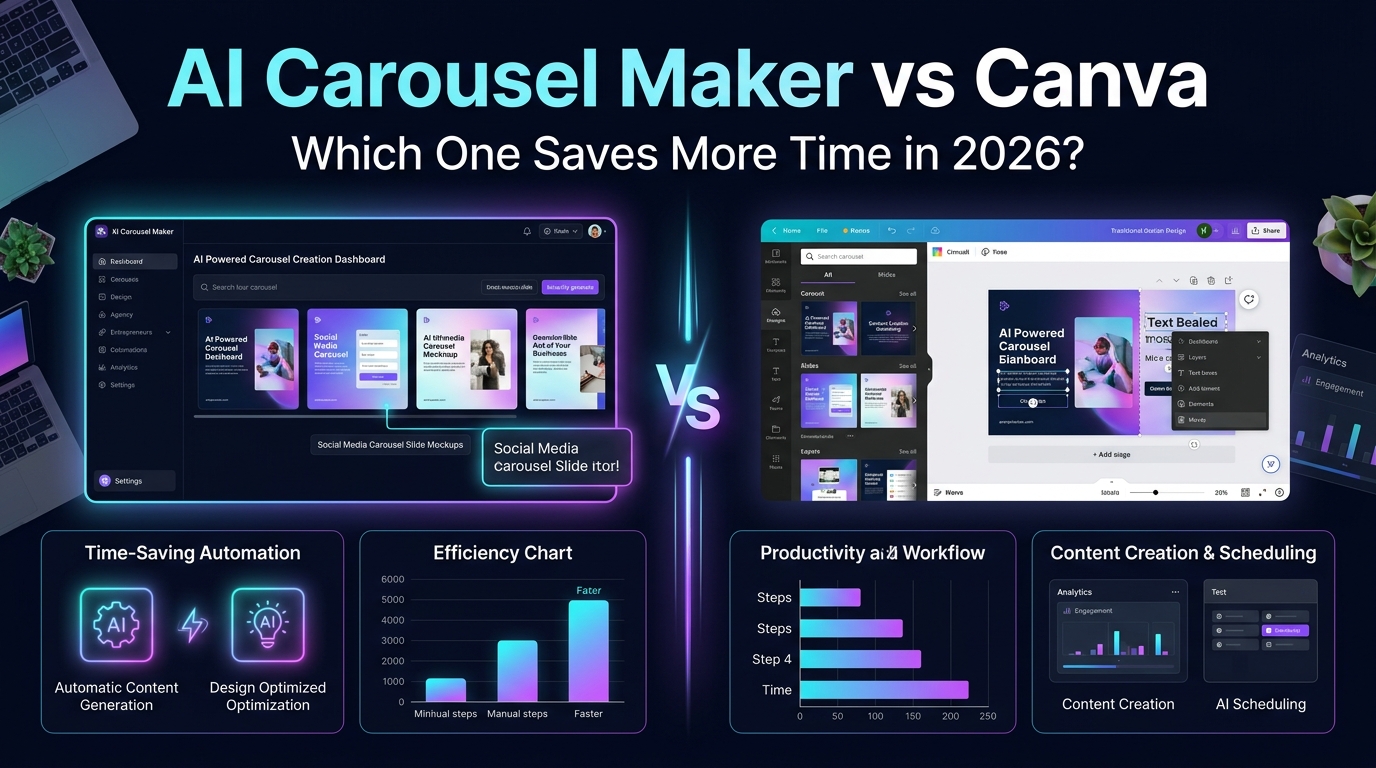
The most decisive difference between a dedicated ai carousel maker and Canva is production speed, and the gap is larger than most people expect until they have experienced both workflows.
Dedicated AI Carousel Maker: Speed in Practice
On a purpose-built social media carousel generator platform like Gamma, Simplified, or a dedicated carousel AI tool, the typical workflow from concept to completed carousel looks like this. You enter your topic "five mistakes new entrepreneurs make" or paste a piece of existing content. The AI generates slide-by-slide content, applies a professional design template, and produces a complete carousel draft. You review, make minor adjustments to any slides that do not match your vision, and export.
Total time from concept to export: eight to fifteen minutes for a ten-slide carousel, including the review and adjustment phase.
Canva Carousel: Speed in Practice
On Canva, the same ten-slide carousel begins with template selection browsing and choosing from potentially hundreds of carousel templates. You then populate each slide individually with your content, adjusting text sizes, moving elements around to fit your specific copy, replacing placeholder images with relevant visuals, adjusting colors to match your brand palette, and reviewing the full carousel for visual consistency.
Even with Canva's AI features active, a ten-slide carousel that requires meaningful customization typically takes thirty to fifty minutes for a skilled Canva user.
Speed winner: Dedicated AI carousel maker by a margin of three to five times faster for standard carousel production.
Output Quality: A More Nuanced Comparison
Speed matters, but not if the output quality is not good enough to publish. Here is an honest assessment of where each approach produces the strongest results.
Where AI Carousel Makers Produce Excellent Output
Dedicated carousel post maker tools produce their best results when the content requirements are clear and the aesthetic requirements are professional but not highly customized. An educational carousel on a business topic, a tips-and-insights post for LinkedIn, an FAQ-style carousel for Instagram these are the use cases where purpose-built ai content creation tool platforms consistently produce publication-ready output with minimal editing.
The slide structure produced by AI carousel tools is usually logically sound AI systems have learned what makes a carousel perform well from exposure to high-performing examples. The copy tends to be clear and appropriately concise. The design tends to be clean and professional. For content creators and marketers who need to produce high volumes of professional-quality carousels consistently, this level of output quality is entirely sufficient.
Where Canva Produces Superior Output
Canva produces clearly superior output when highly specific brand customization is required when your carousels need to precisely match a brand color system, use specific proprietary fonts, incorporate custom photography or illustrations, or achieve a distinctive aesthetic that differentiates your content from everything else in your audience's feed.
A canva carousel built by a skilled designer or a non-designer who has invested time in learning Canva's tools can achieve a visual sophistication and brand alignment that current AI carousel tools simply cannot match. The creative control that Canva's manual approach requires is also the source of its quality ceiling advantage.
Quality winner: Depends on use case. For volume production of professional-quality content: AI carousel maker. For highly customized, brand-specific, visually distinctive content: Canva.
AI Features: How Each Platform Uses AI in 2026
AI Features in Dedicated Carousel Makers
Purpose-built ai social media tool platforms for carousel creation use AI as the core production mechanism it is not a feature layer on top of a manual tool, it is the engine that drives the entire workflow. These tools use AI to generate slide content from a topic or brief, to select and apply visual layouts based on the content structure, to generate or suggest relevant imagery, and to optimize the carousel structure based on what tends to perform well on the target platform.
The most advanced best ai carousel generator platforms in 2026 have gone further, offering platform-specific optimization recognizing that a linkedin carousel generator output should have different design conventions, text density, and visual tone than an instagram carousel generator output, and applying those platform-specific optimizations automatically based on your publishing destination.
AI Features in Canva
Canva's AI features Magic Write, Magic Design, the AI image generator, and the resize and translation tools are genuinely capable and have improved dramatically over the past year. Magic Write can generate slide copy from a brief, Magic Design can suggest layout arrangements and style directions, and the AI image generator can produce custom visuals for any design need.
The fundamental difference is that Canva's AI features assist a manual design process they are tools a human uses within a creative workflow. A dedicated carousel AI replaces most of that manual workflow with automated production. This is not a quality judgment it is a workflow architecture difference that has major implications for the time and skill required to produce good output.
For content creation software users who want maximum creative control with AI acceleration, Canva's approach is genuinely strong. For users who want maximum speed with minimum manual involvement, the dedicated AI carousel approach wins decisively.
LinkedIn Carousel Generator: Which Tool Wins for LinkedIn Specifically?
LinkedIn carousels have specific requirements that differ meaningfully from Instagram or Facebook carousels professional tone, text-forward design, specific dimensions and file formats, and an aesthetic that fits within LinkedIn's generally more reserved visual environment without looking amateurish.
Dedicated LinkedIn Carousel Generator Tools
Several platforms have built linkedin carousel generator capability specifically optimized for the platform's unique requirements. These tools understand that LinkedIn carousels should typically be uploaded as PDF documents rather than image sequences, that slide text density can be higher on LinkedIn than on Instagram, and that the professional aesthetic conventions of LinkedIn content differ meaningfully from consumer social media.
Gamma, in particular, has developed strong LinkedIn carousel output that requires minimal adjustment before publishing generating slides with appropriate text density, professional visual treatment, and PDF export optimized for LinkedIn's rendering.
Canva for LinkedIn Carousels
Canva's LinkedIn carousel templates are genuinely strong and cover a wide range of professional aesthetic directions. The PDF export capability works well for LinkedIn's carousel format. The main limitation is the same one that applies everywhere: producing a high-quality LinkedIn carousel in Canva requires meaningful time investment in the template customization phase.
For LinkedIn-specific carousel production, a dedicated linkedin carousel generator typically wins on speed, while Canva wins on the ability to precisely match an existing brand identity or achieve a highly distinctive visual aesthetic.
Instagram Carousel Generator: The Visual Platform Comparison
Instagram has different requirements portrait format performs better than square, visual impact matters more relative to text density than on LinkedIn, and the aesthetic bar for what feels native to the platform is higher for consumer brands.
AI Carousel Tools for Instagram
The best instagram carousel generator tools in 2026 understand these platform-specific requirements and apply them automatically. DALL-E powered image generation, portrait-optimized layouts, reduced text density per slide, and more visually dynamic design approaches are all characteristics of carousel AI tools that have developed strong Instagram-specific output.
Simplified and Adobe Express both offer strong Instagram carousel generation capability, with AI-driven design suggestions that feel native to Instagram's visual environment rather than transplanted from a generic template library.
Canva for Instagram
Canva is genuinely excellent for Instagram carousel production for creators and brands who have the time to use it well. Its Instagram template library is extensive, its image editing capabilities are strong, and its ai post generator features work reasonably well for generating initial content that you then refine into slide copy.
The time investment required is the consistent limiting factor. A beautiful, highly customized Instagram carousel in Canva from a skilled user genuinely outperforms most AI-generated alternatives visually but at a time cost that makes it unsustainable for high-volume content schedules.
Free AI Carousel Generator vs Canva Free: Pricing Reality Check
Both approaches offer meaningful free tier capability, but the specifics matter.
Free AI Carousel Generator Options
Several dedicated free ai carousel generator platforms provide genuine carousel production capability without a subscription. Gamma's free tier includes a meaningful monthly generation allowance with full export capability. Simplified's free tier covers basic carousel creation. Adobe Express's free tier includes AI-assisted carousel production with watermark-free downloads.
The critical consideration for free AI carousel tools is watermark policy some platforms that advertise as a free ai carousel generator add watermarks to free-tier exports that make the output unpublishable for professional use. Always verify watermark policy before investing time in a free tier evaluation.
Canva Free Tier
Canva's free tier is genuinely generous thousands of templates, substantial design asset access, and most of the core design functionality, with downloads available without watermarks. The AI features on the free tier are limited compared to Canva Pro, but the fundamental carousel production capability is fully available.
For users who want maximum creative control and are willing to invest the time, Canva's free tier provides everything needed for professional-quality carousel production. For users who want speed and volume on a zero budget, the best free ai carousel generator options Gamma, Simplified, or Bing Image Creator combined with Canva provide more efficient workflows.
Social Media Content Generator Workflow: How to Combine Both Tools
Here is a perspective that most tool comparisons miss: the most effective workflow for many content creators in 2026 is not choosing one tool or the other it is using both strategically for different parts of the production process.
The Hybrid Workflow
Use a dedicated social media content generator AI tool for rapid ideation and first-draft production generating carousel concepts, slide-by-slide content, and initial visual layouts at speed. Then bring the best AI-generated outputs into Canva for the final customization pass applying your specific brand colors, swapping in your own photography, adjusting typography to match your brand system, and adding the design polish that makes your carousels recognizably yours.
This hybrid approach captures the primary advantage of each tool: the AI carousel tool's speed for content generation and structural production, and Canva's flexibility for brand-specific customization and visual polish. The total production time for a high-quality, brand-consistent carousel drops to fifteen to twenty-five minutes rather than the forty to fifty minutes of a fully manual Canva workflow while achieving a higher level of brand customization than a fully AI-generated carousel typically delivers.
AI Content Marketing Tools: The Bigger Picture
Zooming out from the specific carousel comparison, it is worth understanding where both tools fit within the broader ecosystem of ai content marketing tools available to marketers and creators in 2026.
Where AI Carousel Makers Fit
Purpose-built ai carousel maker platforms sit in the content automation category alongside other social media automation tools that prioritize production speed and volume over creative customization. They work best as part of a content operation that needs to produce substantial volumes of consistently professional-quality social content without a large dedicated design team.
For ai tools for marketers specifically focused on maintaining consistent social presence across multiple platforms and content formats simultaneously, dedicated carousel AI tools are invaluable productivity multipliers.
Where Canva Fits
Canva sits in the content creation software category alongside tools like Adobe Creative Cloud and Figma design platforms that empower non-designers to produce high-quality visual content with meaningful creative control. Its AI features move it toward the automation end of the spectrum without fully committing to the automated production model of dedicated AI tools.
Canva is the right tool when brand consistency and visual distinctiveness are primary priorities. It is the wrong tool when production speed and volume are primary constraints.
Side-by-Side Comparison: The Final Verdict
Criteria | AI Carousel Maker | Canva |
Production Speed | 8–15 min per carousel | 30–50 min per carousel |
Brand Customization | Limited | Extensive |
Learning Curve | Very low | Low to moderate |
AI Integration | Core engine | Feature layer |
Free Tier Quality | Good | Excellent |
Platform Optimization | LinkedIn/Instagram-specific options | Generic with platform templates |
Volume Production | Excellent | Challenging |
Design Sophistication | Good | Excellent |
Template Variety | Moderate | Enormous |
Best For | Speed, volume, automation | Brand, quality, customization |
Who Should Use What: The Decision Framework
Use a dedicated AI carousel maker if: You need to produce more than three carousels per week consistently. Your primary constraint is time rather than design quality. You want to maintain social media presence without a dedicated design resource. You are starting out and need professional-looking output immediately without design skill investment. You are running content at scale for multiple clients or multiple brand accounts simultaneously.
Use Canva if: Brand consistency and visual distinctiveness are your primary priorities. You have the time to invest in higher-quality production per piece. You need access to a large, flexible asset library and template range. You are creating content that needs to precisely match an existing brand identity. You have some design skill or are willing to develop it.
Use both together if: You need speed and volume without sacrificing brand quality. You want the best of both workflows rather than choosing between them. You are a professional content creator or marketing team that can invest fifteen minutes in the hybrid workflow rather than choosing between eight minutes of pure AI or fifty minutes of pure Canva.
Specific Platform Recommendations for 2026
For linkedin carousel generator use: Gamma for AI-first production, Canva Pro for brand-customized output.
For instagram carousel generator use: Simplified or Adobe Express for AI-first production, Canva for brand-customized visual content.
For social media automation tools integration: Dedicated AI carousel tools integrate more smoothly with scheduling platforms like Buffer and Later, since they produce completed, ready-to-publish assets that slot directly into automated scheduling workflows.
For team environments with ai tools for marketers at different skill levels: Canva's collaborative features and extensive template library serve mixed-skill teams better than most AI carousel tools, which are optimized for individual rapid production rather than collaborative design workflows.
Final Thoughts:
Every tool comparison eventually reaches the same fundamental conclusion, and this one is no different. The best ai carousel maker or Canva carousel workflow for you is the one that is sustainable in your actual situation with your actual time constraints, your actual skill level, your actual brand requirements, and your actual content volume needs.
If you have been avoiding carousel content because the production time felt prohibitive, a dedicated AI carousel tool will likely change that calculation immediately, dropping the production barrier enough that consistent carousel publishing becomes genuinely achievable within your existing schedule.
If you have been using Canva for everything and finding it slow but producing exactly the visual quality your brand requires, the hybrid workflow described in this guide may be the right upgrade, adding AI speed to your existing Canva quality standard rather than abandoning the quality you have worked to establish.
What matters most is not which tool theoretically produces the best output in a benchmark comparison it is which approach you will actually execute consistently enough to build the compounding audience and engagement benefits that make carousel content genuinely valuable over time.
About the Author
Daniel Pearce
Daniel Pearce is a LinkedIn growth strategist and personal branding writer at Postunreel, where he helps professionals, founders, and creators build a stronger presence on LinkedIn through smart content strategies and carousel-driven storytelling. With six years of experience in B2B content marketing, Daniel understands exactly what makes a LinkedIn post stop the scroll and drive real engagement. He actively studies algorithm shifts, tests content formats across industries, and translates those findings into practical advice that Postunreel readers can apply to their own profiles immediately.
🔥 Limited Time Deal
NewGet lifetime access to Postunreel with a one-time payment. Never pay again!
Your Go-To Solution for Stunning Carousels using AI!
Postunreel is a free AI carousel generator tool that helps you design captivating carousel posts for LinkedIn, Instagram, and other platforms. It makes it easier to increase social media engagement and grow your audience.
Create Free Carousel Now 🚀Related Blogs
How Big Is 4x6 Photo? Size in Inches, CM & Pixels
How Big Is 4x6 Photo inches (10.16 x 15.24 cm), or 1200 x 1800 pixels at 300 DPI. Get size chart, crop tips and a simple 5 step print guide.
How to Invert Colors on iPhone (2026 Guide)
Learn how to invert colors on iPhone in seconds. Compare Smart vs Classic Invert, set a triple click shortcut, and fix common glitches.
Dark Blue Hex Code: #00008B, Navy Midnight Shades
Dark blue hex code is #00008B (RGB 0,0,139). Compare navy, midnight blue, contrast ratios, and pairing tips in this quick guide.