Best Video Editing Software in 2026: Top Picks, Prices and What to Buy
Compare the best video editing software of 2026: real prices, pros and cons, free picks, and which editor to buy for your YouTube channel and blog.

DaVinci Resolve is the best video editing software for most people in 2026. The free version has no watermark, and Studio is a $295 one time upgrade. Mac users who want speed should pick Final Cut Pro at $299.99 once. Teams already on Adobe should stay with Premiere at $22.99 a month.
Not sure which one fits you? Keep reading. I will make it simple.
How I Picked These Editors
Let's be upfront about this. I did not run my own render benchmarks for this guide. Instead, I compared independent roundups from TechRadar, Zapier and The Post Flow with vendor pricing pages. Then I scored each editor on five things:
A smooth nonlinear editing (NLE) timeline
Built in color grading and color correction tools
A proxy workflow for heavy 4K footage (here is how proxies work)
Audio editing and AI captions
Clean 4K export with social media presets
Some of these sources use affiliate links, and The Post Flow says so openly. I only used them for prices and feature facts.
Best Video Editing Software at a Glance
Short on time? This table has the whole answer. Prices come from The Post Flow's July 2026 check unless noted.
Editor | Price | Platforms | Best for |
|---|---|---|---|
DaVinci Resolve 21 | Free, or Studio at $295 once | Windows, Mac, Linux | Color grading and value |
Adobe Premiere (26.3) | $22.99 a month on the annual plan | Windows, Mac | Teams and Adobe users |
Final Cut Pro (12.3) | $299.99 once, or $12.99 a month in Apple Creator Studio | Mac, iPad | Fast solo editing on Mac |
CyberLink PowerDirector 365 | Subscription | Windows, Mac | Beginners and enthusiasts |
Filmora 15 | From $49.99 a year | Windows, Mac | An easy learning curve |
Avid Media Composer | From $259.99 a year | Windows, Mac | Broadcast and episodic work |
Clipchamp | Free tier | Windows, web | Quick and simple edits |
Best Free Video Editing Software
Free no longer means watermarks and crashes. Today the free video editing software category includes real professional tools, so test these before you spend anything.
DaVinci Resolve
TechRadar calls it the best free video editor available. You get a professional timeline, Fusion visual effects and Fairlight audio tools at no cost. Resolve 21 arrived in 2026 and supports Windows 10 and later, macOS 15 and later, and Rocky Linux.
Pros: no watermark, full 4K UHD export, and deep color tools.
Cons: a steeper learning curve for beginners.
Other Free Options
Not everyone wants a steep climb. Fair enough! Here are the other free picks I would look at:
Kdenlive suits Linux users.
OpenShot is simple and works on every major platform.
Clipchamp is built into Windows.
CapCut is great for short vertical clips, but read its pricing page before you rely on premium effects.
Kapwing runs in your browser. If that sounds good, read our look at the rise of browser based video editing.
Want something even quicker? Try a free AI video maker.
Best Video Editing Software for Beginners
Everyone starts confused. So here is a 20 minute first edit you can follow today:
Create a new 1080p project.
Import your clips and drag them onto the timeline.
Trim the dead air. Be ruthless.
Generate auto captions. This AI caption tool review shows one way to do it.
Add background music under your voice. Mixkit's free stock videos and music are a good place to start.
Export with the YouTube preset.
For an easy start, look at Filmora, which begins at $49.99 a year, or PowerDirector. CyberLink's awards page reports that PCMag gave PowerDirector 365 a 5.0 and Premiere a 4.5. That is a vendor published claim, so check PCMag's own list as well.
Best Professional Video Editing Software
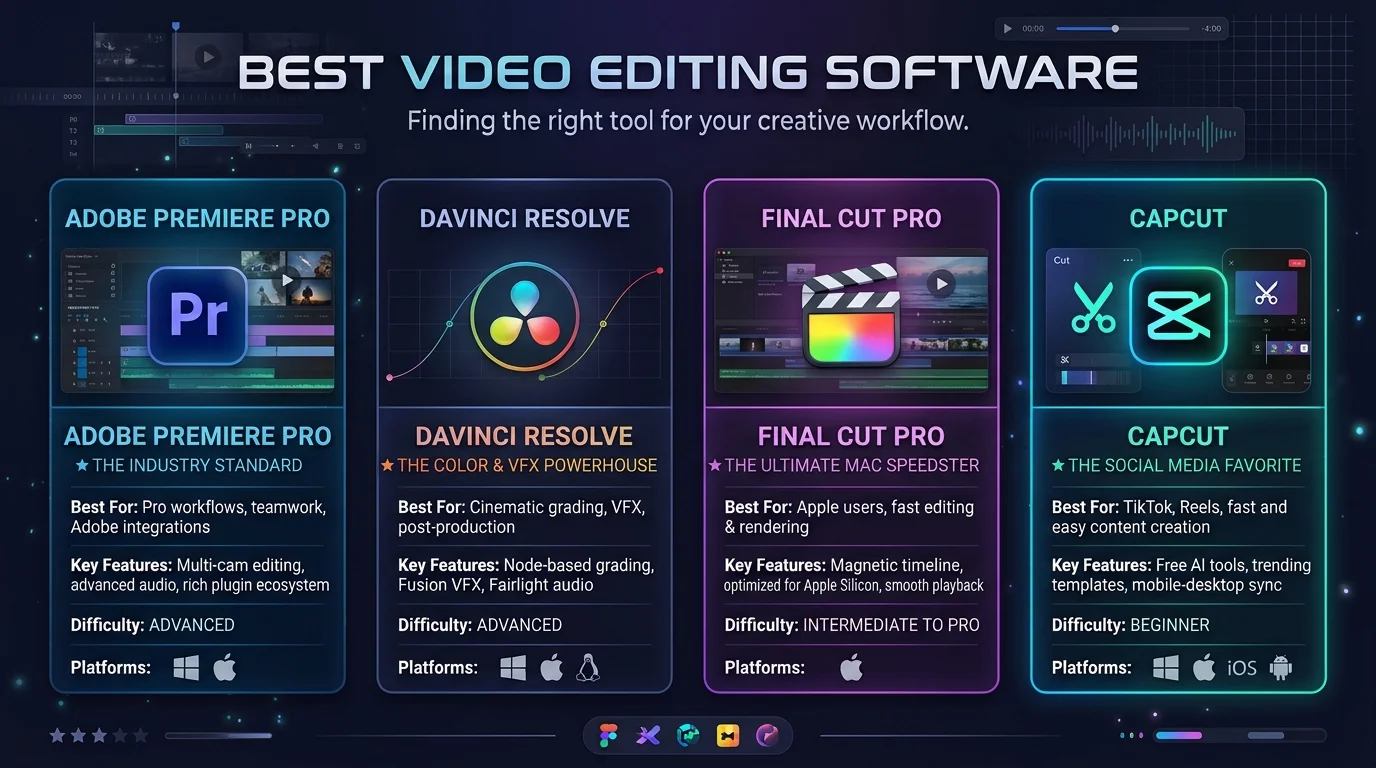
Professionals need multicam editing, keyframes, motion graphics and solid media management. Here are the three big names.
Adobe Premiere
It is the industry standard for teams, and it works with After Effects and Photoshop. The single app plan costs $22.99 a month, and Adobe offers a seven day free trial. Month to month billing costs more, with one source listing $34.49.
Pros: it runs on Windows and Mac, and it suits team workflows.
Cons: there is no one time purchase.
Final Cut Pro
It costs $299.99 once, and Apple also sells a subscription bundle. It runs on Mac and iPad only. One independent benchmark found it faster than Resolve on identical Apple hardware.
Pros: speed, and no subscription needed.
Cons: it does not run on Windows.
DaVinci Resolve Studio
Studio bundles editing, grading, audio and effects for one payment. A Premiere subscription costs more than a one time license after about 13 months. That math is why I lean toward Resolve. If your timeline stutters after you upgrade, updating your NVIDIA drivers is the first fix to try.
Which Video Editor Should You Choose?
Stop overthinking it. Match your situation:
Windows or Linux with a tight budget: DaVinci Resolve, free first and Studio later.
Mac with speed as the priority: Final Cut Pro.
Already paying for Adobe: Premiere.
Total beginner: PowerDirector or Filmora.
Short vertical clips: CapCut.
Broadcast or episodic work: Avid Media Composer.
Best Video Editing Software for YouTube and Blogs
You are making video content to support a blog or a channel. Speed beats perfection, and consistency beats both. So try these habits:
Build a template for your intro, lower thirds and outro.
Use auto captions for accessibility and SEO.
Edit with proxies when your footage is 4K.
Export vertical clips from the same timeline for Shorts and Reels.
Turn one video into many posts with these content repurposing tips.
Need clean voiceovers? A free online audio editor can help.
Need a thumbnail? Check these free photo editing programs.
AI Tools That Speed Up Editing
AI video editing is growing fast. Descript, for example, lets you edit talking head video by editing the transcript. For clipping long videos into shorts, see our reviews of Vizard and Opus Pro. You can also browse the best AI tools for short form videos and the best viral Shorts tools.
Treat AI as an assistant, not a replacement for your judgment. If you work alone, our list of content creator tools for solopreneurs shows what else is worth your money.
Frequently Asked Questions
What is the best video editing software overall?
DaVinci Resolve is the best overall pick for most people. It has a free version and a $295 one time Studio upgrade.
What is the best free video editing software?
DaVinci Resolve. Multiple roundups agree that it exports without a watermark.
Is Final Cut Pro better than Premiere?
Final Cut Pro is often faster on Mac and costs $299.99 once. Premiere works on Windows and Mac and fits team workflows.
What is the best video editor for beginners?
Filmora, PowerDirector and Clipchamp are the easiest starts. Resolve is a good choice if you are willing to learn.
Can I edit 4K video on a laptop?
Yes, if you use a proxy workflow. It lets you edit lightweight copies and relink to the originals for export.
Does Final Cut Pro work on Windows?
No. It runs on Mac and iPad only.
Final Verdict
Here is where I land. Buy DaVinci Resolve Studio once the free version starts to feel tight. You get one payment, no renewal emails and a pro toolkit that keeps growing. If you are on a Mac and love speed, grab Final Cut Pro. If you live in Adobe's world, Premiere earns its fee.
Don't wait for the perfect moment. Download one editor today, cut one video this week and publish it. For more guides like this one, browse the Tech Trends category at Postunreel. For a primer on the basics, see Wikipedia's overview of video editing software.
About the Author

Nathan Cole
Nathan Cole is a SaaS writer and AI product reviewer at Postunreel with a sharp focus on evaluating AI-powered tools for content creators, marketers, and growing businesses. He holds a degree in Computer Science and brings over five years of experience writing about software products, productivity tools, and marketing technology. Nathan approaches every review with rigorous hands-on testing, clear comparison frameworks, and an honest perspective that cuts through marketing hype. His goal is to help Postunreel readers make smarter decisions about the tools they invest in so they can build better content workflows without wasting time or money.
🔥 Limited Time Deal
NewGet lifetime access to Postunreel with a one-time payment. Never pay again!
Your Go-To Solution for Stunning Carousels using AI!
Postunreel is a free AI carousel generator tool that helps you design captivating carousel posts for LinkedIn, Instagram, and other platforms. It makes it easier to increase social media engagement and grow your audience.
Create Free Carousel Now 🚀Related Blogs
Unblocked Games for School: Are They Safe? Best Alternatives for 2026
Are unblocked games for school safe? Learn the real risks of proxy sites and VPNs, plus school approved games you can play on your Chromebook.
How to Update NVIDIA Drivers on Windows and Ubuntu: Step by Step Guide for 2026
Learn how to update NVIDIA drivers using the NVIDIA App, a manual download, or Ubuntu. Includes rollback fixes and a method comparison table for 2026.