How to Create a LinkedIn Carousel Post for 10x Engagement (2026)
A complete guide on how to create a LinkedIn carousel post that gets 10x more engagement in 2026. Learn proven strategies, content structure, design tips, SEO best practices, and optimization techniques to increase reach, clicks, shares, and professional audience engagement.
If you have been posting on LinkedIn for any length of time and wondering why some posts explode in reach while others barely register, the answer is almost always format. And in 2026, the format that consistently outperforms everything else text posts, single images, video, polls is the carousel.
LinkedIn carousel posts generate significantly more engagement than any other content format on the platform. They drive more profile visits, earn more connection requests, produce more direct message conversations, and keep readers on your content longer than a single-image post ever could. The swipeable, slide-by-slide format is uniquely suited to the way professionals consume content on LinkedIn during a commute, in a meeting break, scrolling between emails because it delivers one clear idea per slide without demanding sustained attention the way a long article does.
This guide covers exactly how to create a linkedin carousel post that genuinely earns the engagement it deserves from concept through design, copywriting, publishing, and distribution including how to use the best free AI tools available in 2026 to make the process faster and the output better than anything you could produce working manually.
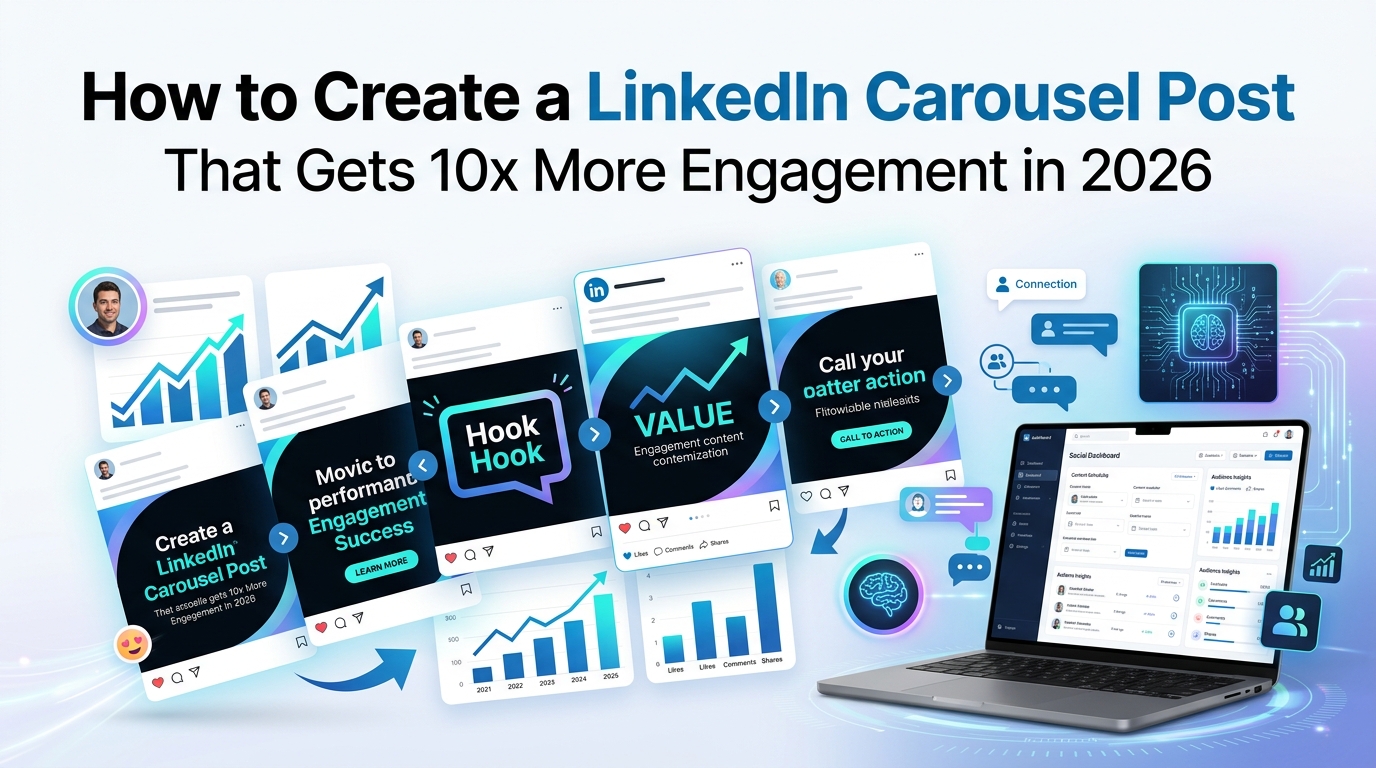
Why LinkedIn Carousel Posts Outperform Every Other Format in 2026
Before we get into the how, it is worth understanding why the carousel format works so well on LinkedIn specifically because understanding the mechanism helps you make better creative decisions throughout the production process.
The algorithm explanation is straightforward. LinkedIn's ranking system tracks how long people spend on a piece of content and how many slides of a carousel they view before moving on. A carousel that keeps someone swiping through six, eight, or ten slides generates a dramatically longer dwell time signal than a single-image post that a user glances at for two seconds. That sustained engagement signal tells LinkedIn's algorithm that the content is genuinely valuable, which leads to expanded distribution beyond your immediate network.
The psychological explanation matters just as much. A carousel post that opens with a compelling hook forces a decision: swipe to see what comes next, or scroll past and miss it. When the first slide is strong enough, most people swipe and once someone has invested the action of swiping, they are psychologically committed to seeing the rest. This commitment effect is why well-structured carousels consistently see higher completion rates than video content of equivalent length.
The practical explanation is that carousels are uniquely suited to the specific content formats that perform best on LinkedIn educational frameworks, step-by-step processes, before-and-after comparisons, data-rich insights, and curated resource lists all of which are naturally suited to the one-idea-per-slide constraint that carousel structure imposes.
The Anatomy of a High-Performing LinkedIn Carousel Post
Every carousel post that earns outsized engagement shares the same underlying structure, regardless of topic, industry, or creator. Understanding this structure before you start designing is the single most important thing you can do to improve your carousel performance.
Slide 1: The Hook Your Only Job Is to Make Them Swipe
The cover slide is the only slide your audience sees before deciding whether to engage. Everything else the quality of your insights, the beauty of your design, the value of your content is completely irrelevant if the cover slide does not compel the swipe.
The cover slide has one job and one job only: stop the scroll and create enough curiosity or perceived value that the viewer swipes to see what comes next.
The cover slide formats that consistently perform best on LinkedIn in 2026 fall into a few reliable categories. A bold, specific, slightly provocative claim: "Most LinkedIn advice is wrong. Here's what actually works." A clear, numbered value promise: "7 frameworks that top CEOs use to make decisions faster." A surprising contradiction: "I lost my biggest client. Here's the most important thing I learned." A direct challenge to a common belief: "The 'post every day' advice is killing your LinkedIn reach."
Notice what all of these have in common: they make a specific, concrete promise that cannot be satisfied without swiping. They create an information gap that the viewer needs to close. Generic cover slides "Tips for LinkedIn growth" or "Marketing strategy 2026" make a vague promise that is easy to pass on because there is no specific curiosity to satisfy.
Slides 2 Through 8 or 9: One Idea Per Slide, Maximum
The middle slides of a LinkedIn carousel are where the substantive value lives, and the cardinal rule is ruthless: one clear idea per slide. Not one topic. One specific, complete idea.
This constraint is harder to honor than it sounds, because the instinct is always to put more information on each slide to fit in the context, the nuance, the caveats. Resist this completely. The moment a slide requires the reader to read two or three separate ideas, you have lost the flow that makes carousels compelling. Each slide should be fully comprehensible in three to five seconds of reading.
The most effective slide structures across every topic category follow the same pattern: a short, bold header that states the idea clearly, followed by two to four sentences of supporting explanation or a concrete example. That is it. Everything else belongs on a different slide or does not belong in the carousel at all.
The Second-to-Last Slide: The Summary
Before your call to action, include a summary slide that distills the entire carousel into its most essential insight. This serves two purposes. First, it rewards readers who made it to the end with a clean synthesis of what they just learned. Second, it is the slide most likely to be screenshotted and shared, because it captures the complete value of the carousel in a single, shareable format.
The Final Slide: A Specific Call to Action
The last slide is your opportunity to convert carousel engagement into a specific next action, and it should be used deliberately every single time. Generic CTAs "Follow me for more content like this" work but are not particularly compelling. Specific CTAs that connect directly to the carousel's topic work significantly better.
"If this framework was useful, I share one specific insight every Tuesday. Follow me so you do not miss it." Or: "Swipe back to slide 4 that is the most important point. Save this post so you can find it later." Or: "I am writing a full guide on this topic. Comment 'guide' and I will send it when it is published."
The specificity is what makes the difference. A reader who found your carousel genuinely valuable will take a specific, low-friction action. They will rarely take an abstract, generic one.
How to Make a Carousel Post on LinkedIn Using AI Tools
Now that the structure is clear, let us walk through the complete production process for a LinkedIn carousel post, using the best free AI tools available in 2026 to accelerate every stage.
Step 1: Generate Your Carousel Concept with AI
Open ChatGPT, Claude, or a dedicated ai linkedin carousel generator tool and use a specific prompt that tells the AI exactly what you need. The level of detail in your prompt directly determines the usefulness of the output.
A prompt that works: "Generate five LinkedIn carousel post ideas for a [your role/industry] professional targeting [your specific audience]. Each idea should include a specific hook for the cover slide, a logical slide-by-slide outline of five to eight slides, and a suggested call to action for the final slide. The tone should be [practical/thought-provoking/data-driven]. Format the output as a numbered list with sub-bullets for each slide."
Review the concepts the AI generates, choose the one that most closely matches a genuine insight or experience you have, and move to the next step.
Step 2: Develop Full Slide Copy with an AI Carousel Post Maker
Once you have a concept, use an ai carousel post maker tool Simplified, Gamma, or a dedicated LinkedIn carousel tool to develop the detailed copy for each slide. The AI will draft the header and supporting copy for each slide based on your outline, which you then edit for accuracy, voice, and any specific details or examples from your own experience that make the content genuinely yours.
This editing step is non-negotiable. AI-generated first drafts are a starting point, not a finished product. The specific examples, the personal anecdotes, the concrete data points from your own experience these are what transform a generic AI draft into content that actually sounds like you and feels authentically valuable to your specific audience.
Step 3: Design Your Slides in Canva or Adobe Express
With your copy finalized, open your design tool of choice and create the visual layout. For LinkedIn carousel posts specifically, the optimal dimensions are 1080 x 1080 pixels (square) for desktop-first viewing or 1080 x 1350 pixels (portrait) for mobile-first reach both work well, with portrait format taking up slightly more screen real estate in the feed.
Canva's free tier remains the strongest all-around option for LinkedIn carousel design in 2026, combining an extensive library of carousel-specific templates with AI-assisted design features that ensure visual consistency across all slides. Adobe Express offers similar capability with slightly higher visual sophistication in its design outputs, if you prefer a more polished aesthetic.
Design principles that consistently produce higher-engagement carousels: use a maximum of two fonts throughout the entire carousel one for headers, one for body text. Keep your color palette limited to three colors maximum, ideally aligned with your personal or company brand. Use the same background structure on every slide so the carousel reads as a cohesive piece rather than a disconnected collection of individual images. And ensure every text element is large enough to be fully readable on a mobile screen without zooming the majority of LinkedIn content is consumed on mobile, and text that requires effort to read produces immediate drop-off.
Step 4: Write Your Caption with AI Assistance
The caption accompanying your carousel matters more than most creators realize. LinkedIn's algorithm considers caption engagement comments, reactions as part of the overall content performance signal, so a caption that generates genuine comments improves the distribution of the carousel itself.
Use an ai social media post generator to draft your caption, then edit it substantially to add your genuine voice. The caption for a LinkedIn carousel should do four things: provide context that enhances the carousel without simply repeating it, add one piece of information or perspective that is not in the slides themselves, close with a specific engagement invitation that makes it genuinely easy for someone to respond, and use white space liberally dense caption blocks are read far less than captions broken into short, scannable paragraphs.
The Best Free AI Tools for LinkedIn Carousel Creation in 2026
The range of capable, genuinely free AI tools for carousel creation has expanded dramatically over the past year. Here are the specific options worth using at each stage of the process.
AI LinkedIn Carousel Generator Options
Several dedicated ai linkedin carousel generator platforms have launched specifically for the LinkedIn carousel format in 2026, understanding the platform-specific requirements around dimensions, text density, and professional visual aesthetics that general-purpose design tools do not optimize for by default.
Gamma stands out as one of the strongest dedicated options it converts a topic or outline into a complete, designed carousel presentation using AI, with professional layouts that work well for the LinkedIn context. The free tier provides meaningful output quality, and the designs it produces require less editing to reach publication quality than many competing tools.
Simplified offers strong AI carousel generation with a more template-heavy approach that is particularly well-suited to creators who want consistent visual branding across a large volume of content. The free tier supports carousel generation with a reasonable monthly limit.
Free AI Carousel Generator Without Watermark
Finding a genuinely free ai carousel generator without watermark requires careful evaluation of the terms of each platform's free tier, since this restriction is one of the most common ways free design tools monetize forcing visible watermarks on free-tier downloads that require a paid upgrade to remove.
Canva's free plan consistently delivers watermark-free downloads as long as you use only free-tier design elements avoiding any element marked with a crown icon that indicates a premium component. Adobe Express's free tier similarly allows clean, watermark-free downloads across its design outputs. Gamma's free tier includes watermark-free exports for a reasonable monthly generation limit.
The platforms that reliably deliver quality without watermarks: Canva free, Adobe Express free, Gamma free tier, and Bing Image Creator for custom AI-generated images incorporated into your carousel design.
AI Social Media Post Generator for Multi-Platform Distribution
Once your LinkedIn carousel is live, the same content can be repurposed across other platforms with format adjustments and an ai social media post generator accelerates this repurposing workflow significantly.
An ai instagram post generator can take your carousel concept and adapt it for Instagram's specific audience expectations and aesthetic conventions. Instagram carousels share the same fundamental format as LinkedIn carousels, but the visual style, caption length, and hashtag strategy differ meaningfully between the two platforms.
An ai facebook post generator adapts the same underlying content for Facebook's different engagement dynamics, where longer caption text often outperforms the brevity that works well on LinkedIn, and where the carousel format is used differently in the context of Facebook Groups versus the main feed.
An ai discussion post generator can transform your carousel's key insights into community post formats for LinkedIn Groups or other professional community platforms, extending the reach of your original carousel content into additional distribution channels without requiring you to create entirely new content from scratch.
AI Instagram Carousel Generator for Cross-Platform Reach
For creators managing both LinkedIn and Instagram presence, an ai instagram carousel generator helps adapt your LinkedIn carousel concept for Instagram's specific context. The underlying content can often be identical or very similar, but the visual treatment more personal photography, warmer color palettes, different typography conventions and the caption structure need to be meaningfully adjusted to feel native to each platform.
Using a single strong carousel concept across both platforms through platform-appropriate adaptations is one of the most efficient content multiplication strategies available to creators and marketers in 2026, since the research and ideation investment is made once but the distribution happens across two distinct audiences.
Advanced Techniques for 10x Engagement on LinkedIn Carousels
Once you have the fundamentals of carousel creation down, these advanced techniques consistently produce the step-change improvement in engagement that separates average carousels from genuinely viral ones.
Engineer Suspense Across Slides
The most engaging carousels are not just structured they are deliberately designed to create escalating curiosity as the reader swipes through. Each slide should give enough value to reward the swipe that brought the reader there while creating enough curiosity to motivate the next swipe.
Techniques that create this escalating suspense: Start a numbered list on slide one but explicitly number your points from one upward rather than delivering them in a predictable sequence "Number 5 surprised me the most. I'll show you why on the last slide." Pose a question on slide two that is not answered until slide seven. Use visual or design elements on each slide that are partially completed, with the completion appearing on the following slide.
This sequential tension is the fundamental psychological mechanism that makes great carousels impossible to stop swiping through and it is entirely absent from carousels that simply present information slide by slide without any connecting thread of suspense.
Use Data and Specificity as Credibility Anchors
Generic advice "be more consistent," "add more value," "engage with your audience" produces low engagement because it is instantly recognizable as content the reader has seen many times before. Specific claims and data points produce significantly higher engagement because they are unexpected, memorable, and feel genuinely informative rather than recycled.
Compare "Engagement rates are higher for carousel posts" to "Our carousel posts generate 4.3x more profile visits per impression than single-image posts, based on analyzing 847 LinkedIn posts over six months." The specific data version is more likely to be saved, shared, and commented on because it gives the reader something concrete and verifiable rather than a vague generalization.
You do not need to cite external research to be specific specific observations from your own experience, with concrete numbers, timelines, and outcomes, are often more compelling than cited third-party statistics because they carry the authority of firsthand experience.
Publish at the Right Time for Your Specific Audience
Carousel posts on LinkedIn perform differently at different times based on when your specific audience is most active on the platform. For most B2B audiences, Tuesday through Thursday mornings between 7 AM and 9 AM in the audience's primary timezone consistently produces the highest initial engagement, which is what triggers algorithmic expansion of the post's reach.
This initial 60-minute window after publishing is disproportionately important for LinkedIn's algorithm the engagement a post receives in its first hour has outsized influence on its overall distribution. Being in the replies for the first hour after publishing, actively responding to every comment as it comes in, feeds this initial engagement signal and meaningfully expands the post's eventual reach.
Repurpose Your Best Carousels Into Multiple Formats
The best-performing carousels in your content library deserve extended distribution beyond their initial posting. A high-performing carousel can be converted into a LinkedIn newsletter article that expands on each slide with additional depth, a short-form video on LinkedIn or Instagram that walks through the slides with voiceover commentary, a blog post that uses the carousel structure as an outline and develops each point more fully, or an email newsletter issue that delivers the same insight to your email subscribers.
This content multiplication approach treating your strongest carousel posts as content assets worth developing in multiple formats produces significantly more total value from your best creative work than the typical approach of producing content once and moving immediately on to the next piece.
AI Tools That Make Every Part of the Process Faster
The best ai tools for business marketing in 2026 have made LinkedIn carousel creation more accessible and more scalable than at any previous point. Here is how the tool stack fits together across the complete workflow.
Ai marketing tools for concept generation and copy drafting ChatGPT, Claude, Jasper handle the ideation and first-draft writing that previously consumed the majority of carousel creation time, compressing it into a quick editing task rather than a blank-page writing challenge.
AI design tools Canva Magic Design, Adobe Express, Simplified handle the visual production that previously required either design skills or a designer, producing professional layouts that maintain brand consistency across every slide.
Beyond these primary categories, ai poster generator free tools and ai movie poster generator platforms have contributed visual design capabilities that are increasingly finding their way into LinkedIn carousel aesthetics dramatic, high-contrast visual treatments borrowed from entertainment marketing that stand out dramatically in professional feeds dominated by conservative corporate design.
For creators managing social media presence across multiple platforms simultaneously, the combination of an ai linkedin carousel generator for production and a broader ai social media post generator free tool for distribution planning creates a complete content creation and deployment workflow that a single creator can sustain consistently without burning out on the mechanical production work.
Common LinkedIn Carousel Mistakes That Kill Engagement
Understanding what breaks carousel engagement is as valuable as understanding what drives it, because many of the most common mistakes are not obvious until you know what to look for.
Too much text per slide. This is the single most common mistake, and it is instantly fatal to engagement. The moment a slide requires more than ten to fifteen seconds of reading, you have broken the flow that makes carousels compelling. If your slide has more than fifty words of body text, split it into two slides.
No visual consistency between slides. When each slide looks like it came from a different design template, the carousel feels like a disconnected collection of images rather than a cohesive piece of content. This incoherence creates cognitive friction that makes readers more likely to stop swiping. Establish your visual system before you start designing and apply it identically across every slide.
A weak cover slide that does not promise a specific value. The cover slide is the only slide that drives initial engagement everything else is irrelevant if the cover slide does not compel the swipe. Generic cover slides with vague topic descriptions produce weak initial engagement that limits the algorithm's distribution of the entire carousel.
No call to action on the final slide. Ending a carousel without a specific call to action leaves the considerable goodwill and attention the reader has invested in reaching the final slide completely unconverted. Every carousel should end with a clear, specific, low-friction invitation to take a next action.
Posting and disappearing. The initial engagement your carousel receives in the first 60 to 90 minutes after publishing has disproportionate influence on its eventual algorithmic distribution. Creators who publish and then leave LinkedIn for the day consistently underperform compared to creators who stay engaged with their content's comment section during that critical initial window.
Your LinkedIn Carousel Creation Checklist for 2026
Before publishing any carousel, run through this final checklist to ensure every element is working as hard as possible.
Cover slide: Contains a specific, curiosity-generating hook. Passes the "would I swipe on this?" test when I see it cold. Includes a clear visual hierarchy with one dominant element.
Content slides: Maximum of one clear idea per slide. Text is readable at a glance on a mobile screen. Visual design is consistent with every other slide. Each slide creates enough curiosity to motivate the next swipe.
Summary slide: Distills the carousel's core insight into a single, shareable, screenshot-worthy format. Contains all necessary context to make sense independently from the rest of the carousel.
Final slide: Includes a specific, low-friction call to action directly connected to the carousel's topic. Includes your name or handle so anyone who sees the slide in isolation can find you.
Caption: Adds something not in the slides themselves. Ends with a specific engagement invitation. Uses white space to make it scannable. Does not simply repeat the carousel content.
Publishing timing: Scheduled during your audience's peak activity window. You have planned to be available in the replies for at least the first 60 minutes after publishing.
Final Thoughts:
The most important thing about LinkedIn carousel posts is not any single technique, tool, or optimization it is consistency. A carousel published once is an experiment. A carousel published every week for six months is an audience-building strategy that compounds in ways a single great post never can.
Use the ai carousel post maker tools, the ai social media post generator workflow, and the ai linkedin carousel generator platforms covered in this guide to make consistent, high-quality carousel creation sustainable alongside everything else that demands your professional attention. The tools exist specifically to remove the production friction that makes consistency difficult to use them.
Build a library of carousel templates in Canva or Adobe Express so each new piece starts from a strong visual foundation rather than from scratch. Establish a content batch process generating multiple carousel concepts in a single session, drafting and designing them together, and scheduling them for publication across the following weeks that makes consistency a system rather than a daily act of willpower.
The LinkedIn creators generating the most engagement, the most inbound opportunities, and the most sustainable audience growth in 2026 are not producing the most technically perfect carousels. They are producing genuinely valuable carousels with uncommon consistency and using every available tool to make that consistency sustainable long-term.
About the Author

Daniel Pearce
Daniel Pearce is a LinkedIn growth strategist and personal branding writer at Postunreel, where he helps professionals, founders, and creators build a stronger presence on LinkedIn through smart content strategies and carousel-driven storytelling. With six years of experience in B2B content marketing, Daniel understands exactly what makes a LinkedIn post stop the scroll and drive real engagement. He actively studies algorithm shifts, tests content formats across industries, and translates those findings into practical advice that Postunreel readers can apply to their own profiles immediately.
🔥 Limited Time Deal
NewGet lifetime access to Postunreel with a one-time payment. Never pay again!
Your Go-To Solution for Stunning Carousels using AI!
Postunreel is a free AI carousel generator tool that helps you design captivating carousel posts for LinkedIn, Instagram, and other platforms. It makes it easier to increase social media engagement and grow your audience.
Create Free Carousel Now 🚀Related Blogs
Dark Blue Hex Code: #00008B, Navy Midnight Shades
Dark blue hex code is #00008B (RGB 0,0,139). Compare navy, midnight blue, contrast ratios, and pairing tips in this quick guide.
Best Free Photo Editing Software in 2026
Find best free photo editing software in 2026. Compare Affinity, GIMP, darktable, Photopea and Paint.NET, with edit workflow for bloggers.
How to Improve Focus in Photos: 11 Fixes
Blurry photos? Learn how to improve focus in photos with 11 proven fixes, from autofocus modes to focus stacking. Get sharper shots.