MusicCreator AI Review: A Game-Changer in Automated Visual Production
Discover MusicCreator AI, a powerful free AI music video generator that turns audio into stunning visuals. Create professional videos instantly with smart syncing and creative styles.
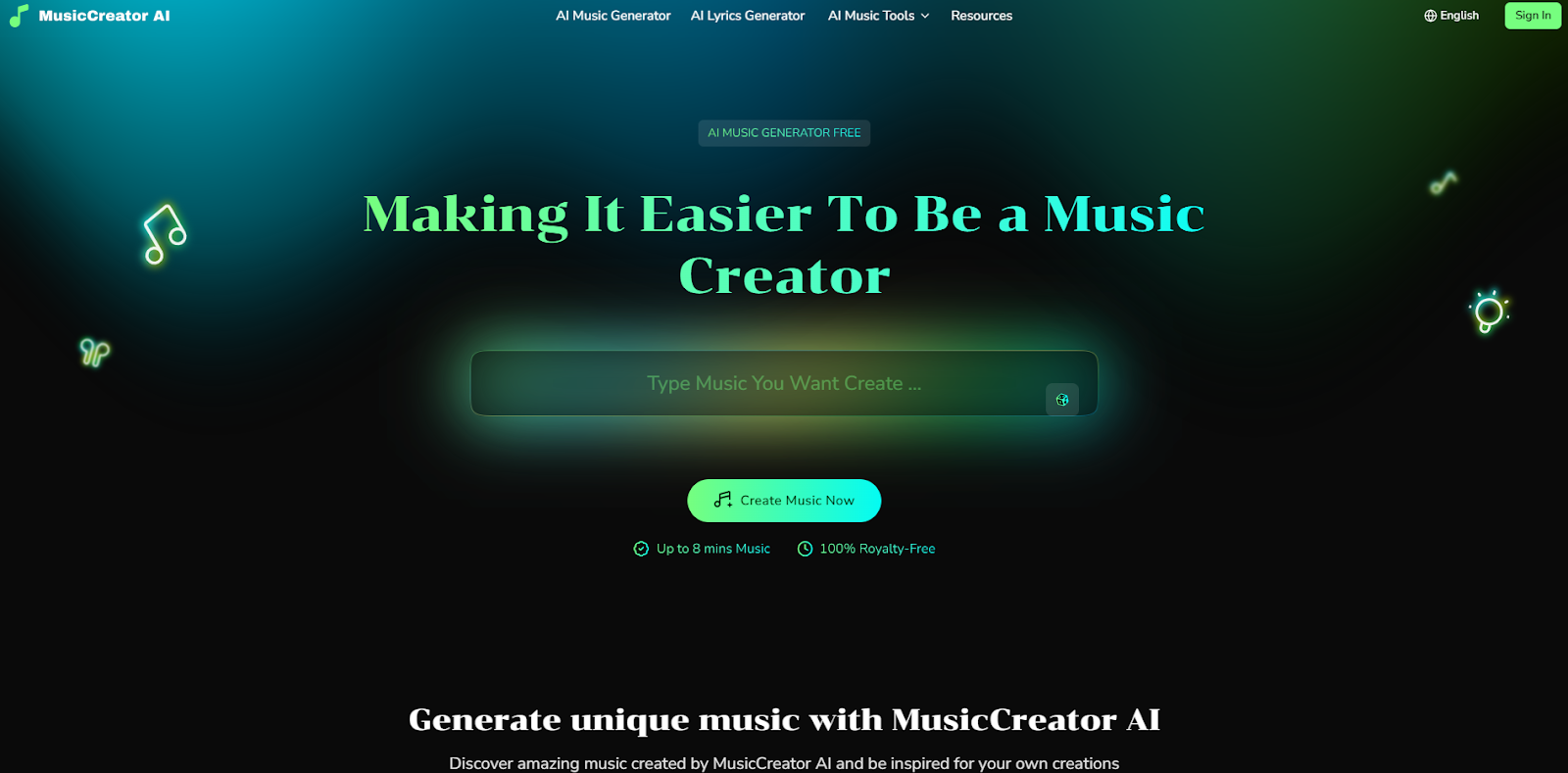
The music industry is highly competitive today. A great song alone is rarely enough to capture audience attention. Visuals play a massive role in how fans consume music on social media platforms. However, shooting a traditional music video is incredibly expensive. It requires cameras, lighting, actors, and editing teams. Independent artists often lack the budget for high-end visual production. This is exactly where artificial intelligence steps in to solve the problem. Today, we are looking at MusicCreator AI. This platform has recently gained huge popularity among digital creators. It promises to turn simple audio tracks into captivating visual stories. If you are searching for a reliable free AI music video generator, this tool might be your ultimate solution. This detailed review will explore everything you need to know about this software.
The Dawn of Next-Gen Visuals: An Inside Look
MusicCreator AI is an innovative web-based platform designed for audio-visual creation. It uses advanced machine learning algorithms to listen to your music. The system analyzes the beats, frequencies, and emotional tone of the uploaded track. It then generates matching video clips in real-time. You do not need any prior video editing experience to use it. The interface is clean and built for absolute beginners. Many software tools in this niche charge expensive monthly subscriptions. However, MusicCreator AI stands out by offering a highly functional free tier. This makes it a highly accessible Free AI Music Video Generator for artists working with tight budgets. The platform bridge the gap between complex animation software and everyday users. It allows anyone to produce professional-grade visuals in a matter of minutes.
Core Capabilities That Redefine Content Creation
A software tool is only as good as its underlying technology. MusicCreator AI packs several impressive functions into its dashboard. The developers focused heavily on automation and user control. Here is a deep dive into the main tools you will find inside the platform.
Intelligent Audio Synchronization
The brain behind this platform is its audio-reactive engine. You simply upload your track to the server. The AI immediately scans the audio file for drum kicks, bass drops, and vocal changes. It links these audio cues to visual transitions. If your song has a sudden fast tempo, the video will automatically show rapid scene changes. If the music slows down, the visual movements become smooth and calm. This ensures your final product feels like a cohesive music video rather than random clips placed together.
Dynamic Text-to-Scene Generation
Sometimes you have a specific vision for your song. MusicCreator AI includes a powerful text prompt feature. You can type out descriptions of the scenes you want. For example, you can type "a futuristic city glowing in neon lights under a rainy sky." The AI will generate these exact visuals and sync them to your music. This gives you director-level control over the final output. You can mix and match different prompts for different parts of your song.
Expansive Style Libraries
Not every song fits the same aesthetic. The platform offers a massive library of pre-trained artistic styles. You can choose anime, 3D render, cyberpunk, watercolor, or cinematic realism. You just select a style from the drop-down menu before rendering. The AI applies this visual filter to the entire project. This keeps your personal branding consistent across your entire YouTube channel or TikTok profile.
Step-by-Step Guide to Crafting Your Masterpiece
Many people feel intimidated by artificial intelligence tools. They assume the process involves coding or complex settings. Thankfully, the workflow here is incredibly straightforward. The developers built a linear progression system to guide you from start to finish.
First, you need to create an account on the main website. Once you log in, you will click the "New Project" button. The system will prompt you to upload your audio file. It accepts all standard formats like MP3 and WAV. Wait a few seconds for the upload to complete. Next, you move to the customization screen. Here you will select your preferred video dimensions. You can choose landscape for YouTube or vertical for Instagram Reels.
After setting the size, you must pick your visual style. You can either select a template or type your custom text prompts into the prompt box. You can also adjust the "motion intensity" slider. A higher slider means faster camera movements in the video. Finally, you click the "Generate" button. The AI takes over the hard work completely. The rendering process usually takes a few minutes depending on the song length. Once finished, you can preview the video directly in your browser. If you like the result, you just click download and save the MP4 file to your computer.
Major Advantages of This Platform
Every creator wants to know the actual benefits before investing time into a new software. MusicCreator AI delivers massive value right out of the box. Its biggest strength is obviously its cost-efficiency. Finding a truly capable free AI music video generator is difficult. Most competitors hide their best tools behind expensive paywalls. This platform gives you access to top-tier rendering without requiring a credit card.
Speed is another massive benefit. Traditional video rendering takes hours or even days. This AI renders full high-definition videos in a fraction of that time. This allows you to produce daily content for your social media. Furthermore, the sheer variety of artistic styles prevents your videos from looking repetitive. You can release ten different songs and give each one a completely unique visual identity. The cloud-based nature of the tool is also a huge plus. You do not need an expensive gaming computer to use it. All the heavy processing happens on their remote servers. You can literally generate a music video using a basic laptop or even a tablet.
Limitations You Should Keep in Mind
No software is entirely perfect. You must understand a few drawbacks before using this system. First, the free version does include a small watermark in the corner of the video. This is standard practice for free tools, but it might bother some professional artists. You need to upgrade to a paid plan to remove the logo.
Second, server wait times can increase during peak hours. Thousands of users might be generating videos at the same time. You might experience a slight delay in rendering if the servers are busy. Finally, the text-to-video AI sometimes struggles with complex human faces. If you prompt the AI to create a highly detailed human character, the face might look slightly distorted during fast movements. The AI performs much better with abstract shapes, landscapes, and animated styles.
Who Will Gain the Most from This Technology?
Different creators have different needs. This software appeals to a very specific demographic of digital artists. It solves unique problems for various professions within the media space.
Independent Musicians and Producers
This is the primary target audience. Bedroom producers and indie singers rarely have a marketing budget. They spend all their money on studio equipment and mixing plugins. MusicCreator AI acts as their personal visual director. It allows them to upload their tracks to YouTube with engaging visuals instead of a boring static image. This greatly increases audience retention rates.
Content Creators and Social Media Influencers
People who run faceless YouTube channels or TikTok accounts will love this tool. They often need background videos for their lo-fi music streams or podcast audio. This free AI music video generator provides an endless supply of copyright-free visual content. They can generate atmospheric videos to keep their viewers entertained for hours.
Digital Marketing Agencies
Marketers are always looking for ways to grab attention quickly. They often need to create short promotional videos for Spotify releases or brand campaigns. This tool allows them to generate prototype videos rapidly. They can test different visual styles with different audio tracks to see what performs best on social media ads. It speeds up their workflow dramatically.
Final Verdict: Is It Worth Your Time?
The intersection of artificial intelligence and music is expanding rapidly. Creators who refuse to adapt will likely fall behind. MusicCreator AI proves that high-quality video production is no longer restricted to Hollywood studios. It democratizes the entire visual creation process. The platform is highly intuitive, fast, and remarkably creative.
While the free version includes watermarks, the core technology remains fully accessible. The intelligent audio syncing and diverse style templates make it a standout product in a crowded market. If you want to elevate your music brand without spending thousands of dollars, you must try this software. It currently ranks as the premier free AI music video generator available today. Take a few minutes to upload one of your tracks and test it yourself. The results will likely exceed your expectations and inspire your next big release.
🔥 Limited Time Deal
NewGet lifetime access to Postunreel with a one-time payment. Never pay again!
Your Go-To Solution for Stunning Carousels using AI!
Postunreel is a free AI carousel generator tool that helps you design captivating carousel posts for LinkedIn, Instagram, and other platforms. It makes it easier to increase social media engagement and grow your audience.
Create Free Carousel Now 🚀Related Blogs
Best Free Photo Editing Software in 2026
Find best free photo editing software in 2026. Compare Affinity, GIMP, darktable, Photopea and Paint.NET, with edit workflow for bloggers.
How to Improve Focus in Photos: 11 Fixes
Blurry photos? Learn how to improve focus in photos with 11 proven fixes, from autofocus modes to focus stacking. Get sharper shots.
Generate Custom Infographic Illustrations for Complex Ideas
Learn how to create AI infographic illustrations with Dreamina. Turn complex ideas into clear, engaging visuals for presentations, reports, and blogs.