Instagram Automation Complete Guide: Best Chatbots for businesses in 2026
Compare the best Instagram AI chatbots in 2026 for customer support, lead generation, DM automation, and sales conversations.
Instagram has become a central channel for D2C brands, shifting from a social feed to a direct line for sales and customer support. Customers now expect immediate, human-like conversations that are as personal and helpful as chatting with an in-store associate.
This shift turns DMs, story replies, and comments into high-intent touchpoints where brands can answer product questions, book appointments, and capture leads. However, as conversation volume grows, managing these interactions manually becomes unsustainable. Delayed replies often lead to missed sales and a fragmented customer experience.
Instagram AI chatbots help businesses manage those conversations at scale. They can answer common questions, qualify leads, collect customer information, and transfer complex requests to human agents when needed.
In this guide, we'll compare the 5 of the best Instagram AI chatbots for businesses based on AI capabilities, automation features, ease of use, pricing to return on investment, and overall fit for different use cases. Whether your goal is customer support, lead generation, product recommendation, appointment booking, or sales automation, this comparison will help you find the right platform.
What Is an Instagram AI Chatbot?
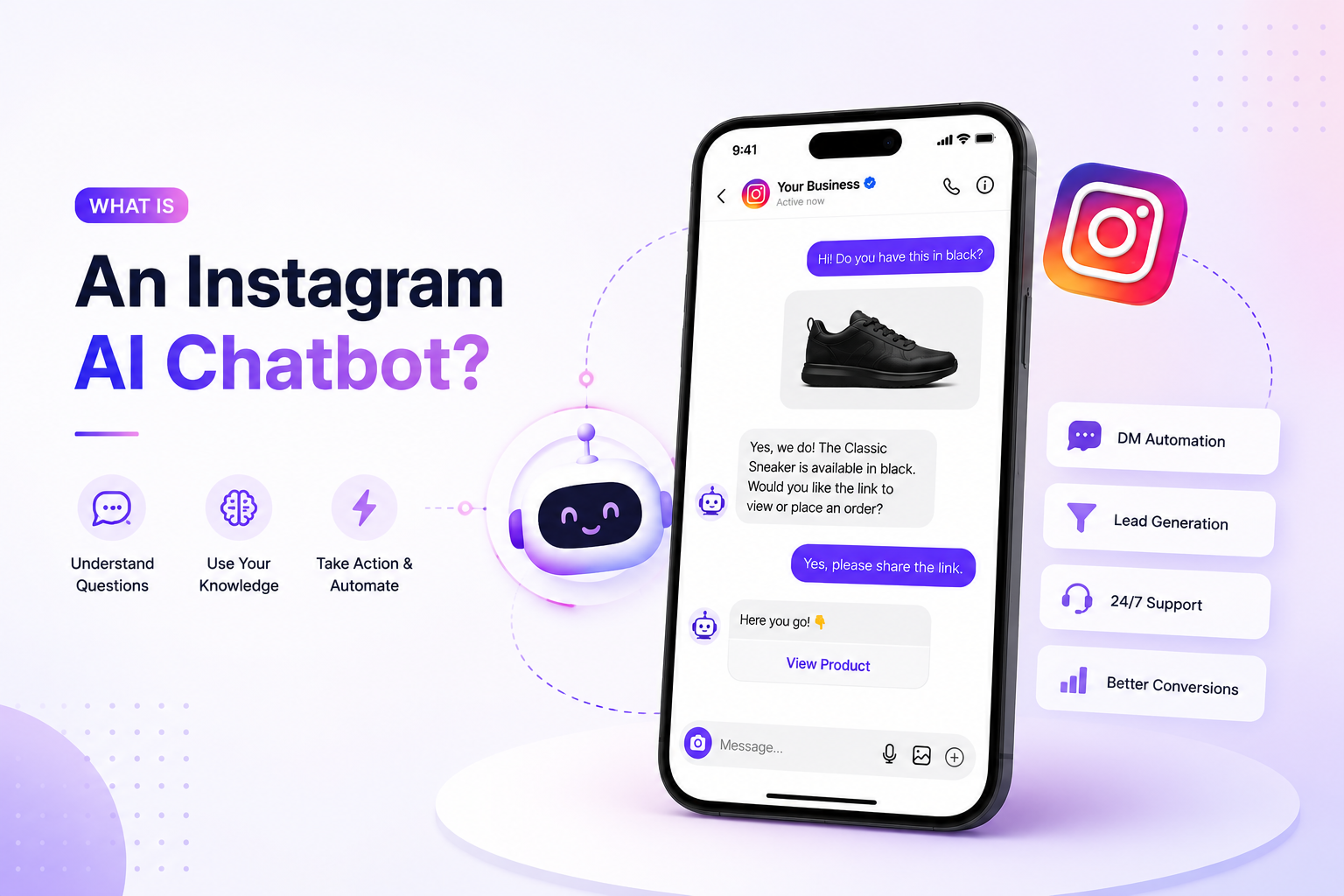
An Instagram AI chatbot is a tool that interacts with users in your Instagram DMs or comment sections using artificial intelligence. Instead of basic preset auto-replies, these bots understand conversational intent, answer FAQs, process orders, and capture leads 24/7
Traditional Instagram automation tools usually depend on keywords, buttons, and predefined workflows. They work well for simple interactions but often struggle when users ask questions in unexpected ways. AI chatbots are built to handle more natural conversations and can respond to a wider range of requests without requiring every scenario to be mapped out in advance.
Most AI chatbots can be trained using business content such as website pages, FAQs, help center articles, product catalogs, and internal documentation. As a result, responses are grounded in information that is specific to your business rather than generic chatbot answers.
Some platforms can also complete tasks during a conversation. Depending on the software, the chatbot may capture lead details, schedule appointments, create support tickets, update CRM records, or route conversations to the appropriate team member. When a system can both answer questions and complete actions, it is often referred to as an AI agent rather than a traditional chatbot.
Benefits of Using an Instagram AI Chatbot
Faster Response to Customer Queries
Instagram users often expect quick replies. An AI chatbot allows you to quickly find answers to frequently asked questions, helping you stay ahead of the game even during hectic times and reducing wait times.
Capture and Qualify Leads Automatically
Instead of relying on manual follow-ups, AI chatbots can collect contact details, understand customer intent, and identify qualified leads directly within Instagram conversations.
Handle More Conversations Without Expanding Teams
As message volume grows, answering manually becomes difficult. AI chatbots can manage multiple conversations simultaneously, helping businesses to handle higher demand without hiring more support staff.
Improve Customer Support Availability
Customers do not always reach out during business hours. AI chatbots can answer questions, provide information and assistance 24/7.
Connect Conversations to Business Workflows
Many platforms integrate with CRM systems, help desks, booking software, and ecommerce platforms. With this, Instagram conversations can trigger actions like creating tickets, scheduling appointments, or updating customer records.
How We Evaluated These Instagram AI Chatbots
Instagram chatbots don't solve the same problems. Some are focused on marketing automation, others on customer support, lead qualification or AI-driven conversations. To make a fair comparison between these platforms, we tested them in five aspects.
AI Capabilities
We looked at how well each platform can handle natural conversations, answer customer questions, and work with business knowledge such as websites, FAQs, product information, and support content.
Instagram Automation Features
We evaluated the Instagram-specific features offered by each platform, including DM automation, comment triggers, lead capture workflows, auto-replies, and conversation management.
Ease of Setup
Some tools are designed for non-technical users, while others require more configuration and development work. We considered how quickly businesses can get started and maintain their chatbot over time.
Integrations and Workflow Support
We examined how well each platform connects with CRM systems, ecommerce platforms, booking software, help desks, and other business tools that are commonly used with Instagram.
Pricing and Scalability
We compared pricing models, feature availability across plans, and platform scalability to support business growth as conversation volume and operational needs increase.
5 Best Instagram AI Chatbots for Businesses in 2026
The tools below serve different business needs. Some are built primarily for Instagram marketing and lead generation, while others focus on customer support, sales conversations, or AI-powered automation across multiple channels.
To compare them fairly, I looked at how well they handle real Instagram interactions, the quality of their AI capabilities, ease of setup, integration options, and overall value for businesses of different sizes.
1. YourGPT
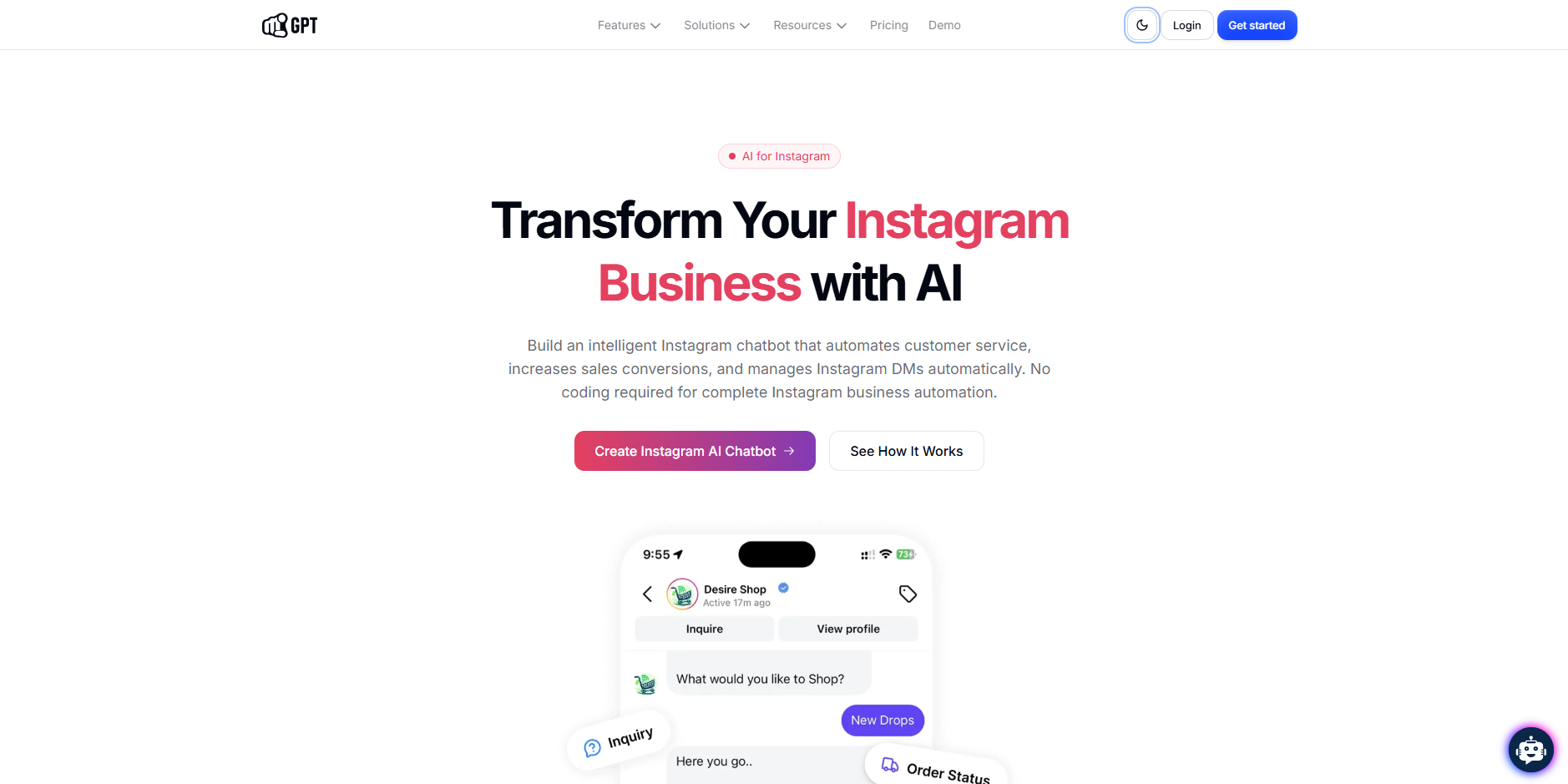
YourGPT is an AI-powered Instagram chatbot platform designed for businesses that want more than basic keyword triggers and predefined DM flows. It can be trained on websites, FAQs, help center articles, product catalogs, PDFs, and other business content, allowing it to answer customer questions using company-specific information.
One of its strongest differentiators is its ability to handle text, voice messages, images, and other media formats within Instagram conversations. This makes it useful for businesses that regularly receive product photos, screenshots, or voice notes through DMs and need more flexible responses than traditional rule-based chatbots can provide.
Beyond Instagram, YourGPT supports workflow automation, lead capture, multilingual conversations, team collaboration, analytics, and deployment across channels like WhatsApp, Messenger, Telegram, Slack, and websites. This makes it a strong option for businesses looking to manage customer interactions across multiple touchpoints from a single platform.
Key Features
AI training using websites, FAQs, PDFs, help centers, and product catalogs
Context-aware Instagram DM automation that answers using business knowledge
Voice and image understanding for multi-modal customer conversations
Rich media responses including carousels, product cards, and quick replies
Omnichannel deployment across Instagram, WhatsApp, web chat, Messenger, and more
Lead capture, workflow automation, and CRM integrations
Multilingual support in 100+ languages
Pros
Handles more complex conversations than rule-based Instagram chatbots
Supports text, image, voice, and visual interactions
Strong knowledge-base training capabilities
Can be deployed across multiple customer channels from one platform
Suitable for both customer support and lead generation
Broad integration and workflow automation support
Cons
Requires quality business content for best results
Advanced workflow setups may require additional configuration
More capable than many small creators or solo businesses may need
Pricing
Free: $0/month (7-day free trial)
Essential: $39/month
Professional: $79/month
Advanced: $349/month
Enterprise: Custom pricing
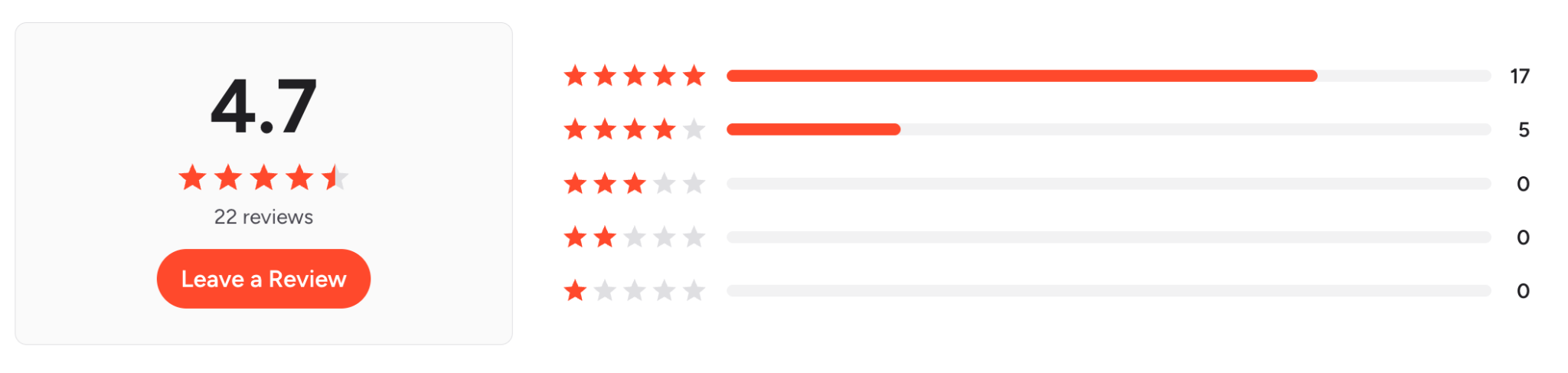
Rating
Video
Instagram AI Agent — Auto-Reply DMs, Comments & Stories 24/7 | YourGPT AI
2. Manychat

Manychat is an Instagram automation platform built primarily for marketing, lead generation, and audience engagement. It helps businesses automate conversations in Instagram DMs based on actions such as post comments, Story replies, keywords, and other user interactions .Many creators combine Instagram DM automation with carousel-based content to increase engagement and drive more inbound conversations.
Its main strength is creating conversion-focused workflows. Using its visual builder, you can set up automated DM sequences that collect leads, share offers, recommend products, and guide users toward specific actions. While Manychat includes AI features, it is best known for workflow automation rather than handling complex customer support conversations.
Key Features
Comment-to-DM automation
Instagram Story reply automation
Visual drag-and-drop workflow builder
Lead capture and audience segmentation
Automated DM campaigns and follow-ups
Keyword-triggered conversations
Integrations with CRM and marketing tools
Pros
Strong Instagram-specific automation features
Easy to build campaigns without coding
Effective for lead generation and promotions
Large template library for common use cases
Supports Instagram, Facebook Messenger, and WhatsApp
Cons
Less effective for complex support conversations
Relies heavily on predefined workflows
Advanced automation can become difficult to manage at scale
Contact-based pricing can increase costs as audiences grow
Pricing
Free: $0/month
Essential: From $14/month
Pro: From $29/month
Business: From $69/month
Advanced: From $139/month
Ratings
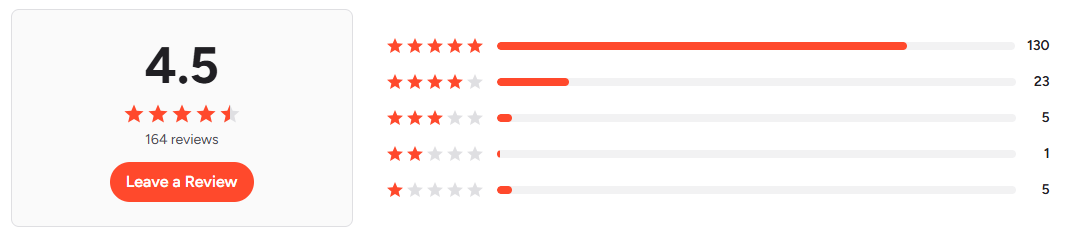
Video
How To Use Manychat Instagram Automation: Send DMs & Boost Engagement
3. SendPulse
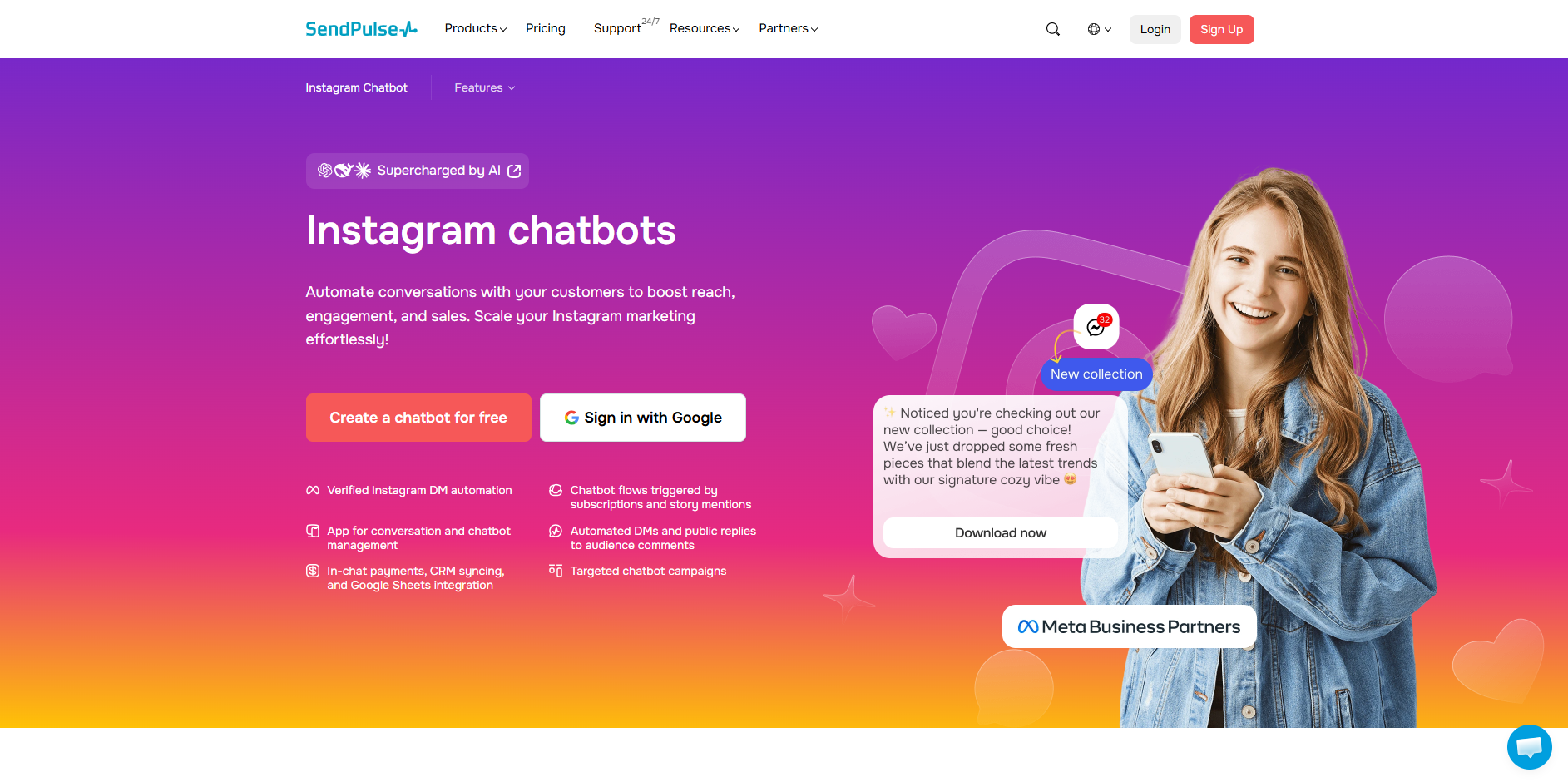
SendPulse combines Instagram chatbot automation with email marketing, CRM, SMS, web push notifications, and other communication channels. Businesses that already use multiple customer communication channels can manage them from a single platform instead of stitching together separate tools.
Its Instagram chatbot builder focuses on lead capture, automated replies, customer segmentation, and follow-up campaigns. The platform also includes AI-assisted responses, though its strength is broader marketing automation rather than advanced AI-driven conversations.
Key Features
Instagram chatbot builder
Multi-channel automation (Instagram, email, SMS, Telegram, web push)
Built-in CRM
Visual workflow builder
AI-assisted responses
Contact segmentation and lead capture
API and webhook support
Pros
Combines chatbot, CRM, and marketing tools in one platform
Strong multi-channel support
Easy workflow builder
Free plan available
Cons
AI capabilities are less advanced than dedicated AI chatbot platforms
Workflow management becomes more complex as automation grows
Better suited for marketing automation than customer support
Pricing
Free: $0/month
Pro: From $9.60/month (when billed annually) for 500 subscribers
Pricing scales based on subscriber volume
Ratings
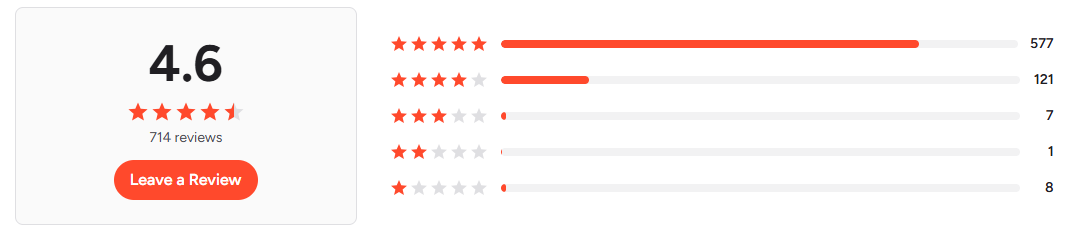
Video
Connect your Instagram chatbot faster with SendPulse
4. Chatfuel
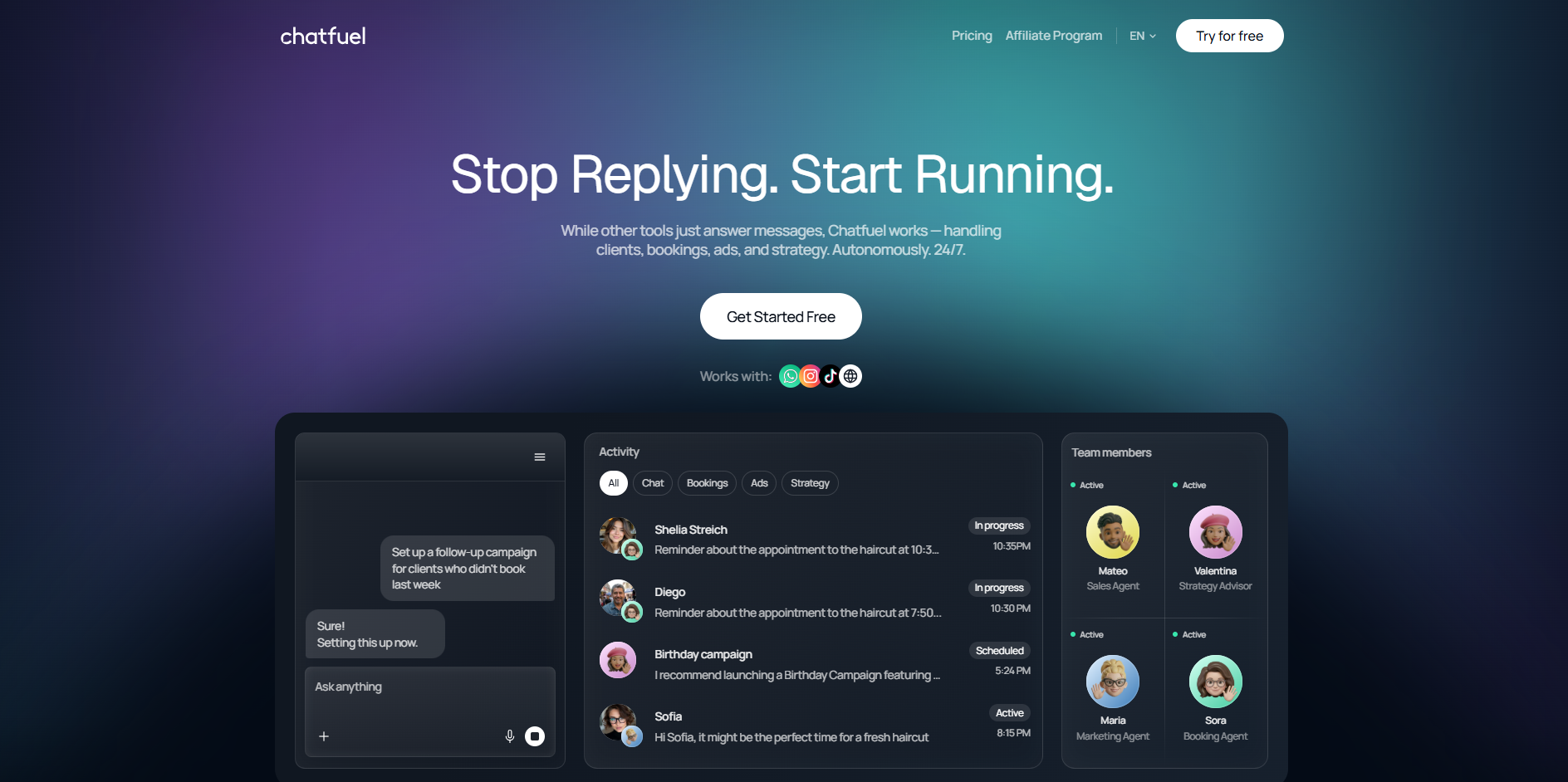
Chatfuel is one of the oldest chatbot platforms in the Meta ecosystem and is still very much focused on Instagram, Facebook Messenger, and WhatsApp automation. It is designed primarily for lead generation, comment-to-DM campaigns, FAQ automation, and sales funnels instaed of knowledge-based AI support.
Its visual flow builder makes it easy to create automated Instagram conversations without coding. Businesses can automate replies to comments, story mentions, direct messages, and Click-to-Instagram ads while capturing and qualifying leads within the platform.
Key Features
Instagram DM automation
Comment-to-DM workflows
Story mention and story reply automation
Visual flow builder
Lead capture and segmentation
Live chat handoff
AI-powered responses
Instagram, Facebook, and WhatsApp support
Pros
Strong Instagram-focused automation tools
Easy to build and launch workflows
Good lead generation capabilities
Covers multiple Instagram entry points
Cons
Better suited for marketing funnels than customer support
Less flexible for knowledge-based AI conversations
Advanced AI capabilities are not as deep as dedicated AI agent platforms
Pricing
AI Business Assistant: $65/month
Enterprise: Custom pricing
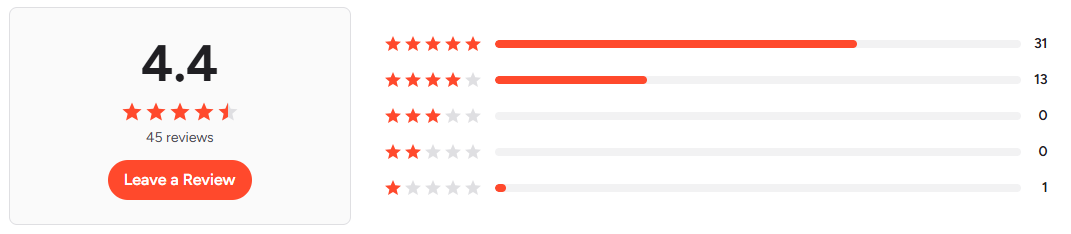
Ratings
Video
Instagram DM Automation: The Next Frontier for Digital Marketing Agencies
5. Engati
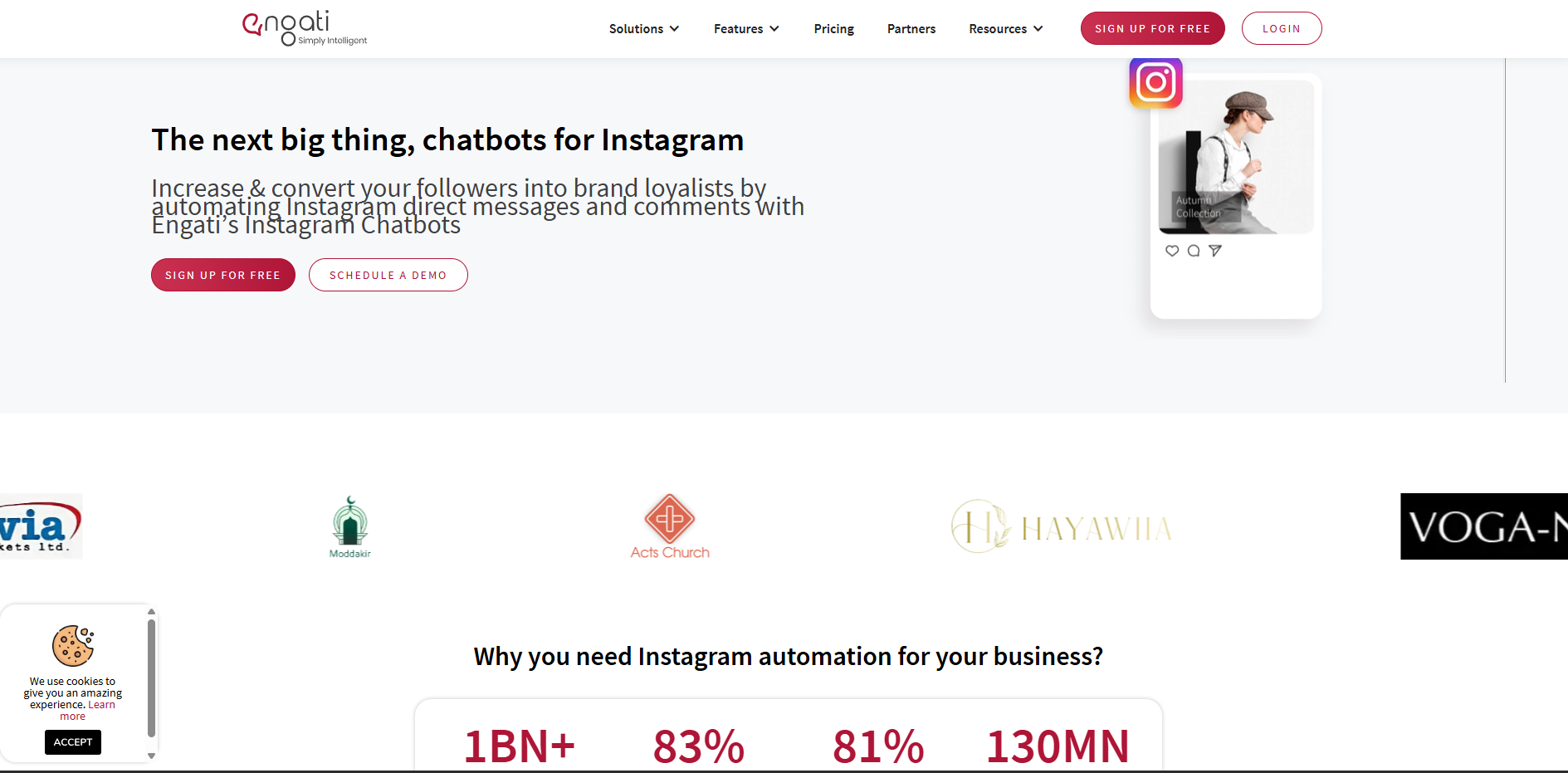
Engati is a no-code conversational AI platform built for businesses that handle customer conversations on Instagram, WhatsApp, Facebook Messenger, websites and other messaging channels. It is a platform that combines AI chatbots, live chat and workflow automation.
What makes Engati stand out is its balance between ease of use and advanced capabilities. Teams can build Instagram automations with a visual flow builder, train chatbots to understand customer intent, and transfer conversations to human agents when needed. For businesses that need both lead generation and customer support automation, Engati offers a broader feature set than many Instagram-only tools.
Key Features
Instagram, WhatsApp, Facebook Messenger, and website chatbot support
Drag-and-drop chatbot builder with pre-built templates
Natural language understanding for intent detection and contextual replies
Live chat with human agent handoff
Multilingual conversations across multiple channels
CRM, help desk, and business tool integrations
API access for custom workflows and external systems
Analytics dashboard for tracking conversations and performance
Pros
Easy to set up without coding
Supports multiple messaging channels from one platform
Strong live chat and human handoff capabilities
Good range of integrations and templates
Suitable for both support and lead generation use cases
Cons
AI capabilities are less flexible than AI-first platforms trained on business knowledge.
The interface can feel crowded for first-time users.
Advanced workflows may require additional configuration.
Pricing
Free Trial: 7 days
Pro: Custom pricing
Enterprise: Custom pricing
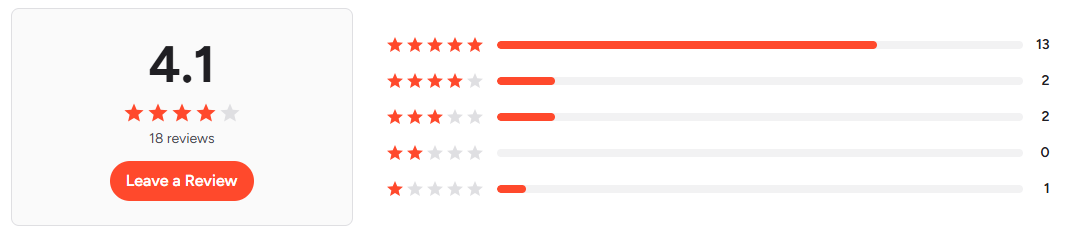
Ratings
Video
How to deploy your bot on Instagram | Engati
Quick Comparison Table
Platform | Primary Use Case | Conversational AI Depth | Instagram DM Automation Depth | AI Trained on Your Data | Setup Complexity |
YourGPT | Customer support, lead generation, and AI-powered engagement | Advanced AI agent trained on business content | DM automation, lead qualification, FAQs, support, human handoff, workflow actions | ✅ | Easy |
Manychat | Marketing campaigns and creator funnels | Basic AI with rule-based automation at its core | Comment-to-DM flows, keyword triggers, broadcasts, lead capture | ❌ | Easy |
SendPulse | Businesses managing multiple communication channels | AI chatbot with visual automation builder | DM automation, campaigns, audience segmentation | ❌ | Medium |
Chatfuel | Small businesses that want fast deployment | GPT-powered responses combined with chatbot flows | FAQs, lead capture, automated conversations | ❌ | Easy |
Engati | Omnichannel customer support across social channels | Intent-based AI with NLP and multilingual support | DM automation, FAQs, lead capture, agent handoff, and cross-channel workflows | ✅ | Medium |
How to Choose the Right Instagram AI Chatbot
The right Instagram AI chatbot depends on how people interact with your business. A tool that works well for a creator running giveaways may be completely wrong for a company handling hundreds of customer inquiries every week.
Look at the Type of Conversations You Receive: If most messages are repetitive questions about products, pricing, shipping, or services, an AI chatbot trained on your business content will usually perform better than a flow-based automation tool. If your goal is campaign engagement and lead capture, traditional automation may be enough.
Check Whether It Uses Instagram's Official API: Reliable platforms connect through Meta's official Instagram Business API. This is important for stability, compliance, and long-term reliability as Instagram continues to update its platform.
Evaluate How Much Human Work Is Still Required: Some tools automate conversations but still require teams to constantly update keywords, flows, and triggers. Others can answer questions dynamically from your website, FAQs, documents, and product information with less ongoing maintenance.
Consider What Happens Outside Instagram: Many customer journeys do not start and end in DMs. Someone might discover your business on Instagram, continue the conversation on WhatsApp, and eventually buy through your website. If that matters to your business, choose a platform that can support multiple channels without rebuilding everything from scratch.
Choose Based on Business Goals, Not Features: A creator looking to automate comment-to-DM campaigns has different requirements than an e-commerce brand handling product inquiries or a service business qualifying leads. The best chatbot is the one that fits your workflow, not the one with the longest feature list.
How to Automate Instagram DMs with YourGPT
Setting up Instagram DM automation with YourGPT takes about 10–15 minutes. Once connected, your AI agent can automatically respond to messages, answer questions, qualify leads, and route conversations when needed.
Before You Start: Make sure you have:
An Instagram Business or Creator account
A Facebook Page connected to your Instagram account
Business information ready for training, such as FAQs, product details, pricing, and policies
Step 1: Create Your YourGPT Account
Sign up for YourGPT and create a new AI agent from the dashboard. This agent will handle your Instagram conversations.
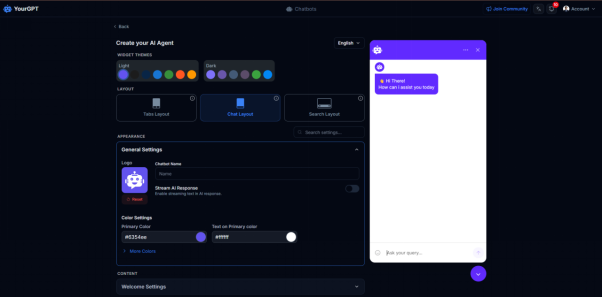
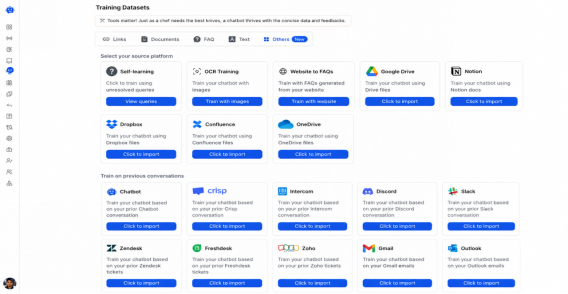
Step 2: Train Your AI Agent
Upload your website, FAQs, documents, Google Docs, or Notion pages so the chatbot can answer customer questions accurately.
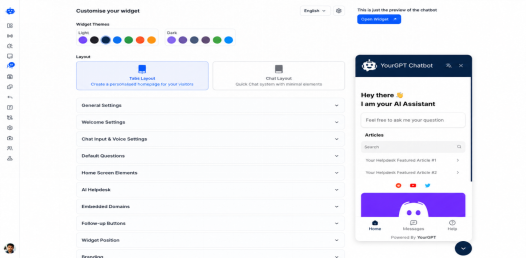
Step 3: Customize Your Agent
Set your chatbot's tone, instructions, welcome messages, and response behavior to match your brand.
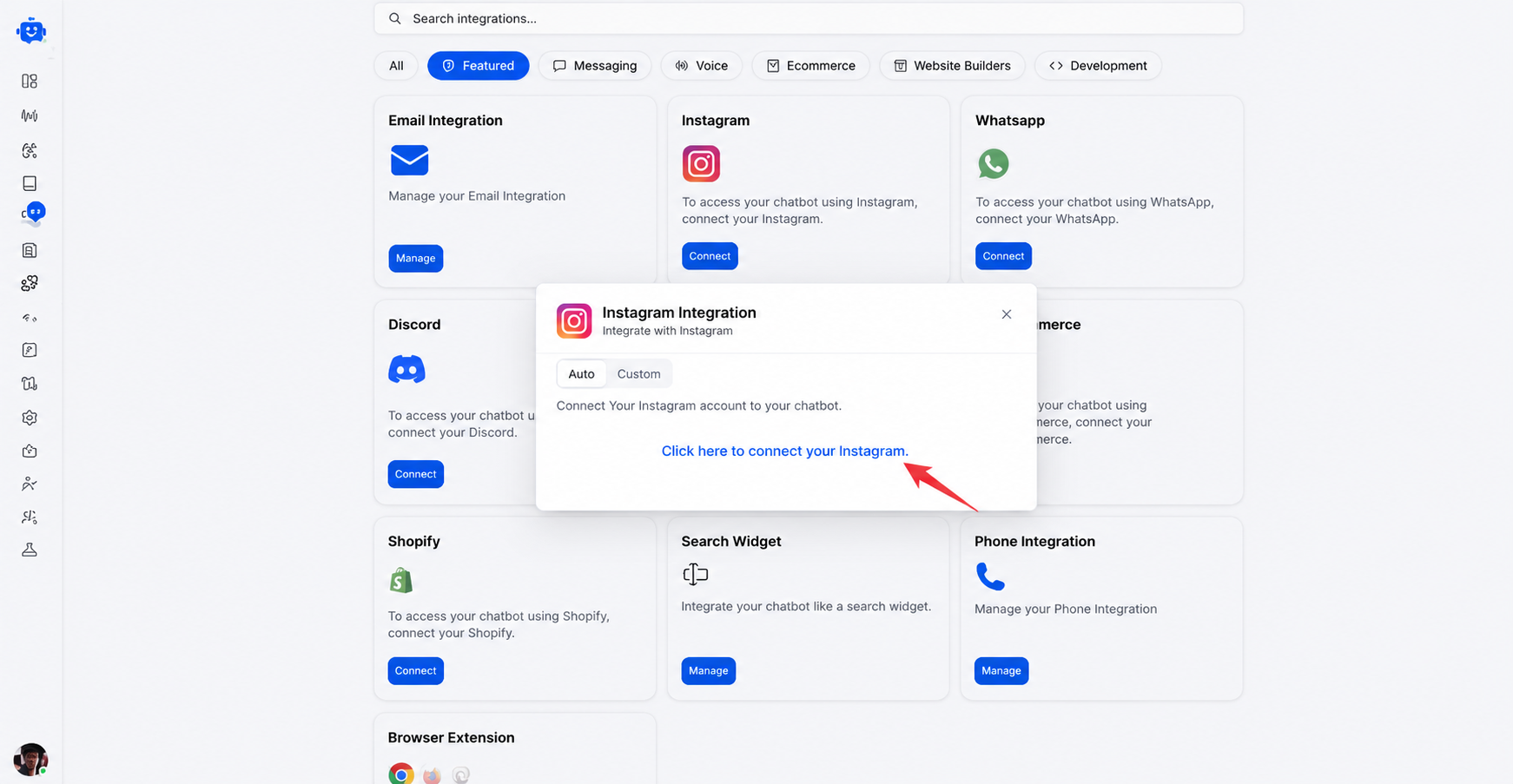
Step 4: Connect Instagram
Go to Integrations, select Instagram, and authorize your Instagram Business account through Meta's official connection process.
Step 5: Build Custom Workflows
Using the AI Studio, you can design advanced, logic-driven workflows that go beyond basic interactions. These advanced use cases include:
Dynamic Lead Qualification: Instead of simple data collection, use AI to score leads in real-time and trigger specific follow-up sequences based on deep intent analysis and user profiles.
Contextual Product Recommendations: Leverage live inventory and user preferences to suggest products, apply personalized discount codes, and guide users directly to checkout.
Real-time CRM Sync: Automatically trigger actions in your CRM such as updating customer status, tagging leads, or creating new support tickets, without requiring manual data entry.
Smart Appointment Booking: Integrate directly with your calendar and booking tools to manage real-time availability, schedule meetings, and handle cancellations or rescheduling automatically.
Proactive Human Handoff: Configure intelligent triggers that route conversations to a human agent, providing them with a complete summary of the AI interaction to ensure a seamless transition for urgent or sensitive inquiries.
Step 6: Test and Go Live
Send test messages, verify responses, and activate the integration once everything is working as expected.
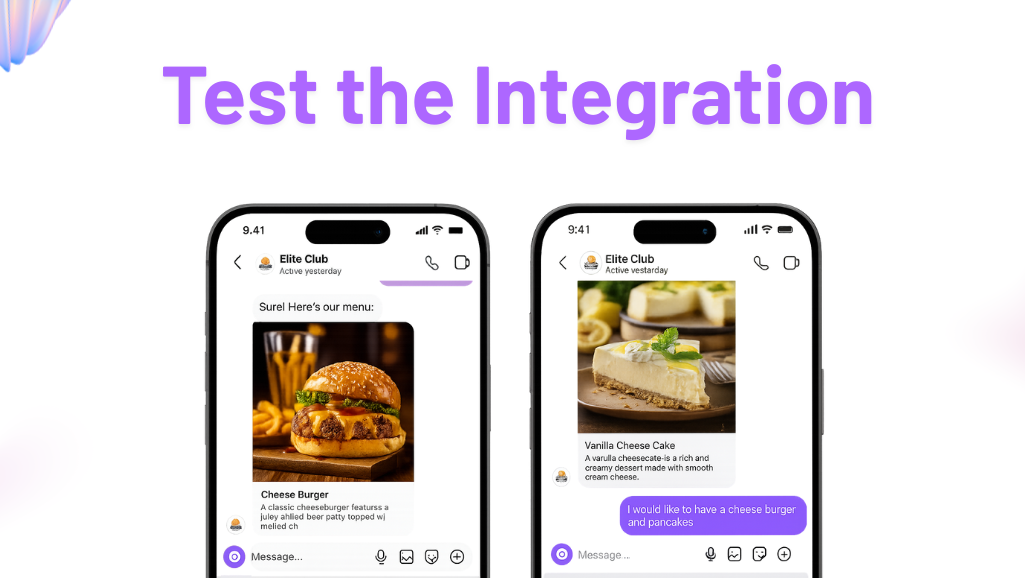
After setup, your Instagram account can automatically handle routine conversations while your team focuses on higher-value interactions.
Common Instagram Automation Mistakes to Avoid
Most Instagram automation issues come from poor setup rather than the tool itself.
Automating Every Conversation: Use AI for routine questions, but route complex issues, complaints, and sensitive requests to a human.
Training on Too Little Information: A chatbot can only answer what it knows. Train it on FAQs, product details, policies, and support content for better responses.
Not Reviewing Conversations: Check conversations regularly to identify gaps, improve answers, and add missing information.
Using Overly Scripted Replies: Instagram is conversational. Make sure responses match your brand voice and feel natural.
Choosing the Wrong Tool: Some tools focus on marketing campaigns, while others are built for customer support. Choose one that fits your goals.
Not Tracking Performance: Monitor response quality, lead capture, and resolution rates to understand whether the automation is delivering results.
The most effective Instagram automation combines AI efficiency with human oversight when needed.
Conclusion
Instagram automation has moved far beyond keyword replies and simple DM flows. The best tools understand natural language, answer product questions, qualify leads, book appointments, and support customers automatically in Instagram conversations.
That said, not all platforms are built for the same job.
If you want AI-powered customer support, product recommendations, and handling real customer questions from Instagram, WhatsApp, websites, and other channels, YourGPT is the strongest option in this comparison.
If your focus is marketing campaigns, comment to DM funnels, and creator-style lead generation, ManyChat is still one of the established options.
SendPulse works well for businesses wanting Instagram automation plus email marketing and CRM tools. Chatfuel is a solid option for teams that want a simple no-code setup, while Engati is a good fit for businesses managing customer conversations across multiple channels.
The right choice depends on what you expect the chatbot to do after someone sends a message. If you just want automated replies, almost any tool on this list can help. If you want an AI chatbot that can understand questions, use business knowledge, and guide customers to a purchase or resolution, then the differences between platforms become much more important.
AI automation works best when it's combined with a consistent Instagram content strategy that keeps new conversations flowing into your DMs. Choose the tool that matches your workflow, test it with real customer conversations, and measure the results. The best Instagram chatbot is not the one with the longest feature list. It is the one that consistently helps your business respond faster, support customers better, and convert more conversations into outcomes.
FAQs
What is the best Instagram AI chatbot in 2026?
The best AI chatbot for Instagram depends on your goals. Businesses looking for AI-powered customer support, lead qualification, and product recommendations often prefer platforms like YourGPT. Marketing-focused teams may prefer tools such as ManyChat that specialize in campaigns and DM funnels.
Can Instagram AI chatbots respond to customer messages automatically?
Yes. Instagram AI chatbots can automatically reply to DMs, answer questions, recommend products, collect lead information, and route conversations to a human agent when needed.
How do Instagram AI chatbots work?
Most Instagram AI chatbots connect through Meta's official API. They process incoming messages, understand customer intent, and generate responses using business information such as FAQs, product catalogs, help center articles, and website content.
Do I need an Instagram Business account to use an AI chatbot?
Yes. Instagram automation platforms require an Instagram Business or Creator account connected to a Facebook Page. Personal Instagram accounts do not support API-based automation.
Can an Instagram AI chatbot generate leads and sales?
Yes. Many businesses use Instagram chatbots to qualify leads, answer pre-sales questions, recommend products, collect contact details, and guide customers toward a purchase.
Can Insta AI chatbots support multiple languages?
Modern AI chatbot platforms generally support multilingual conversations and can automatically detect a user’s language and respond accordingly. In contrast, traditional flow-based or keyword-driven chatbot platforms often require separate workflows, rules, or translations for each language.
🔥 Limited Time Deal
NewGet lifetime access to Postunreel with a one-time payment. Never pay again!
Your Go-To Solution for Stunning Carousels using AI!
Postunreel is a free AI carousel generator tool that helps you design captivating carousel posts for LinkedIn, Instagram, and other platforms. It makes it easier to increase social media engagement and grow your audience.
Create Free Carousel Now 🚀Related Blogs
How to Exit Incognito Mode on iPhone (2026 Guide)
Learn how to exit incognito mode on iPhone in seconds step-by-step for Safari and Chrome, plus fixes for common private browsing glitches.
What is an Email Address? Full Structure Guide
What is an email address? Learn its structure, how it works, and how to validate one clear, no-jargon guide with examples.
Coaxial Cable for Internet: RG6 vs RG59 Guide
Coaxial Cable for Internet: RG6 or RG59? See signal-loss data, DOCSIS speed limits, and guide to faster, more stable coax internet at home.