Yandex Reverse Image Search: How to Use It Step by Step (2026 Guide)
Learn how to use Yandex reverse image search step by step. Find image sources, landmarks and fakes fast, plus 2026 face search limits and privacy tips.

Yandex reverse image search lets you upload a photo or paste its link to find copies, similar images and the pages hosting them. Go to images.yandex.com, click the camera icon, add your image and scroll the results. It is free, and it is especially strong for landmarks, street scenes and edited copies, but weaker for faces than it used to be.
Key takeaways:
It works on desktop and mobile, with no account needed.
It is best for geolocation, image provenance and cropped or edited copies.
Treat any face match as a lead, never as proof.
Your upload goes to a Russian company's servers, so skip sensitive photos.
Okay, confession time. Many people think reverse image search means right clicking in Chrome and hoping for the best. Then they try Yandex Images, and their jaw drops. If you have ever stared at a mystery photo and wondered where it came from, stick with me.
This guide draws on Yandex's official documentation and respected investigative sources, and every claim links to where it came from.
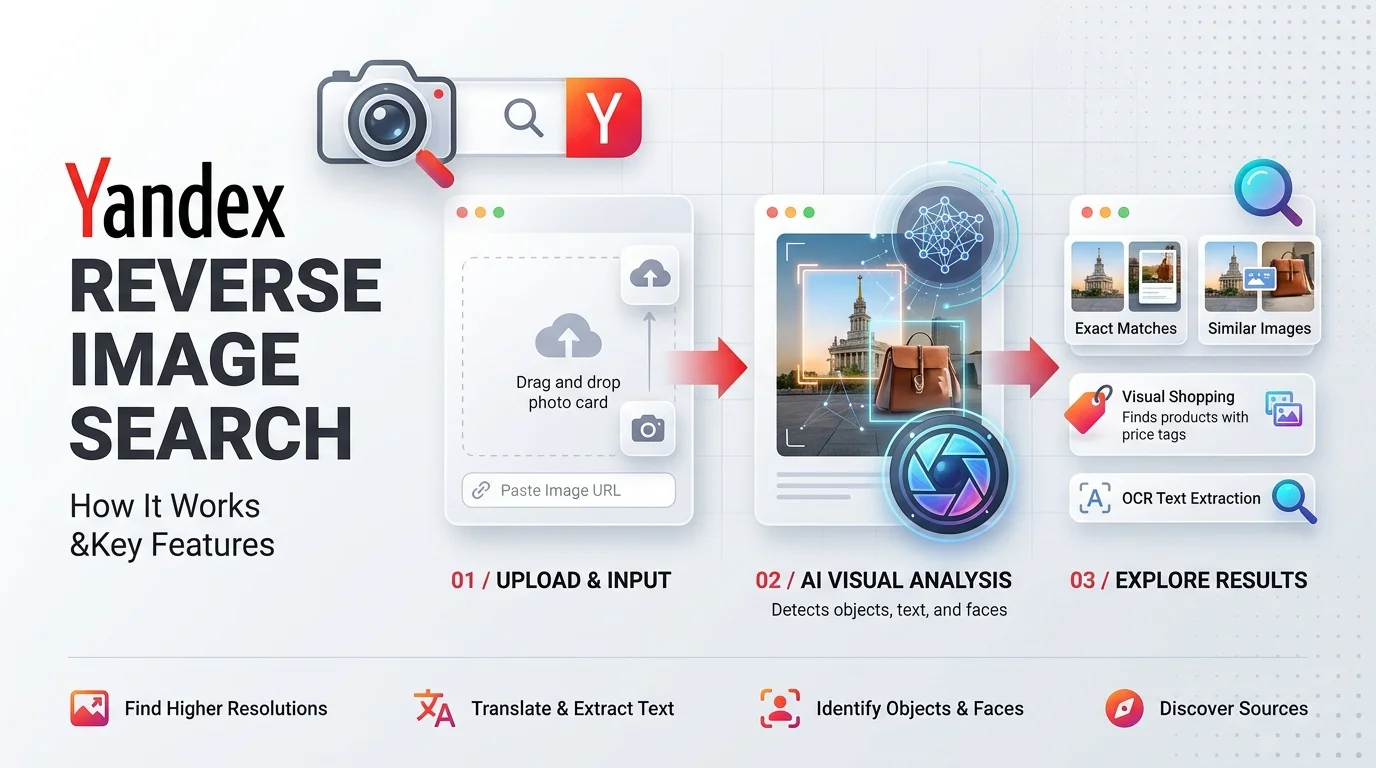
What Is Yandex Reverse Image Search?
Let's keep this simple. Yandex reverse image search uses a picture as your query instead of typing words. You hand over a photo, and the engine hunts for matches, lookalikes and the websites using them. It is quick, free and a little addictive.
According to Yandex's own help page, you can use it to find out what or who is in a photo, check whether an image is unique and find similar images. Under the hood, it relies on computer vision. Yandex's browser documentation says results include exact copies and visually similar pictures.
One catch, though. Results depend on whether Yandex has indexed the image. No index, no match. If you are curious how that works, our guide to how search engines crawl, index and rank pages explains it in plain English.
Why Investigators Keep Using Yandex
So why all the hype? Because professionals rely on it. In December 2019, Bellingcat's guide tested Yandex, Bing and Google side by side. Its author called Yandex the leader at the time, citing strong recognition of faces, landscapes and objects.
That guide is several years old, though. So let's talk about what is true today.
Where Yandex Still Shines
Yandex is brilliant at geolocation, meaning pinpointing where a photo was taken. Buildings, street scenes and landmarks are its sweet spot, especially across Eastern Europe.
It also does optical character recognition (OCR). A 2026 OSINT guide on Secjuice says Yandex can lift Cyrillic and Latin text out of a photo. Then you search that text like normal. One readable shop sign can crack a case wide open.
Where Yandex Struggles in 2026
Now, let me be straight with you. According to that same Secjuice guide, Yandex is no longer a one stop facial recognition tool. It points to Yandex's shrinking crawl of Western social media since the 2022 sanctions as a reason face results for people outside Russia have declined.
A comparison test by Lenso.ai also found Yandex did not identify faces in their sample. That is one vendor's test, so take it as a signal, not a verdict.
The takeaway? Treat every face match as a lead and confirm it elsewhere. If faces are your main goal, check out our roundup of the best face search tools in 2026 or our FaceCheck ID review. Image verification is about evidence, not hunches.
How to Use Yandex Reverse Image Search Step by Step
Ready to get your hands dirty? Good. You will be searching in under a minute. I will show you the desktop route first, then your phone. Grab any photo you are curious about and follow along, because nothing beats learning by doing.
Search by Image on Desktop
The desktop method is the fastest way to run a photo lookup, and it works in any browser. You need only an image file or a link. These steps follow Bellingcat's walkthrough and Yandex's help page.
Go to images.yandex.com.
Click the camera icon on the right of the search bar.
Upload a file, paste an image URL, drag and drop, or paste from your clipboard.
Scroll through the similar images and the sites where the image appears.
Click a specific object in the picture to focus the results on it.
Stuck on a Russian interface? Look for "Найти," which means "Search."
Search by Image on Your Phone
Mobile is even easier. Yandex's Smart Camera page explains that the app marks recognized objects with dots. Tap one, and you get tabs for information, shopping, similar items and websites. You can also pick a photo from your gallery.
Pro Tips That Boost Your Results
Want better matches? Here is what works best.
Crop tight. Isolate one distinctive element, such as a sign or a building.
Use a high resolution image. Blurry input gives blurry output.
Flip, clean or sharpen the image if you get zero hits, then try again later.
Search any visible text as a normal query.
Run a portfolio of engines. Cross check with Google Lens and TinEye.
Install a multi engine extension. The InVID plugin sends one image to several engines, Yandex included, and lets you highlight just one part.
Yandex vs. Google Lens vs. TinEye vs. Bing
Here is the million dollar question. Do you need Yandex when Google Lens exists? Probably, yes. Each engine has its own personality, and the right pick saves you time. Here is a quick comparison based on this guide and the Secjuice OSINT guide.
Tool | Best for | Face and scene matching | Notes |
|---|---|---|---|
Yandex | Landmarks, street scenes, edited or cropped copies | Strong for scenes, weaker for faces in 2026 | Uploads go to a Russian company |
Google Lens | Fast mobile use, products, text translation | Limited for faces | Best for everyday lookups |
TinEye | Exact duplicates, older indexed versions | Limited | Known for not storing uploads |
Bing Visual Search | Shopping, in browser cropping | Moderate | A solid second opinion |
My honest take? Do not pick one. Run a portfolio of engines. If you have time for only a second opinion after Google, make it Yandex.
Who Benefits Most From Yandex Reverse Image Search?
Almost everybody, but a few groups get outsized value. Whether you are a journalist, a blogger, a shopper or a developer, there is a use case here that will save you real time. Take a look.
Journalists and fact checkers use it to trace image provenance. Citizen Evidence calls reverse search the first step it takes to verify visual content.
Bloggers and photographers use it to catch image theft and copyright infringement.
Online shoppers use it to find similar products, and dating app users use it to spot a catfish. If a profile photo shows up on five unrelated sites, that is a red flag. For a deeper identity check, read our Social Catfish review.
Developers can automate searches with the Yandex Search API.
Privacy and Limitations You Should Know
Before you upload anything, pause for a second. Reverse image search has a catch: you hand a copy of your photo to a company. With Yandex, that means a Russian company. A privacy breakdown from Viallo notes that Yandex operates under Russian data law, and the Moscow Times reports ongoing government pressure on the company over user data.
So here is the rule: never upload private, sensitive or family photos. Use public images for OSINT and verification work. Also remember that face matching raises legal questions under rules like GDPR, as Lenso.ai's 2026 tools roundup points out.
Frequently Asked Questions
How does Yandex reverse image search work?
You upload an image or paste its URL, and Yandex's computer vision algorithms compare it with its index. It then returns exact copies, similar images and pages that contain the picture.
Is Yandex reverse image search free?
Yes. You can use it in a browser or the app without paying or signing up. Developers who automate searches use the separate Yandex Search API.
Is Yandex better than Google for reverse image search?
It depends on the job. Yandex is often stronger for landmarks, street scenes and edited copies. Google Lens is faster for products and everyday mobile use. Use both.
Can Yandex identify a person from a photo?
Not reliably in 2026. Face results have weakened, so treat any match as an unverified lead and confirm it with other evidence.
Is it safe to upload photos to Yandex?
Avoid sensitive images. Yandex is a Russian company subject to Russian data laws, so only upload public photos you are comfortable sharing.
Your Next Move: Start Searching Smarter Today
You have seen the evidence, and you have the steps. The price tag is exactly zero.
So here is my challenge. Grab one photo you have always wondered about, open Yandex Images and run it through right now. Then compare the results with Google Lens and TinEye. You may uncover something you would never have found otherwise.
Do not let a mystery image eat another hour of your day. Hit the camera icon and make your first Yandex reverse image search before you close this tab. You will thank yourself.
About the Author

Nathan Cole
Nathan Cole is a SaaS writer and AI product reviewer at Postunreel with a sharp focus on evaluating AI-powered tools for content creators, marketers, and growing businesses. He holds a degree in Computer Science and brings over five years of experience writing about software products, productivity tools, and marketing technology. Nathan approaches every review with rigorous hands-on testing, clear comparison frameworks, and an honest perspective that cuts through marketing hype. His goal is to help Postunreel readers make smarter decisions about the tools they invest in so they can build better content workflows without wasting time or money.
🔥 Limited Time Deal
NewGet lifetime access to Postunreel with a one-time payment. Never pay again!
Your Go-To Solution for Stunning Carousels using AI!
Postunreel is a free AI carousel generator tool that helps you design captivating carousel posts for LinkedIn, Instagram, and other platforms. It makes it easier to increase social media engagement and grow your audience.
Create Free Carousel Now 🚀Related Blogs
Best Video Editing Software in 2026: Top Picks, Prices and What to Buy
Compare the best video editing software of 2026: real prices, pros and cons, free picks, and which editor to buy for your YouTube channel and blog.
Unblocked Games for School: Are They Safe? Best Alternatives for 2026
Are unblocked games for school safe? Learn the real risks of proxy sites and VPNs, plus school approved games you can play on your Chromebook.