Free AI Carousel Generator Without Watermark | Instant Posts
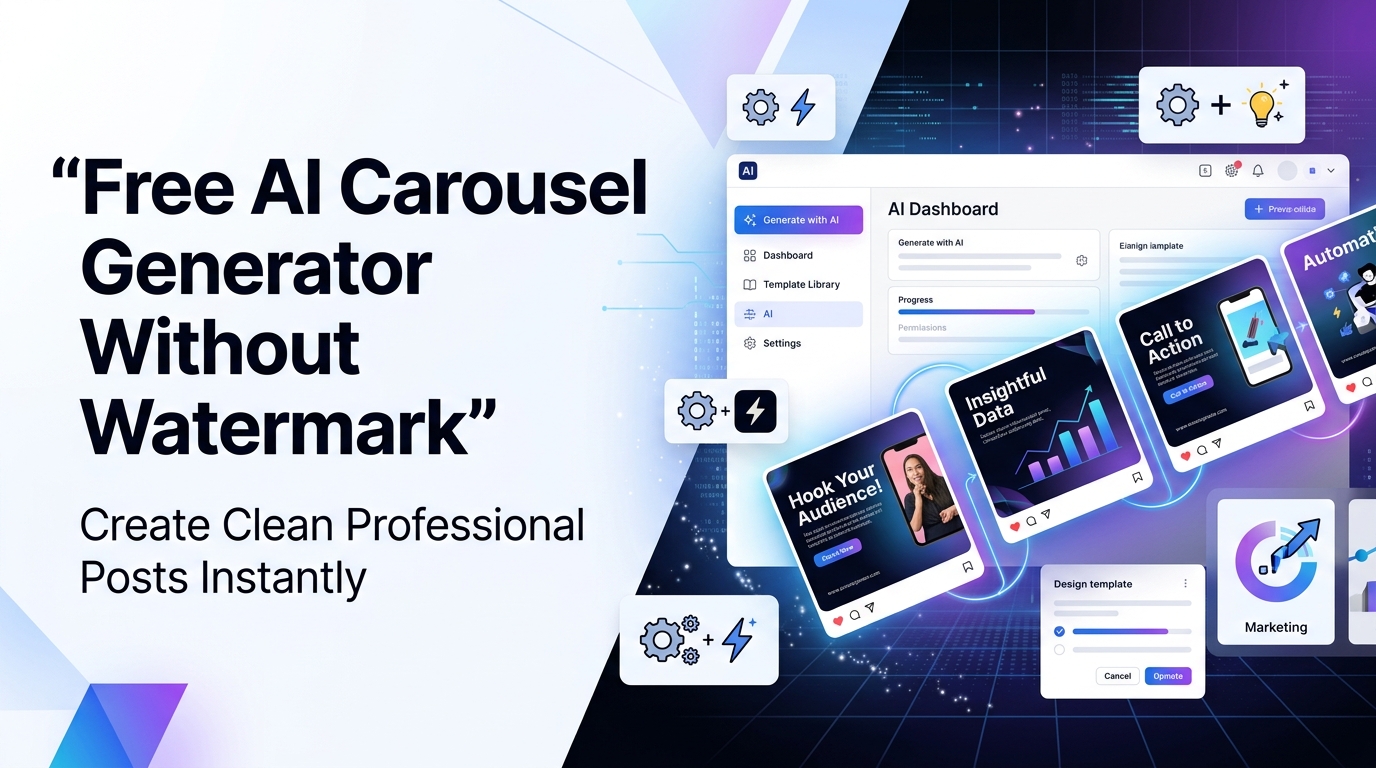
A free AI carousel generator without watermark that helps users instantly create clean, professional social media posts for platforms like Instagram and LinkedIn. It allows marketers and creators to design high-quality carousels quickly without branding, making content creation faster, easier, and more professional.

If you have ever spent hours trying to design a carousel post for Instagram or LinkedIn, only to end up with a cluttered layout and a big watermark slapped across your work, you are not alone. Thousands of content creators, small business owners, and social media marketers face this exact problem every single day. The good news? An AI carousel generator without watermark is no longer a myth. It is real, it is accessible, and it can completely transform the way you create content.
What Is an AI Carousel Generator and Why Does It Matter?
Before we dive into the best tools and tips, let us quickly understand what a carousel actually is. A carousel post is a multi-slide visual format used on platforms like Instagram, LinkedIn, Facebook, and Pinterest. Each slide carries a piece of content — a tip, a fact, a story, or a product showcase and together they form a compelling, swipeable experience for your audience.
An AI carousel builder takes this concept to the next level. Instead of manually designing each slide, adjusting fonts, aligning elements, and picking color palettes, you simply describe what you want and the AI does the heavy lifting. The result? Consistent, on-brand, professional-looking carousels in minutes, not hours.
The reason this matters so much right now is simple: carousel posts consistently outperform single-image posts in terms of engagement, saves, and shares. LinkedIn studies have shown that carousel posts get significantly more impressions than regular image posts. On Instagram, carousels see up to three times more engagement than standard posts. If you are not using carousels in your content strategy in 2026, you are leaving a lot of reach on the table.
The Watermark Problem: Why It Kills Your Brand
Here is the thing that nobody talks about openly. Most "free" design tools online are not actually free — at least not in the way you think. Yes, you can use them for free, but the moment you try to download your design, they slap a watermark right in the middle of your beautiful carousel post. Your brand logo? Gone. The clean professional look you worked so hard to achieve? Ruined.
This is a massive problem for several reasons.
First, a watermark tells your audience that you could not afford a proper tool. It signals unprofessionalism, even if your content is brilliant. Second, watermarks from third-party tools push their brand instead of yours. You are doing their advertising for free while they undermine your credibility. Third, if you are a business or freelancer, sending a client deliverable with a watermark is simply not acceptable.
This is why the demand for a watermark-free carousel tool has exploded in recent years. People want the freedom to create without restrictions, and they want their work to look like it came from a professional agency — not a beginner who downloaded a free app.
What Makes a Truly Free AI Design Generator?
Not all free tools are created equal. When we say "free," we mean genuinely free — no hidden subscription traps, no credit card required to download, and absolutely no watermarks on the final output. A genuine free AI design generator should offer the following:
No mandatory sign-up fees. You should be able to use the core features without entering payment details.
Full download access. Downloading your finished carousel in high resolution should not require an upgrade.
No watermarks. Your designs should be yours, clean and ready to publish.
AI-powered suggestions. The tool should actively use artificial intelligence to suggest layouts, color combinations, fonts, and content based on your input — not just offer static templates.
Multiple export formats. Whether you need PNG, JPEG, or PDF, a good free content creation tool gives you options.
Platform-specific sizing. Instagram carousels and LinkedIn carousels have different dimensions. A smart tool should handle both automatically.
Top Features to Look for in a Free Instagram Carousel Maker
When choosing a free Instagram carousel maker, there are several specific features that separate average tools from truly great ones. Here is what you should prioritize.
1. Smart AI Text-to-Design
The best tools allow you to type a topic or paste your content, and the AI automatically structures it into slides. For example, you type "5 tips to grow on LinkedIn" and the tool turns it into a five-slide carousel with headers, body text, and visuals already arranged for you. This is what real AI graphic design software looks like in 2026.
2. Customizable Templates
Templates are a starting point, not a final destination. A good free carousel maker should let you adjust colors, swap fonts, rearrange elements, and add your own brand logo without any restrictions. Locked templates that force you to upgrade for customization are a red flag.
3. Brand Kit Integration
If you are managing a brand, you need your carousels to look consistent. Look for tools that allow you to save your brand colors, fonts, and logo so that every carousel you create automatically follows your brand guidelines — without you having to redo the settings each time.
4. One-Click Publishing or Export
A smooth workflow means you can go from idea to published post in one sitting. Some online carousel creator tools allow you to directly schedule or publish to Instagram and LinkedIn, which saves even more time.
5. AI Copywriting Assistance
Some advanced tools go beyond design. They actually help you write the content for each slide. You input your topic, audience, and tone, and the AI drafts compelling slide copy that is ready to post. This is a game-changer for content creators who struggle with writing.
Best Free AI Carousel Generators Without Watermark in 2026
1. postunreel
postunreel is one of the most impressive free visual content generators on the market. It uses AI to turn a topic or outline into a beautifully designed presentation or carousel in seconds. The free plan is genuinely generous — you get access to core design features and can export without watermarks. postunreel AI understands context, so the layouts it produces are not random. They are coherent, on-brand, and ready to share.
2. Canva (Free Plan with Workarounds)
Canva is the most widely used free social media creator in the world, and for good reason. While some premium elements require a subscription, Canva's free plan includes thousands of carousel templates, drag-and-drop editing, and download options without watermarks — as long as you stick to free elements. The trick is to use only the elements marked as free and avoid any that have the crown icon. Your final download will be clean and professional.
3. Adobe Express (Free Tier)
Adobe Express offers a surprisingly capable free tier that functions as a genuine AI carousel Generator. With AI-powered design suggestions, automatic resizing for different platforms, and clean downloads without watermarks, it punches well above its price point (which is zero). If you need something that looks like it came from a professional design agency, Adobe Express is worth exploring.
4. Simplified
Simplified is a newer player in the free content creation tool space, but it has quickly built a loyal following. It combines AI copywriting and AI design in one platform. You can generate carousel content, design the slides, and export everything without watermarks — all on the free plan. It is especially popular among LinkedIn creators who need text-heavy carousels that still look visually appealing.
5. Bing Image Creator + Canva Combo
Here is a creative workflow used by many professional content creators. Use Microsoft's Bing Image Creator (powered by DALL-E) to generate custom AI images for your carousel slides, then bring those images into Canva to arrange them into a polished carousel. Both tools are free, and neither adds watermarks. The result looks completely custom and professional.
How to Create a Professional Carousel Using a Free AI Tool: Step-by-Step
Let us walk through a practical, real-world example of creating a carousel from scratch using a free LinkedIn carousel creator approach. We will use a hypothetical topic — "7 Mistakes New Freelancers Make" — as our example.
Step 1: Define Your Topic and Audience
Before you open any tool, get clear on what you want to say and who you are saying it to. In this case, our audience is new freelancers, and our message is a helpful list of common mistakes. This clarity will guide every design decision.
Step 2: Plan Your Slide Structure
A typical carousel follows this structure:
Slide 1 (Cover): Bold hook statement that stops the scroll. Example: "7 Mistakes Killing Your Freelance Career (And How to Fix Them)"
Slides 2–8 (Content): One mistake per slide with a brief explanation
Slide 9 (Conclusion): Summary or key takeaway
Slide 10 (CTA): Call to action — follow, save, share, or DM
Step 3: Input Your Content into the AI Tool
Open your chosen tool (let us say Simplified or Gamma). Paste your topic and outline into the AI prompt box. Something like: "Create a 10-slide carousel about 7 mistakes new freelancers make. Tone: friendly and helpful. Platform: LinkedIn."
The AI will generate slide copy, suggest a layout, and even recommend a color scheme based on the professional nature of the platform.
Step 4: Customize Your Design
This is where your brand comes in. Swap the default colors for your brand palette, add your logo to the corner of each slide, and change the font to match your brand voice. Most watermark-free carousel tools allow all of this on the free plan.
Step 5: Review and Refine
Go through each slide and make sure the text is readable, the visuals support the message, and the overall flow makes sense. Check that the cover slide is attention-grabbing and the CTA slide is clear.
Step 6: Export and Publish
Download your carousel as a series of PNG images (most platforms accept this format). Then upload directly to Instagram or LinkedIn, arrange the slides in order, write a compelling caption, add relevant hashtags, and post.
From start to finish, this entire process should take between 20 and 40 minutes for a first-time user. Once you are comfortable with the tool, you can create a carousel in under 15 minutes.
SEO Benefits of Publishing Carousel Content
When you consistently publish high-quality carousel content and people engage with it, save it, and share it, social platforms push your content to more people. This increased visibility drives traffic to your profile and, eventually, to your website. More website traffic from social media signals quality to search engines.
Additionally, if you repurpose your carousel content as a blog post (like this one) or turn it into a YouTube video, you create multiple pieces of content from one idea. This multi-channel approach is one of the most powerful content strategies available to creators and businesses today.
Using an online carousel creator to produce regular content also keeps your social profiles active and consistent, which builds audience trust over time — a long-term SEO and brand awareness win.
Common Mistakes to Avoid When Using a Free Carousel Maker
Even with the best tools, a poorly executed carousel will underperform. Here are the most common mistakes to watch out for.
Too much text on one slide. Each slide should have one clear idea. If you are cramming three or four points onto a single slide, you are losing your audience. Keep it clean and focused.
Inconsistent design across slides. Each slide should feel like part of the same family. Use the same fonts, colors, and visual style throughout. Most AI tools handle this automatically, but if you customize manually, stay consistent.
Ignoring the cover slide. The cover is the only slide your audience sees before they decide to swipe. If it is boring, they will scroll past. Make it bold, specific, and curiosity-driven.
No call to action. A carousel without a CTA is a missed opportunity. Always end with a clear action you want your audience to take — whether that is saving the post, following your account, or visiting your website.
Using copyrighted images. Even on free tools, not all stock images are free for commercial use. Stick to images clearly marked as free for commercial use, or use AI-generated images from tools like Bing Image Creator.
Why AI Graphic Design Software Is the Future of Content Creation
We are at a genuine inflection point in content creation. What used to require a professional designer, an expensive Adobe Creative Cloud subscription, and several hours of work can now be done by anyone with an internet connection and a clear idea.
AI graphic design software is not replacing designers it is democratizing design. It gives solo creators, small businesses, nonprofit organizations, and first-time entrepreneurs access to professional-quality visuals that were previously out of reach.
The combination of AI copywriting and AI design in a single platform means that the barrier between having an idea and publishing polished content has never been lower. And when these tools are free and watermark-free, the playing field becomes truly level.
Who Should Use a Free AI Carousel Generator?
The short answer is everyone. But let us be more specific.
Freelancers and consultants can use carousels to showcase their expertise, share client results, and attract new leads on LinkedIn without spending on design agencies.
Small business owners can create product showcases, share customer testimonials, and announce offers using a free social media creator without any design background required.
Coaches and educators can turn their knowledge into slide-based lessons that people save and refer back to repeatedly, building authority and audience loyalty.
Students and job seekers can create portfolio carousels on LinkedIn that stand out from traditional resumes and PDF portfolios.
Marketing agencies can use free tools to prototype carousel concepts for clients before investing in polished production.
Bloggers and content creators can repurpose their written content into visual carousels, reaching a new audience on visual platforms without creating entirely new material.
Final Thoughts:
The era of needing expensive software, professional designers, or hours of your time to create great social media content is over. A free AI carousel generator without watermark puts the power of professional design directly in your hands.
Whether you are building your personal brand on LinkedIn, growing a business account on Instagram, or simply trying to share your knowledge with the world, carousels are one of the most effective formats available — and now they are accessible to everyone.
Pick one tool from this guide, choose a topic you know well, and create your first carousel today. You will be surprised how fast it comes together — and how much more engagement your posts get when they look this good.
Frequently Asked Questions
Can I really get a watermark-free carousel for free?
Yes, absolutely. Tools like Canva's free plan, Adobe Express, Simplified, and Gamma all allow you to download your designs without watermarks as long as you use free-tier elements. The key is to read the tool's terms carefully and avoid premium elements that trigger upgrade requirements.
What is the best size for Instagram carousel posts?
Instagram carousels work best at 1080 x 1080 pixels (square) or 1080 x 1350 pixels (portrait). Portrait format tends to take up more screen space in the feed, which can increase visibility and engagement.
What is the best size for LinkedIn carousel posts?
LinkedIn carousels are uploaded as PDF files and display best at 1080 x 1080 pixels or 1920 x 1080 pixels (landscape). Many creators prefer the square format for LinkedIn as it looks consistent across devices.
How many slides should a carousel have?
Research suggests that carousels with 7 to 10 slides tend to perform best, as they provide enough content to keep users swiping without overwhelming them. That said, quality always trumps quantity. A tight five-slide carousel beats a ten-slide carousel with filler content every time.
Do I need design experience to use an AI carousel builder?
Not at all. That is the whole point. Modern AI carousel builder tools are designed for people with zero design experience. If you can type and click, you can create a professional carousel.
About the Author

Daniel Pearce
Daniel Pearce is a LinkedIn growth strategist and personal branding writer at Postunreel, where he helps professionals, founders, and creators build a stronger presence on LinkedIn through smart content strategies and carousel-driven storytelling. With six years of experience in B2B content marketing, Daniel understands exactly what makes a LinkedIn post stop the scroll and drive real engagement. He actively studies algorithm shifts, tests content formats across industries, and translates those findings into practical advice that Postunreel readers can apply to their own profiles immediately.
🔥 Limited Time Deal
NewGet lifetime access to Postunreel with a one-time payment. Never pay again!
Your Go-To Solution for Stunning Carousels using AI!
Postunreel is a free AI carousel generator tool that helps you design captivating carousel posts for LinkedIn, Instagram, and other platforms. It makes it easier to increase social media engagement and grow your audience.
Create Free Carousel Now 🚀Related Blogs
How to Exit Incognito Mode on iPhone (2026 Guide)
Learn how to exit incognito mode on iPhone in seconds step-by-step for Safari and Chrome, plus fixes for common private browsing glitches.
What is an Email Address? Full Structure Guide
What is an email address? Learn its structure, how it works, and how to validate one clear, no-jargon guide with examples.
Coaxial Cable for Internet: RG6 vs RG59 Guide
Coaxial Cable for Internet: RG6 or RG59? See signal-loss data, DOCSIS speed limits, and guide to faster, more stable coax internet at home.