How to Change Default Google Account 2026 Guide
Change default Google account in 90 seconds. Step-by-step fixes for desktop, Android and iPhone plus the /u/0/ trick nobody tells you about.
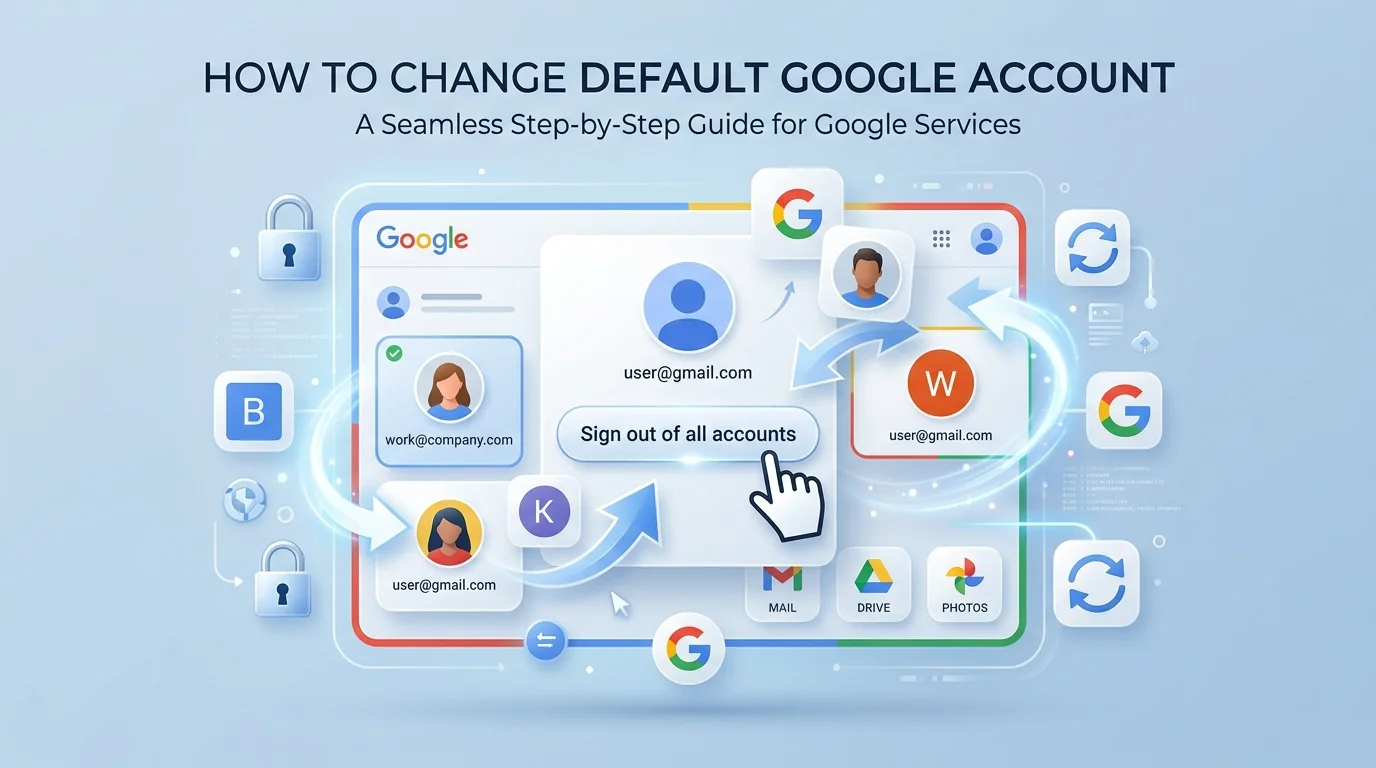
To change default Google account, sign out of all accounts, then sign back in first with the account you want as your default. Google assigns default status by login order — not by a setting. On Android, you must remove and re-add accounts in your preferred order.
Now here's the thing nobody tells you upfront: there is no button.
I looked for it. For years, honestly. I clicked through every corner of my Google Account settings hunting for a switch labeled "make this my main one." It doesn't exist. What does exist is a quiet, stubborn little rule about login order — and once you understand it, this takes about ninety seconds.
So let me walk you through it.
What Your Default Google Account Actually Is
Before you touch anything, you need the mental model. Most guides skip this part, and that's exactly why people end up doing the same fix over and over, wondering why it keeps unraveling. Your default Google account isn't a preference you set. It's a position you occupy. Google assigns it based on which account signs in first during a browser session, and every account after that gets stacked underneath. Understanding that one mechanic is the whole game.
Google's own documentation confirms it. In their help page on signing in to multiple accounts at once, they state plainly that in many cases your default account is the one you signed in with first — and that on mobile, it varies by operating system and app.
That's it. That's the rule.
Why Switching Accounts Isn't The Same As Changing The Default
This trips up nearly everyone, so I want to be blunt about it.
Clicking your profile picture and hopping over to another inbox? That's a temporary account switch. It doesn't move your default one inch.
As AnsonAlex explains in his multiple sign-in guide, if you sign into Account A first, then add Account B and start working there, opening Google Drive or YouTube in a fresh tab will still load Account A. You can be signed into up to 10 accounts at once — but only one of them wears the crown.
Which Method Should You Use? A Quick Comparison
Four approaches solve this problem, and they're genuinely not interchangeable. I've used all four in the same week depending on what I was doing. Before you pick one, glance at this table — it'll save you from doing the disruptive fix when a two-second fix would've worked. The right choice comes down to one question: do you need this permanently, or just for the next five minutes?
Method | Speed | Permanence | Best For |
|---|---|---|---|
Sign-out reset | ~90 seconds | Permanent per browser | Genuinely changing your primary Google account |
Account switcher | 2 seconds | Session only | Quick peeks at a second inbox |
/u/0/ URL trick | 3 seconds | Per link | Opening a shared Drive or Docs link in the right account |
Chrome profiles | 3 minutes setup | Permanent, isolated | Running work and personal accounts side by side, forever |
If you're here because Drive keeps throwing permission errors, jump to the URL trick. If you're here because your whole setup feels wrong, do the sign-out reset.
How To Change Default Google Account On Desktop
Right. Let's actually fix it. This method works identically in Google Chrome, Microsoft Edge, Mozilla Firefox, and Safari, because you're not changing a browser setting — you're rewriting Google's session order. I've done this on client machines dozens of times and it has never once failed me. Follow these steps exactly, and pay attention to step four, because the order is the entire trick.
Step 1. Open google.com or gmail.com in a normal (non-incognito) window.
Step 2. Click your profile icon in the top-right corner.
Step 3. Choose Sign out of all accounts. Don't skip the "all." A partial sign-out leaves the old session cookie sitting there.
Step 4. Now sign back in — first — with the account you want as your default.
Step 5. Add everything else afterward using Add account from the same profile menu.
Done. That first login is now your default across Gmail, Google Calendar, Drive, Docs, and YouTube.
Quick housekeeping note while you're signing in and out of everything: this is the perfect moment to tidy up your credentials. If you're not sure which passwords your browser has quietly stored over the years, here's how to find your saved passwords on this device before you start.
The /u/0/ Trick Almost Nobody Explains
This section is my favorite, because it's the piece that separates a surface-level guide from one you'll actually bookmark. Have you ever clicked a shared Drive link and gotten slapped with "You need permission" — even though you definitely have permission? That's not a bug. That's your default account answering the door instead of your work account. And there's a URL-level fix that takes two seconds.
Look at your address bar. You'll see something like mail.google.com/mail/u/0/.
As this breakdown of Google account contexts lays out, u/0/ is the first account you signed into — your default. u/1/ is the second. u/2/ is the third. Change the number, change the account.
There's also the authuser parameter. GTricks documented a bookmark format using mail.google.com/mail/u/?authuser= followed by your address, which jumps straight into a specific inbox without touching the switcher at all.
I keep three of these bookmarked. Genuinely a small life upgrade.
The Products That Ignore Multi-Login Entirely
Quick warning, and it's the reason getting your default right matters beyond convenience.
Some Google products refuse to play the multi-account game. Google's multiple sign-in documentation notes you can't sign into multiple accounts on Blogger, Google Ads, or Google Analytics — on those, you're stuck with your default, full stop.
So if you manage ad campaigns or analytics for a business, your default isn't a preference. It's infrastructure.
How To Change Default Google Account On Android
Android is a different animal, and I want to set expectations honestly rather than pretend it's a two-tap job. On your phone, the default is a system-wide setting — it governs your Google Play Store purchases, your contacts, your backups. Android Police confirms that changing it requires removing the current account, because Google treats the first account added to the device as primary.
Before you do anything, sync your data.
Seriously. Removing an account strips synced Play Store access, bookmarks, contacts, browsing history, and calendar entries from that device.
Here's the sequence:
Open Settings, then tap Passwords & accounts (some phones say Accounts and backup → Manage accounts).
Tap each Google account you don't want as default and hit Remove account, per Google's official Android guide.
Restart the device.
Tap Add account → Google, and sign in with your preferred default account first.
Add your secondary accounts afterward.
You'll need each password on hand for step four, so if any of them are stale or you've been meaning to rotate them, sort that out first — here's my walkthrough on how to change your email password without locking yourself out mid-process.
One myth worth killing: Digital Citizen notes that signing out of a single app won't change the system-preferred account — and clearing cache or rebooting won't reset account priority either.
How To Change Default Google Account On iPhone
iOS confuses people because two completely different settings share almost the same name, and folks change the wrong one then swear their phone is broken. Let me separate them cleanly, because once you see the distinction it's obvious. One controls which address your mail goes out from. The other controls which app opens when you tap an email link. You probably want the first one.
To set your default sending account: Go to Settings → Apps → Mail → Composing → Default Account on iOS 18 and later. On iOS 14 through 17, it's Settings → Mail → Composing → Default Account, as Intermedia's support article documents. The option only appears if you've got more than one account configured.
To make Gmail your default mail app: Google covers this in their own iOS guide — head to your Default Apps settings and select Gmail.
Heads up on one quirk: if your setting sits on "Automatically select best account," Mail picks the sender based on the first recipient and the current mailbox. Change it manually.
The Permanent Fix: Chrome Profiles
If you're tired of re-running this fix every few weeks, I'd push you toward the real solution — free, built-in, and I'd recommend it to anyone juggling work and personal logins.
Chrome profiles give each account its own sealed container: separate bookmarks, history, passwords, cookies, extensions. Google's profile documentation shows the setup — click Profile → Add Chrome profile, pick a color, sign in. Two windows, two identities, zero collisions.
One caution: deleting a profile erases its saved data locally. And on Android, you only get one.
Frequently Asked Questions
I pulled these from the questions I get asked most, plus the ones people are actively searching. Short answers, no fluff — if you skimmed everything above, this section alone will probably solve your problem.
Why does my Google account keep switching back?
Because your default is stored in session cookies tied to login order. If you sign in with the wrong account first — or someone else on a shared computer does — Google reassigns the default. Redo the sign-out reset and make sure your preferred account is genuinely the first one in.
Can I have two default Google accounts?
No. Google permits one default per browser session. If you truly need two accounts running as "primary" simultaneously, Chrome profiles are the only clean answer, since each profile maintains its own separate session.
Does removing an account from Android delete my data?
No. Your data stays safe in the cloud and resyncs when you add the account back. What disappears is the local copy on that device — synced contacts, calendar, bookmarks, and Play Store access. Sync before removing.
How many Google accounts can I sign into at once?
Up to 10 simultaneously using multiple sign-in. Each gets a number in the URL — /u/0/ through /u/9/ — with u/0/ always being your default account.
Why does Google Drive say I need permission when I clearly have access?
The link opened under your default account instead of the account that was granted access. Change the number in the URL from /u/0/ to /u/1/ (or whichever index matches the right account) and it'll load instantly.
Wrapping Up
So — changing your default Google account isn't hard once you stop hunting for a button that was never built. On desktop, it's a sign-out and a deliberate re-login. On Android, it's a remove-and-re-add in the right order. On iPhone, it's two settings that look alike but do different jobs. And if you'd rather never think about this again, set up Chrome profiles and let each account live in its own sealed lane.
Do it once. Do it properly. You'll stop losing minutes to the wrong inbox.
About the Author

Nathan Cole
Nathan Cole is a SaaS writer and AI product reviewer at Postunreel with a sharp focus on evaluating AI-powered tools for content creators, marketers, and growing businesses. He holds a degree in Computer Science and brings over five years of experience writing about software products, productivity tools, and marketing technology. Nathan approaches every review with rigorous hands-on testing, clear comparison frameworks, and an honest perspective that cuts through marketing hype. His goal is to help Postunreel readers make smarter decisions about the tools they invest in so they can build better content workflows without wasting time or money.
🔥 Limited Time Deal
NewGet lifetime access to Postunreel with a one-time payment. Never pay again!
Your Go-To Solution for Stunning Carousels using AI!
Postunreel is a free AI carousel generator tool that helps you design captivating carousel posts for LinkedIn, Instagram, and other platforms. It makes it easier to increase social media engagement and grow your audience.
Create Free Carousel Now 🚀Related Blogs
How to Remove Background in GIMP: Step by Step Guide for 2026
Learn how to remove background in GIMP with 3 methods: Fuzzy Select, Foreground Select, and Paths. Get a clean transparent PNG in minutes for free.
Free AI Video Maker: 5 Tools That Actually Work in 2026
Free AI video maker guide: real daily credits, watermark rules and clip limits for Google Flow, Kling, Pika and more. Pick the right tool fast.
The Modern Business Survival Guide: Preparing for the Problems You Can Not Predict
Learn how to build business resilience with practical strategies for managing unexpected problems, protecting communication, diversifying revenue, and preparing your team for disruptions.