iOS 26 New Features: The Complete Guide (2026)
Discover every iOS 26 new feature, from Liquid Glass to Live Translation and Call Screening. See compatible iPhones and if you should upgrade today.
iOS 26 new features include the Liquid Glass redesign, Live Translation, Call Screening, Hold Assist and a smarter Messages app. It runs on iPhone 11 and later. The best Apple Intelligence tools need an iPhone 15 Pro or newer. If your phone qualifies, update now. If it doesn't, upgrading unlocks the full experience.
Why iOS 26 Is Such a Big Deal
I went through Apple's announcements, release notes and expert coverage so you don't have to. Here's what I found. iOS 26 is the biggest redesign since iOS 7.
Apple skipped from iOS 18 straight to 26. That's not a typo. Apple now names every operating system after the release year, so your iPhone, iPad, Mac and Watch speak one unified design language.
iOS 26 Key Features at a Glance
Want the fast version? This section is your cheat sheet. It lists the headline upgrades in one place. Then I'll break each one down below, with steps where they help.
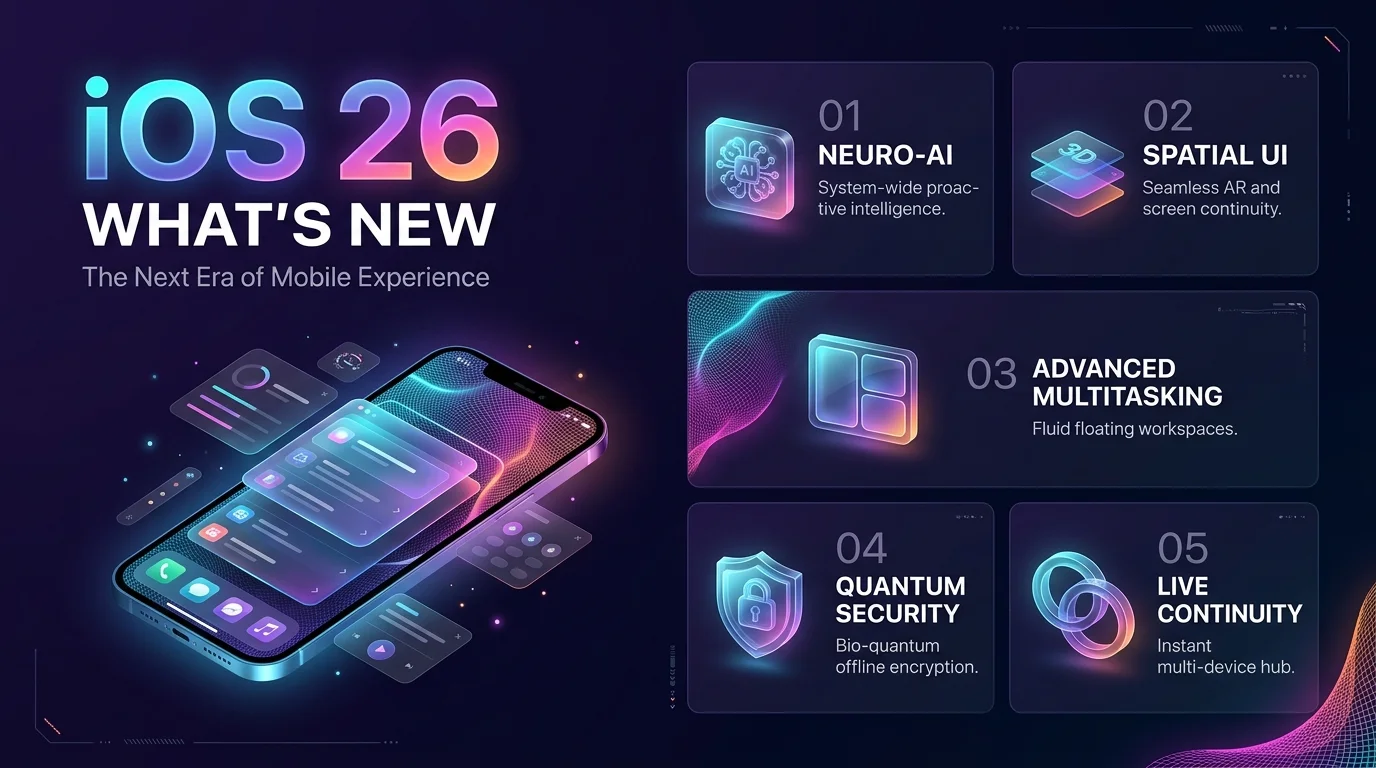
Liquid Glass design: translucent buttons, menus, keyboard and Home Screen icons
Live Translation: real time translation in Messages, FaceTime and Phone
Call Screening and Hold Assist: fewer spam calls and no more waiting on hold
Messages upgrades: polls, custom backgrounds and screened unknown senders
Smarter Maps, Camera and Safari: commute alerts, a simpler layout and web apps
Apple Music AutoMix: DJ style transitions between songs
Liquid Glass: The New Look You'll Notice Immediately
You'll see Liquid Glass the second you unlock your phone. Apple describes it as a translucent material that behaves like real glass. It reacts to movement with specular highlights and shifts between light and dark surroundings. Pretty? Absolutely. Controversial? You bet.
How to Reduce Liquid Glass Transparency (4 Steps)
Not everyone loves a see through interface, and I get it. Since iOS 26.1 added a Clear or Tinted toggle, you can fix this in seconds:
Open Settings and tap Display & Brightness.
Tap Liquid Glass.
Choose Tinted for more opacity and contrast, or Clear for the see through look.
Still bothered? Go to Accessibility and turn on Reduce Transparency.
Want more display tweaks while you're in there? Here's our guide on how to invert colors on iPhone.
Apple Intelligence: Smart Features That Save You Time
This is where iOS 26 gets exciting. Apple Intelligence now reaches deeper into your day with on device AI, smarter Shortcuts and screen aware tools. Apple says its Live Translation models run entirely on your device, so your private conversations stay private.
Live Translation for Calls, Texts and FaceTime
Picture this. You're chatting with a colleague in Tokyo, and neither of you speaks the other's language. With Live Translation, translated captions appear in Messages, FaceTime and Phone calls in real time. Later, iOS 26.1 added more languages, including Danish, Dutch, Swedish, Turkish and Vietnamese.
It even works through your earbuds. Check our AirPods Pro features and price guide to see which model fits you. And if you'd rather learn the language yourself, these best language learning apps are worth a look.
Call Screening and Hold Assist
Spam calls drive me nuts. You too? Call Screening asks unknown callers for their name and reason for calling before your phone even rings. Hold Assist then keeps your place in line and alerts you when a live agent joins. No more elevator music.
Everyday Apps That Got Smarter
Beyond the flashy stuff, Apple polished the apps you open a hundred times a day. MacRumors counted over 100 changes, so here are the ones worth your attention.
Messages: create polls, set custom chat backgrounds and filter unknown senders.
Camera: a simpler layout means less hunting for modes. Pair it with the best free photo editing app for iPhone for sharper shots.
Maps: it learns your commute and shows Visited Places.
Safari: turn almost any website into a web app on your Home Screen. Stuck in private browsing? Learn how to get out of incognito mode on iPhone.
Apple Music: AutoMix blends songs like a DJ would.
Battery: Adaptive Power stretches your charge when you need it most.
iOS 26 Update Timeline: Every Release So Far
iOS 26 didn't stop at launch. Macworld tracks each point release, and the pace has been steady. This table shows what each version added, so you can see how far the software has come since September 2025. I've kept only the biggest changes per release.
Version | Release date | Standout changes |
|---|---|---|
iOS 26.0 | Sept 15, 2025 | Liquid Glass, Live Translation, Call Screening |
iOS 26.1 | Nov 3, 2025 | Clear or Tinted toggle, new Apple Intelligence languages |
iOS 26.2 | Dec 12, 2025 | Offline lyrics, Lock Screen clock slider, Freeform tables |
iOS 26.3 | Feb 11, 2026 | Easier Android to iPhone switching |
iOS 26.4 | Mar 24, 2026 | AI playlists, Stolen Device Protection on by default |
iOS 26.5 | May 11, 2026 | Encrypted RCS beta, Maps suggestions |
iOS 26.7 | Sept 14, 2026 | Security fixes, released alongside iOS 27 |
iOS 27 has the same device list as iOS 26, and Apple still ships security updates for iOS 26, so you aren't left behind.
Which iPhones Support iOS 26?
Good news first. iOS 26 supports the iPhone 11 and later, plus the second generation iPhone SE. Now the catch. The best features need Apple Intelligence, which requires an iPhone 15 Pro or newer. Check the table below.
iPhone model | Runs iOS 26? | Apple Intelligence? |
|---|---|---|
iPhone XR, XS, XS Max | No | No |
iPhone 11, 12, 13, 14, SE (2nd and 3rd gen) | Yes | No |
iPhone 15 and 15 Plus | Yes | No |
iPhone 15 Pro and Pro Max | Yes | Yes |
iPhone 16 family and newer | Yes | Yes |
Frequently Asked Questions About iOS 26
What are the main new features in iOS 26?
The big ones are Liquid Glass, Live Translation, Call Screening, Hold Assist, Messages polls and a new Games app. Updates through iOS 26.5 added AI playlists and encrypted RCS in beta.
Which iPhones can run iOS 26?
Any iPhone 11 or later, including the second generation iPhone SE. The iPhone XR, XS and XS Max are not supported.
Do I need a new iPhone for Apple Intelligence?
Yes, if you own anything older than the iPhone 15 Pro. Apple Intelligence runs on the iPhone 15 Pro, Pro Max and the iPhone 16 family or newer.
Can I turn off Liquid Glass transparency?
Yes. Go to Settings, then Display & Brightness, then Liquid Glass, and choose Tinted. You can also enable Reduce Transparency under Accessibility.
Is iOS 26 still supported now that iOS 27 is out?
Yes. Apple still releases security updates for iOS 26, and iOS 27 supports the same iPhones.
Is iOS 26 worth installing?
For most people, yes. You get a fresh design, better call and message filtering and ongoing security fixes. The AI features are the biggest reason to own a newer phone.
My Verdict: Should You Upgrade Your iPhone?
Let me be straight with you. If you own an iPhone 15 Pro or newer, update today and thank me later. You get Live Translation, Call Screening and every refinement Apple has shipped since.
But if you're on an iPhone 11, 12 or 13, you'll miss the AI features that make iOS 26 special. That's why I'd upgrade to an Apple Intelligence ready iPhone now. You'll unlock the full experience, get years of software support and stop wasting time on spam calls and language barriers.
Ready to see what your iPhone can really do? Pick up an iPhone 16 or iPhone 17, install iOS 26 and follow the steps above. You won't look back.
About the Author

Nathan Cole
Nathan Cole is a SaaS writer and AI product reviewer at Postunreel with a sharp focus on evaluating AI-powered tools for content creators, marketers, and growing businesses. He holds a degree in Computer Science and brings over five years of experience writing about software products, productivity tools, and marketing technology. Nathan approaches every review with rigorous hands-on testing, clear comparison frameworks, and an honest perspective that cuts through marketing hype. His goal is to help Postunreel readers make smarter decisions about the tools they invest in so they can build better content workflows without wasting time or money.
🔥 Limited Time Deal
NewGet lifetime access to Postunreel with a one-time payment. Never pay again!
Your Go-To Solution for Stunning Carousels using AI!
Postunreel is a free AI carousel generator tool that helps you design captivating carousel posts for LinkedIn, Instagram, and other platforms. It makes it easier to increase social media engagement and grow your audience.
Create Free Carousel Now 🚀Related Blogs
How to Clear Browser Cache in Chrome, Firefox, Edge and Safari (2026 Guide)
Learn how to clear browser cache in Chrome, Firefox, Edge and Safari in minutes. Follow easy steps, shortcuts and fixes for slow or broken pages fast.
How to Use Google Keep for Your Blog Post: A 5 Step Workflow (2026)
Learn how to use Google Keep for blogging. Capture ideas, build outlines, set reminders and send drafts to Docs in five simple steps.