Low-Code No-Code: The Smartest Business Move 2026
Low-code no-code lets anyone build apps fast. See 2026 stats, a step-by-step guide, risks, and why it's worth adopting now.

Low-code no-code (LCNC) is a way to build software using visual tools instead of traditional programming — low-code needs a little coding, no-code needs none at all. Gartner projects the low-code market alone will hit $44.5 billion by 2026, with 75% of new enterprise apps built this way. If you want faster development, lower costs, and the ability to let your team build their own tools, this is exactly the shift you've been waiting for.
Now let me walk you through why this matters — and exactly how to get started.
I'll be honest with you — when I first heard about low-code no-code platforms, I thought it was just another buzzword.
Boy, was I wrong.
After digging through the data (and trust me, I dug deep), I realized this isn't hype. It's a full-blown shift in how software gets built. And if you're still on the fence about it, this article is going to change your mind.
Let's get into it.
What Is Low-Code No-Code, Really?
Here's the thing — most people throw around the term "low-code no-code" without actually explaining what it means. So let me break it down for you real quick.
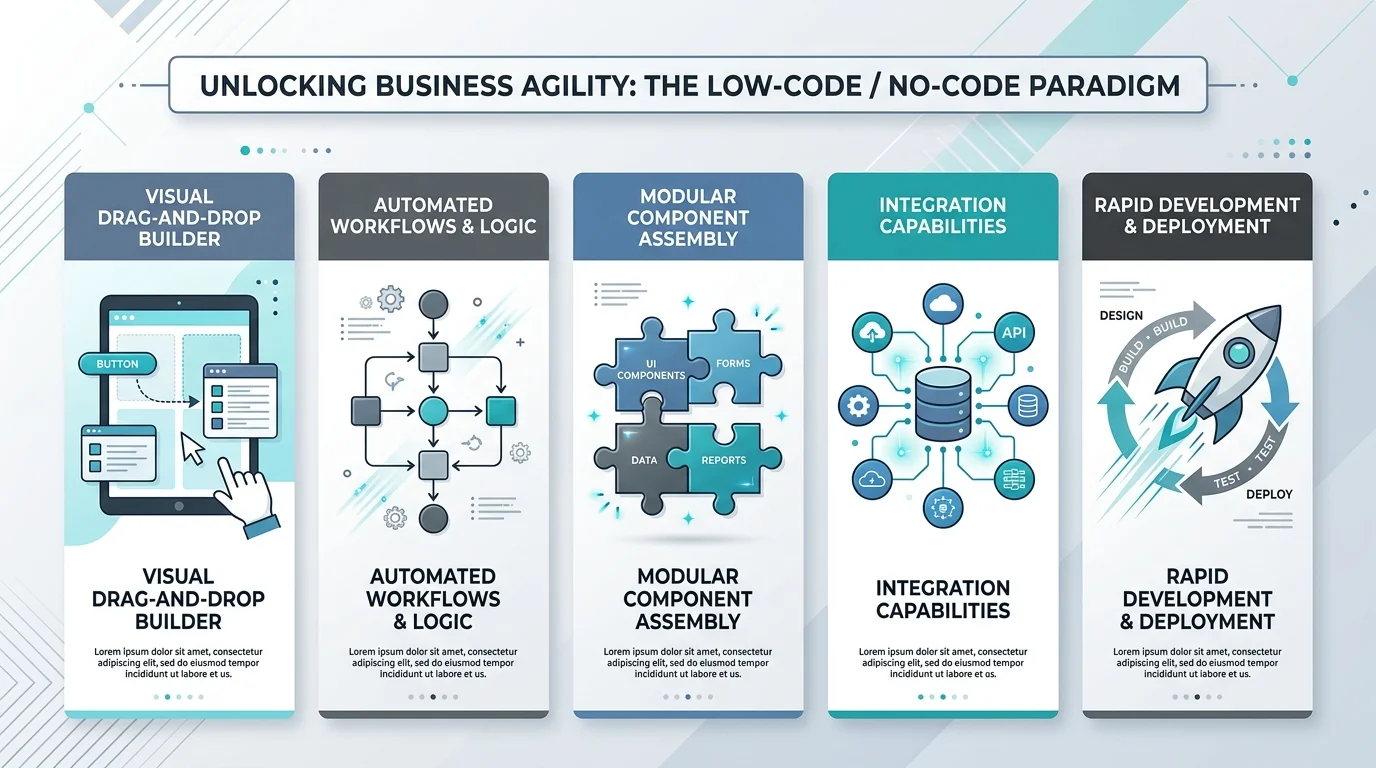
Low-code development lets you build apps using visual tools with just a little bit of coding sprinkled in. No-code platforms take it a step further — zero coding required. Just drag, drop, and deploy.
Think of it like building with digital LEGO blocks, according to WeWeb's ultimate guide. You snap pieces together, and boom — you've got a working application.
This is where the term citizen developer comes in. That's you (or your marketing manager, or your ops lead) building real software without ever touching a line of code. Comidor explains it well — this movement traces back to early tools like Excel and Microsoft Access, but today's platforms are light-years more powerful.
If you're curious how this connects to the broader AI-driven software space, we've also covered no-code generative AI programs in detail — worth a read once you're done here.
Low-Code vs. No-Code: What's the Actual Difference?
You'll see these terms used interchangeably a lot, and that's honestly a little misleading. Here's a quick side-by-side so you know exactly what you're choosing between.
Feature | Low-Code | No-Code |
|---|---|---|
Coding required | Minimal scripting | None |
Best for | Developers, IT teams, complex logic | Business users, citizen developers |
Flexibility | High — can extend with custom code | Limited to platform's building blocks |
Learning curve | Moderate | Very low |
Example use case | Custom internal tools with integrations | Simple forms, landing pages, workflows |
If your team has some technical skill and needs custom logic, go low-code. If you want your ops or marketing team building tools with zero developer involvement, no-code is your answer.
The Numbers Don't Lie (And They're Kind of Insane)
Okay, so I promised you data. Here it is — and I'll flag upfront that market-size estimates vary depending on the research firm and how broadly "low-code" is defined. I'm leaning on Gartner as the primary source since it's the most consistently cited across the industry, with other estimates noted for context.
Market size: Gartner projects the low-code market will hit $44.5 billion by 2026. Broader estimates that include adjacent no-code tools push this as high as $187 billion by 2030, growing at roughly 31% CAGR.
App development share: 75% of new enterprise applications will be built on low-code by 2026.
Citizen developer growth: 80% of low-code users will come from outside IT departments by 2026, up from just 60% in 2021.
Enterprise adoption: Roughly 84% of enterprises have already adopted or plan to adopt LCNC platforms.
Backlog relief: 90% of developers say low-code helps them manage app backlogs.
Let that sink in for a second. Three out of four new apps? Built without traditional development. That's not a niche trend anymore — that's the new normal.
Faster Development. Period.
You've probably felt the pain of waiting months for a simple internal tool. I have too.
With low-code platforms, that timeline shrinks dramatically. According to Integrate.io's research, organizations report up to a 90% reduction in development time. Some businesses save an average of $187,000 annually, with payback periods as short as 6 to 12 months.
That's not a small win. That's a game-changer.
Lower Costs, Bigger Impact
Let's be real — hiring developers is expensive. Really expensive.
Low-code platforms cut that cost dramatically because they use usage-based subscription pricing, meaning you only pay for what you actually use. No bloated dev teams. No endless backlog.
Who's Actually Using This Stuff?
You might be wondering — is this just a small-business thing? Nope. Not even close.
Forrester data cited by ToolJet shows financial services leads adoption at a whopping 82%, driven by regulatory compliance needs and customer-facing app demands. Even highly regulated industries trust this technology.
And get this — 87% of IT leaders say no-code/low-code tools directly solve their developer talent shortage, according to a 2026 Gartner CIO Survey.
So no, this isn't a fringe trend. It's mainstream infrastructure now.
A Step-by-Step Guide to Getting Started
Alright, let's get practical. Here's exactly how you can start using low-code no-code tools — step by step.
Step 1: Pick a Small, Annoying Problem
Don't try to build your entire company's software stack on day one. Start small.
Pick something that's been bugging your team — a manual spreadsheet process, a clunky approval workflow, whatever. WeWeb recommends starting with a pilot project to build early momentum.
Step 2: Choose the Right Platform
Not all platforms are created equal. Some focus on workflow automation, others on mobile app development, and some on full enterprise application development.
Evaluate based on:
Your specific use case
Integration needs (do you need API integration with existing tools?)
Scalability — can it grow with you?
Most platforms offer free trials, so test-drive a few before committing. If you're weighing whether to go the platform route or build something more custom, our piece on custom AI agents development breaks down when that makes more sense.
Step 3: Set Up Governance Early
This step gets skipped a lot, and it shouldn't.
Bring IT into the conversation from day one. WeWeb's guide suggests establishing a Center of Excellence (CoE) — basically a support system that gives your citizen developers guidance, training, and oversight.
This turns risky shadow IT into something structured, secure, and genuinely productive.
Step 4: Train Your Team
You don't need to hire an army of developers. You need enthusiastic team members who are willing to learn.
Identify a few people in your org who are curious, tech-comfortable, and eager to solve problems. Give them the tools. Watch what happens.
Step 5: Scale What Works
Once your pilot project proves itself, expand. Add more use cases. Bring in more departments.
This is how digital transformation actually happens — not through some massive top-down overhaul, but through small wins that compound.
Risks and Limitations You Should Know About
I'd be doing you a disservice if I only sold you the upside. Low-code no-code isn't perfect — here's what to watch for.
Vendor lock-in: Once you build on a platform, migrating away can be painful. Check export/portability options before committing.
Security and governance gaps: Without a CoE (see Step 3 above), citizen developers can accidentally create compliance or data-exposure risks.
Scalability ceilings: Some no-code tools struggle with high-complexity logic or massive data volumes — that's usually where low-code (with custom scripting) becomes necessary instead.
Shadow IT sprawl: Without oversight, departments can end up with dozens of overlapping tools nobody's tracking.
None of these are dealbreakers — they're just reasons to plan governance from day one instead of bolting it on later.
Why AI Changes Everything (Again)
Here's something worth paying attention to in 2026 specifically.
Caspio's research points out that the low-code category has split into two camps — AI tools that generate quick, throwaway prototypes, and governed platforms that run real, compliant applications at scale.
Their conclusion? "AI doesn't replace no-code. AI makes governed no-code faster."
That's an important distinction. You want speed and structure. Not one or the other.
Frequently Asked Questions
What's the difference between low-code and no-code?
Low-code requires minimal scripting and suits developers or technical users who need custom logic. No-code requires zero coding and is built for business users who want to build tools independently.
Is low-code no-code secure?
It can be, as long as you set up governance — like a Center of Excellence — from the start. Left unmanaged, it can create shadow IT risks.
How much does it cost?
Most platforms use usage-based subscription pricing, meaning you pay for what you use rather than a large upfront investment.
Who should use no-code platforms?
Anyone without a coding background — marketers, operations staff, HR teams — who needs to build simple apps, forms, or workflows without waiting on IT.
Will AI replace no-code platforms?
No — current data suggests AI is making governed no-code platforms faster and more capable, not replacing them entirely.
Should You Actually Do This?
Look, I get it. Change is scary. New tools feel risky.
But here's the truth — waiting isn't free either. Every month you delay is a month your competitors are shipping faster, spending less, and empowering their teams to solve their own problems.
The data is overwhelming. The ROI is proven. And the barrier to entry has never been lower.
If you've been sitting on the fence about low-code no-code development, this is your sign. Start small. Start today. And watch how quickly it transforms the way your team builds.
You won't regret it.
About the Author

Nathan Cole
Nathan Cole is a SaaS writer and AI product reviewer at Postunreel with a sharp focus on evaluating AI-powered tools for content creators, marketers, and growing businesses. He holds a degree in Computer Science and brings over five years of experience writing about software products, productivity tools, and marketing technology. Nathan approaches every review with rigorous hands-on testing, clear comparison frameworks, and an honest perspective that cuts through marketing hype. His goal is to help Postunreel readers make smarter decisions about the tools they invest in so they can build better content workflows without wasting time or money.
🔥 Limited Time Deal
NewGet lifetime access to Postunreel with a one-time payment. Never pay again!
Your Go-To Solution for Stunning Carousels using AI!
Postunreel is a free AI carousel generator tool that helps you design captivating carousel posts for LinkedIn, Instagram, and other platforms. It makes it easier to increase social media engagement and grow your audience.
Create Free Carousel Now 🚀Related Blogs
Internet Options by Address: How to Find the Best Provider at Your Door
Find internet options by address in 3 simple steps. Check fiber, cable and 5G providers, spot map errors, and pick the right plan for your home today.
How to Clear Cache in Chrome: Step by Step Guide
Learn how to clear cache in Chrome on desktop, Android and iPhone. Follow our simple steps, try a hard reload, and fix stale pages in under a minute.
URL Encoder and Decoder SpellMistake: Fix Broken Links and Encoding Errors (2026 Guide)
Learn how a URL encoder and decoder fixes broken links, %20 errors and double encoding. Follow the step by step guide, then try SpellMistake today.