What Is BCC in Email? Blind Carbon Copy 2026
BCC in email hides recipient addresses from everyone else. Learn blind carbon copy works, Gmail and Outlook limits, and when it backfires.
BCC in email stands for blind carbon copy. Anyone you place in the BCC field receives your email, but their address stays hidden from everyone else on the message — including the other BCC recipients. Use it to protect privacy on group sends and to stop Reply All chains before they start.
Key Takeaways
BCC hides recipient addresses from all other recipients on the email
BCC recipients never receive Reply All messages — their address was never in the copies others got
RFC 5322 permits three different BCC implementations, which is why behaviour varies by provider
BCC is a delivery instruction, not a security feature
Misusing BCC is one of the UK ICO's most-reported breach categories — nearly 1,000 incidents since 2019
Above roughly 30–50 recipients, switch to mail merge or a proper sending platform
I've watched a single mis-clicked field cost an organization £350,000.
Not a hack. Not ransomware. Just someone typing addresses into the wrong box.
Here's the thing: most people think they understand blind carbon copy. They don't. They know it hides addresses, and they stop there — which is exactly why "failure to use BCC correctly" sits near the top of the UK regulator's breach reports year after year.
So in this guide, I'm going to show you what BCC in email actually does under the hood, when to use it, when it will quietly betray you, and the exact steps to set it up in Gmail and Outlook.
Let's dive in.
What Does BCC Stand For in Email?
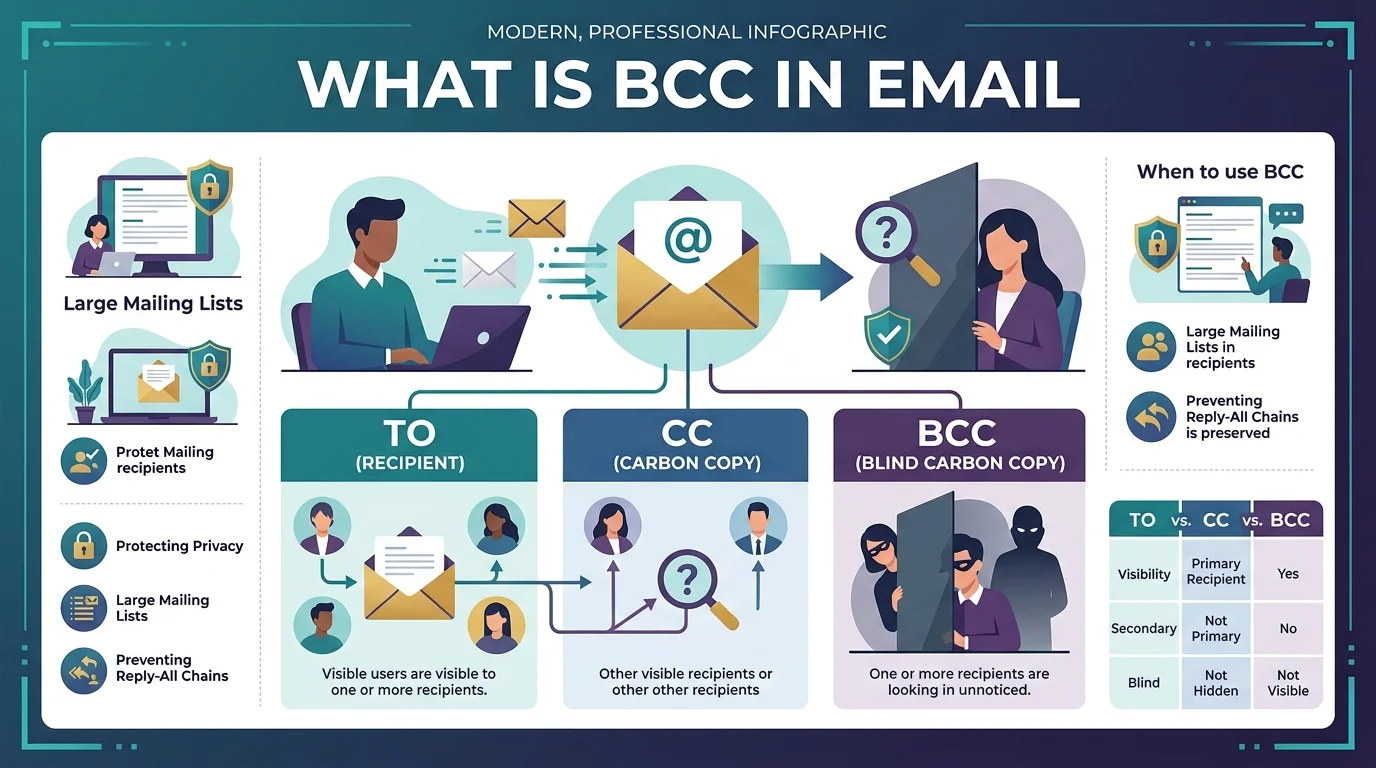
Before you can use it well, you need the plain-English version. BCC stands for blind carbon copy. Anyone you drop into that field receives your message — but nobody else on the email can see that they got it. The people in To and CC see each other. Your BCC recipients stay visible to you alone. That one sentence covers roughly 80% of what most people need. The rest of this article covers the parts that bite you, and I've watched every single one of them bite somebody.
The name is a fossil.
Back in the typewriter era, you'd slide a sheet of carbon paper under your page to produce a duplicate — the "carbon copy." When a typist needed to send copies without disclosing who received them, they'd add names in a second pass, or lift the ribbon so nothing struck the top sheet.
Email inherited the vocabulary. CC became carbon copy. BCC became blind carbon copy.
Quick myth-buster: you'll see "blind courtesy copy" floating around. That's a backronym — a later re-reading, not the origin.
To vs CC vs BCC: The Difference Nobody Explains Properly
Everyone wants the comparison table, so here it is. Pay attention to the Reply All row, because that's the one that trips up smart people. The three fields aren't just politeness levels — they behave differently at the protocol layer, and that difference determines whether an address survives a forward, whether it shows up in a reply, and whether you end up on the phone with your compliance team. If your role involves confidential communication, it pairs closely with protecting sensitive work data more broadly.
To | CC | BCC | |
|---|---|---|---|
Purpose | Action expected | Informational | Hidden copy |
Address visible to others? | Yes | Yes | No |
Survives a forward? | Yes | Yes | No |
Receives Reply All? | Yes | Yes | No |
Can see other recipients? | To + CC | To + CC | To + CC only |
Typical use case | Direct request | Keeping a manager informed | Mass announcements |
Counts toward sending limits? | Yes | Yes | Yes |
Visible in your sent folder? | Yes | Yes | Yes |
Notice the Reply All row.
BCC recipients do not receive Reply All messages. Half the blog posts ranking for this topic get it wrong. Their address was never in the copies other people received — so there's literally nothing there to reply to.
How BCC Actually Works (The Part Most Guides Skip)
Now let's get technical, because this explains something genuinely confusing: why BCC behaves differently depending on who your email provider is. The field is defined in RFC 5322, the Internet Message Format standard published in October 2008. Section 3.6.3 describes BCC as holding addresses "not to be revealed to other recipients of the message." Straightforward enough. But then the spec does something interesting that almost nobody writes about.
It permits three different implementations:
Strip the BCC line from every copy. Nobody sees anything.
Strip it from To/CC copies, but leave it on BCC copies.
Send an empty BCC line — signalling blind copies went out without naming anyone.
And then RFC 5322 closes with a line worth tattooing somewhere: which method to use is implementation dependent.
Translation? Your provider picks. You don't.
Under method two, if the full list stays intact, your hidden recipients can see each other. Gmail and sendmail use method one and strip the header entirely — but you can't assume every mail server on earth does the same.
Which brings me to the single most important idea in this article.
BCC is a delivery instruction. It is not a security feature.
It hides addresses from other recipients. It does nothing about server logs, e-discovery, or a recipient forwarding your message to whoever they like.
The Real Risk: When BCC Goes Wrong
I want to spend a moment here because it's the difference between a tidy inbox and a regulatory fine. The UK's Information Commissioner's Office has said flatly that failing to use BCC correctly is one of the most common email data breaches reported to it — close to a thousand incidents since 2019. These aren't technical failures. They're copy-paste errors. And the pattern repeats with grim consistency.
Look at the record:
IICSA (2017) — a correction email to 90 abuse inquiry participants went out in the To field. £200,000 fine.
Ministry of Defence (2021) — Afghan interpreters' addresses placed in CC. £350,000.
HIV Scotland — 105 network members CC'd; one recipient recognised a former partner.
NHS Highland — 37 HIV service patients CC'd. Recall attempt failed. ICO reprimand.
Read the IICSA one again.
The original email was BCC'd correctly. The reply wasn't.
That's the trap. And it's why the ICO now says relying on BCC alone isn't an appropriate security measure for sensitive groups at all.
Worth knowing before it happens to you: there is a narrow window in which you can recall the message, and it closes fast.
Step-by-Step: How to Use BCC in Gmail and Outlook
Enough theory — let's make this practical. Setting up your BCC field takes under thirty seconds, and in Outlook you can pin it permanently so you never hunt for it again. I'd strongly recommend doing that today rather than "sometime," because the whole category of error we just discussed comes from people improvising under time pressure. Make the safe path the default path.
Step 1 — Gmail. Hit Compose, then click the small Bcc link beside the To field. Add your addresses, separated by commas.
Step 2 — Classic Outlook. Go to File → Options → Mail → tick "Always show Bcc." Done forever.
Step 3 — New Outlook. Options → Show fields → Show Bcc.
Step 4 — Apple Mail. It hides by default every single time. There's no permanent toggle. Just check before every send.
Step 5 — Put your own address in the To field. This kills the ugly "undisclosed recipients" label and makes the message look deliberate instead of sloppy.
Step 6 — Count your recipients. Free Gmail caps around 100 per message; Google Workspace allows up to 2,000 with a 500 external sub-cap; Exchange Online is admin-set between 1 and 1,000. (Verified August 2026. Google states its sending limits can change without notice and apply on a rolling 24-hour window, so check the official page before a large send.)
Auto-BCC: Logging Emails to Your CRM Automatically
Here's a use case most guides skip entirely, and it's the one that saves sales teams real hours. Most CRM platforms issue you a private BCC address — drop it into the field and the message logs itself against the right contact record, no copy-pasting, no browser tab switching. Salesforce calls this Email to Salesforce; HubSpot and Pipedrive offer near-identical addresses. If you run B2B email outreach at any scale, this is the cleanest possible example of BCC used as plumbing rather than secrecy.
Two cautions, though.
That address is effectively a credential — anyone holding it can write to your CRM. And auto-BCC rules fire on every send, including personal messages, unless you scope them properly.
When You Should Stop Using BCC Entirely
Here's my honest recommendation, and it's the part I'd want a friend to tell me. BCC works beautifully for small, occasional group sends — a party invite, a client announcement, moving a colleague off a thread. Past a certain size, though, you're using a hand tool for factory work, and the failure mode is a public apology. Deliverability data suggests BCC sends above roughly 30–50 recipients from a personal inbox measurably increase spam-folder placement.
So move to mail merge or a proper email marketing automation platform once your list gets real.
Those systems handle unsubscribes, authentication, and bounce processing — three things Google now requires from bulk senders at 5,000 messages a day. They also send each person their own message, which makes the entire exposure risk structurally impossible.
Two things to sort out before your first proper campaign: get SPF, DKIM and DMARC configured, and clean your email list so bounces don't torch your sender reputation on day one.
That's not a nice-to-have. That's insurance.
The BCC Etiquette Rule That Protects Your Reputation
One last thing, because it costs nothing and people notice. Legitimate BCC use is about privacy and inbox hygiene — protecting subscriber addresses, preventing Reply All storms, keeping a clean record. Deceptive BCC use is about surveillance, and even Microsoft's own guidance notes that using it to let someone eavesdrop is widely frowned upon.
Don't silently BCC your manager into a conversation.
If someone genuinely needs visibility, CC them openly. If you're moving a person off a thread, say so in the body: "Moving Priya to BCC."
It takes four words. It builds enormous trust.
Frequently Asked Questions About BCC
Below are the questions people actually type into search, answered directly. If you only skim one section, make it this one — these cover the misconceptions that cause the most damage, and each answer stands on its own if you need to quote it to a colleague.
Can BCC recipients see each other?
Normally, no. In Gmail, Outlook, and most modern providers, the BCC header is stripped before delivery, so each blind carbon copy recipient sees only the To and CC fields. RFC 5322 does technically permit an implementation that leaves the list intact, so on unusual or legacy mail servers it's possible — but it's rare in practice.
Does Reply All go to BCC recipients?
No. Reply All never reaches BCC recipients. Their addresses were removed from the copies everyone else received, so there is nothing for a reply to route to. If you're BCC'd and hit Reply All yourself, your message goes only to the sender and the visible To and CC recipients — which instantly reveals that you were on the email.
Is BCC private or secure?
BCC is private from other recipients, not secure in any broader sense. It doesn't encrypt anything. Your mail server logs the delivery, the message sits in your sent folder with the full list, and any recipient can forward it. Treat BCC as an addressing convenience, never as a data protection control.
Is it unprofessional to use BCC?
It depends entirely on intent. Using BCC to protect a mailing list's privacy or to move someone off a thread is good practice. Using it to let a third party silently watch a conversation is widely considered a trust violation. The simple test: would you be comfortable if the hidden recipient were announced?
How many people can I BCC at once?
Free Gmail permits roughly 100 recipients per message and about 500 per day; Google Workspace allows up to 2,000 per message with a 500 external cap; Outlook.com sits near 300 daily; iCloud Mail is tightest at around 100. Practically, keep any single BCC send under 50 to avoid spam filtering.
What happens if I use CC instead of BCC by mistake?
Every recipient sees every address. If the list implies anything sensitive — a health service, a support group, an inquiry — you may have a reportable data breach. Act fast: attempt recall, notify recipients and ask them to delete, document what happened, and escalate to your data protection lead immediately.
And that, honestly, is the whole philosophy of using BCC well — hide addresses, never intentions.
About the Author

Nathan Cole
Nathan Cole is a SaaS writer and AI product reviewer at Postunreel with a sharp focus on evaluating AI-powered tools for content creators, marketers, and growing businesses. He holds a degree in Computer Science and brings over five years of experience writing about software products, productivity tools, and marketing technology. Nathan approaches every review with rigorous hands-on testing, clear comparison frameworks, and an honest perspective that cuts through marketing hype. His goal is to help Postunreel readers make smarter decisions about the tools they invest in so they can build better content workflows without wasting time or money.
🔥 Limited Time Deal
NewGet lifetime access to Postunreel with a one-time payment. Never pay again!
Your Go-To Solution for Stunning Carousels using AI!
Postunreel is a free AI carousel generator tool that helps you design captivating carousel posts for LinkedIn, Instagram, and other platforms. It makes it easier to increase social media engagement and grow your audience.
Create Free Carousel Now 🚀Related Blogs
Free AI Video Maker: 5 Tools That Actually Work in 2026
Free AI video maker guide: real daily credits, watermark rules and clip limits for Google Flow, Kling, Pika and more. Pick the right tool fast.
The Modern Business Survival Guide: Preparing for the Problems You Can Not Predict
Learn how to build business resilience with practical strategies for managing unexpected problems, protecting communication, diversifying revenue, and preparing your team for disruptions.
How to Change Instagram Story Background Color
See how to change Instagram story background color on iPhone and Android. Try 4 easy, free methods: solid fills, gradients and color tints.